> ## Documentation Index
> Fetch the complete documentation index at: https://docs.piebald.ai/llms.txt
> Use this file to discover all available pages before exploring further.
# Changelog (release notes)
> Latest updates and improvements to Piebald.
export const MuxVideo = ({playbackId, title = "Video demo"}) => ;
In this release we've fixed a number of bugs and added some small features:
* Added support for **viewing and redeeming ChatGPT/Codex rate limit resets**
* Added an option to **configure the default path for new worktrees**
* Enhanced **tool call rendering for Xcode MCP tool calls**
* Added an option to **make the Enter key add a new line** instead of send the message and Cmd/Ctrl+Enter send the message
* Add Git's `blame`, `shortlog`, `show-ref`, `for-each-ref`, `rev-list`, `name-rev`, `whatchanged`, and `stash list/show` subcommands to the auto-approval list
* Added right-click options to create files and folders in the file sidebar
* Added an `anchor_line` option to `EditFile` tool calls
* Made eligible tool calls auto-approve when switching to a more permissive permission mode
* Added a setting to re-enable the terminal-close notification
* Added a setting to exclude certain files (e.g. hidden/temporary/system files) from the file browser
* Added automatic refresh for the file browser when files in the project are changed on disk
* Made the `SessionEnd` CC hook trigger when a chat is marked as Done or Abandoned
* Fixed display names for Antigravity model listings
* Fixed Openference support with a custom User-Agent header
* Made disabling thinking work for Claude Code providers
* Fixed an ugly error when creating a project and initializing a Git repo when `git` isn't installed
* Hid the title regeneration button when there are no messages in the chat
* Made viewing untracked files in the Git view not crash
* Fixed the new-terminal button not being disabled for Basic users
* Fixed a bug where random items would be pre-selected when @-mentioning files
* Fixed a bug where Claude Code errored when used in a directory that didn't exist
* Reduced frequency of MCP tool listings calls
* Redacted images in the HTTP traffic viewer for Bedrock requests for UI performance
* Fixed a bug where drafts could get cleared if chats haven't loaded yet
* Fixed an ``unknown variant `fallback`, expected one of `text`, `tool_use`, `thinking` `` error that could occur with certain Anthropic-provider errors
* Fixed multiple ``Failed to parse event: missing field `id` `` errors that could occur with with certain OpenAI-compatible providers
* Fixed a bug where automatic tool call approval could sometimes break when a chat was compacted
* Fixed occasional truncation and garbling of terminal command tools' output
* Fix tool call approval for chats that have their message date and times messed up
* Disabled the “Continue” button when there are pending tool calls
* Fixed a rare data integrity issue
* Made worktrees that are being deleted show as loading
* Made unreadable (e.g. binary or missing) file @-mentioned surface as notes to the model
* Made clicking notifications exit the full-screen terminal
* Fixed a bug where clicking
* Fixed the “Use” button on providers in the settings not response
* Fixed a markdown rendering bug when escaping math
* Fixed a markdown rendering bug with code blocks in list items
* Made more safe `sed` invocations be auto-approved
* Added settings to configure the line height of code and terminals
* Fixed a bug where read tool calls would unnecessarily prompt for permission when the path was invalid
* Fixed a bug where invocations of non-existent tool calls wouldn't be auto
* Fixed a bug where maliciously crafted invocation of `sort`, `less`, and other commands could write files using `-o`
* Fixed a bug where OpenAI cache-write usage wasn't preserved
* Added support for the `max` reasoning level for GPT-5.6 models
* Fixed a bug where todo-related MCP tools could accidentally pollute the current TODO display
* Removed the MCP registry count scraping
* Corrected spacing around punctuation in French UI translations
* Enhance Claude Code provider internals
* Surfaced provider errors on provider reload
* Fixed display of provider errors in the provider card
* Hid the pause widget for subagent chats when the parent chat is paused
* Fixed a bug where one failed URL in a batch of parallel URL fetches could fail the whole batch
* Set the thinking display to summarized instead of off for Sonnet 5 / Opus 4.7+
* Fixed a bug where deleting message containing a pending tool call would sometimes leave the chat status indicator status
* Fixed a bug where markdown links to files on disk could be broken on Windows if they started with a drive letter
* Filtered out binary files from file @-mention dropdown
* Fixed a bug where file edits with `replace_all` set would unnecessarily fail if there was only 1 occurrence of the text to replace
In Piebald v0.5.1, we've enhanced the Python environment picker UI and fixed several bugs:
* Enhanced the Python envronment picker UI
* Enhanced automatic read-only terminal command approval
* Improved the jump-to-top / jump-to-bottom button hover effect
* Made the "Add provider anyway" button work
* Hid unnecessary error toasts for some new users
* Made Xunfei errors clearer and more informative
* Made GLM and DeepSeek "image unsupported" errors clearer and more informative
* Tightened the file-mention chip height
* Fixed intermittent errors with Edit tool call rendering
* Added new chat/terminal buttons to the chat topbar for convenience
* Fixed the chat topbar being draggable
* Fixed notifications showing when a the pausing of a chat has completed
* Normalized mixed-slash paths copied to the clipboard from tool calls
* Fixed the chat message count being stale during generation
* Fixed internal DB transaction performance to help resolve "database is locked" issues
* Fixed autocompaction token usage detection
* Fixed "Allowed Servers & Tools" section in the sidebar showing unchecked when some where checked
* Fixed settings opened via Ctrl+Comma not remembering last settings tab opened
* Fixed the goal icon positioning
* Fixed handling of malformed tool calls from OpenAI-compatible servers causing chat to get confused
* Made the parsing of SSE chunks from OpenAI-compatible chunks more robust against incompatibilies
* Made MCP OAuth failures easier to diagnose
In Piebald v0.5.0, we've added **enhanced error display**, **goals**, **Python environment support**, **attaching multiple images to feedback reports**, and many bug fixes!
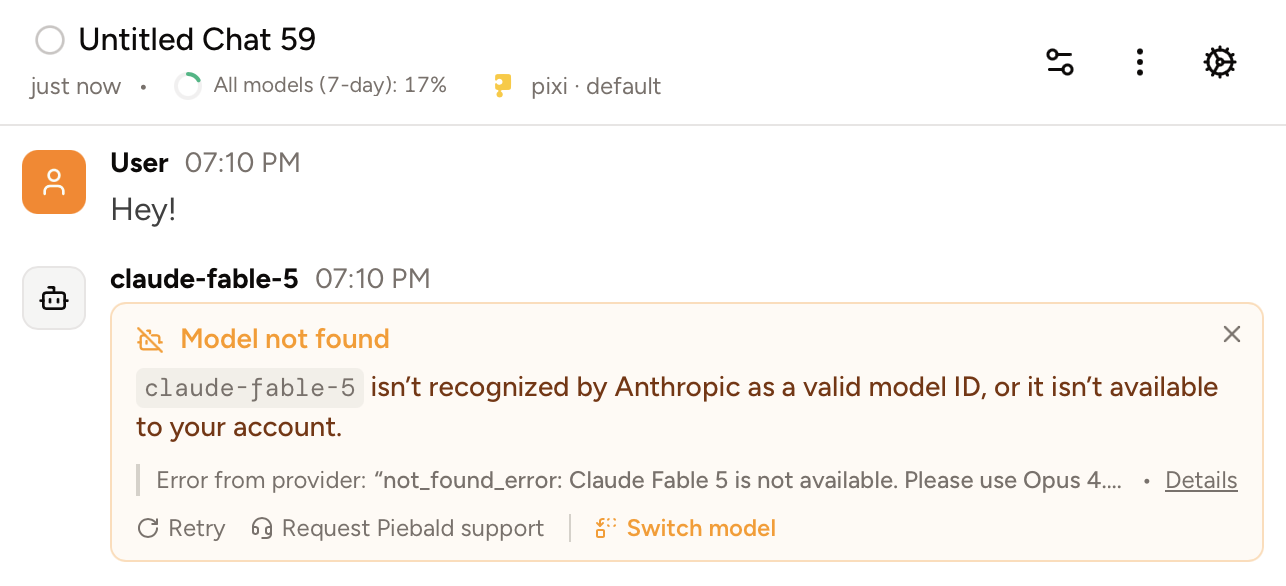
## User-friendly rendering and automatic retry for common provider errors
Server errors happen, and you shouldn't be forced see a raw error string with an HTTP status code and JSON. We now catch and handle many different types of errors that we've seen occur over hundreds of different providers all over the world, and display them as a friendly warning with advice on how to fix them.
We also automatically retry on many more of them than we did before, so most intermittent errors like "overloaded", "internal server error", local network flukes, and temporary rate limiting, will be silently glossed over if possible so you won't suffer an interruption.
You can still report any error—especially ones that you think look like bugs in Piebald—to us at any time.
 ## Goals
Inspired by Codex, we now support long-running goals. Goals force the model to continue working even when it tries to stop, and won't stop until the goal—a concrete, verifiable, user-defined objective—is marked as complete. Examples of good goals might be *“Migrate all router instances from React Router v5 to v6 in the /src/components directory.”* or *“Upgrade the project dependency 'lodash' to the latest stable version.”* ([OpenAI Developers Docs](https://developers.openai.com/cookbook/examples/codex/using_goals_in_codex))
## Python environment detection (Pro)
We now automatically detect common types of Python environments, such as built-in `venv` virtual environments, `conda` environments, and the newer `pixi` environments (see [GitHub](http://github.com/prefix-dev/pixi)), when you create a chat in a project that contains a configured Python environment. If we find multiple environments, we'll ask you to choose one and we'll save it as the default for all new chats in the project.
When a Python environment is selected, all terminal commands that the AI runs wills have environment variables from the Python environment's initialization process injected into them. Commands that you manually run in the integrated terminal will as well. The environment variables are cached when you select the venv for the first time.
## Multiple images in feedback
You can now attach multiple screenshots to feedback reports, if it helps you describe a bug or feature request:
## Other
We've also added other smaller features and fixed many bugs:
* Added support for the model setting a timeout on terminal commands
* Added a "Regenerate title" action chats in the sidebar
* Added the Desktop-style top bar with menu items and the Piebald version to web mode
* Added auto-approval of read-only Windows Batch commands
* Added Gemini 3.5 Flash to the Antigravity provider
* Added a link to start a trial on Pro features
* Added automatic retention for MCP server traffic logs to save disk space
* Fixed a bug where the UI didn't proactively update when trials expire
* Fixed the file browser button being broken for Basic users
* Unified spinner styles across the app
* Prevented a single broken message or tool call from breaking the entire chat
* Made long MCP tool inspection popovers scrollable
* Fixed skill header duplication in the slash-command dropdown menu
* Set up automatic Piebald version bumping for our Homebrew tap
* Fixed a bug where currently selected rate limit views were reset when switching chats
* Improved the GitHub Enterprise Copilot signin experince
* Fixed a bug when scrolling through a Monaco editor
* Fixed bugs when scrolling in several dropdown menus nested in dialogs like Settings
* Added debugging to unexpected Claude Code early exits
* Attached debug info to Piebald authentication errors
* Fixed some frontend performance issues
* Fixed subagent chats sometimes becoming detached from the parent chat visually
* Fixed a bug streaming text when new tool calls have been streaming
* Fixed chat metadata alignment
* Fixed more integrated terminal bugs
In v0.4.4 we've fixed several bugs, especially around generations hanging and timing out:
* Added per-SSE-chunk streaming timeout to detect stalled connections
* Added a "Stream Idle Timeout" setting to detect and terminate idle HTTP streams
* Improved internal HTTP request response body plumbing
* Improved HTTP robustness and network error recovery
* Added automatic retry for mid-stream network errors
* Largely fixed text garbling and rendering issues in the integrated terminal
* Fixed frequenty Claude Code PTY errors due to a short timeout
* Updated fallback model list for Claude Code providers to include Opus 4.7 and 4.8 and Fable 5.
* Fixed a bug where Ctrl+R in a terminal panel reloaded the window instead of triggering reverse-i-search
* Hid incorrect timeout values accidentally displayed for terminal commands
* Fixed parallel tool calls for Anthropic API key providers and Anthropic-compatible APIs
* Improved error messages when Google OAuth refreshing fails
* Fixed chat status/message count flicker
* Changed keyboard shortcut for toggling the sidebar from Ctrl+Shift+S to Ctrl+B
* Fixed `undefined is not an object (evaluating '$.initialized')` error sometimes occuring
* Fixed a bug where approving a tool call when there are many parallel tool calls pending approval automatically scrolls down
* Fixed the "esc" keyboard shortcut for cancellation not working sometimes
* Updated color in the sidebar for chats pending tool approval
* Fixed a intermittent "Line doesnt exist" error when using Pierre Diffs
* Fixed the native OS file picker allowing any file type when attaching an image
* Fully cancel Claude Code request when cancelling the current generation
* Fix bugs when approving tool calls
In this release we've fixed several bugs and added read-only detection and auto-approval for PowerShell commands.
* Added read-only detection and auto-approval for PowerShell commands
* Fixed a bug where the settings dialog was pinned at the General section when opened via Cmd/Ctrl + comma
* Fixed a bug when copying chats with skill slash-command usage
* Gave chat tag pills in the sidebar a little more padding
* Fixed a bug where indented code blocks had leading whitespace trimmed
* Fixed streaming of Mermaid diagrams
* Added zoom controls to Mermaid diagrams
* Enabled manual refreshing of ChatGPT/Codex subscription rate limit usage meter
* Added tooltips to the new chat and new terminal buttons in the sidebar
## Piebald v0.4.2
In this release we've fixed several bugs:
* Improved handling of skills with invalid names
* Added the build date in About menu
* Changed `TodoWrite` tool description to discourage usage for just chats and one-shot questions
* Fixed a bug with regenerating a message in a paused chats
* Fixed a bug with size of file mentions
* Added support for Git Bash/mingw `/c/Users/...`-style paths in builtin Read/Write/Edit tools
* Fixed overflow bugs in the create worktree dialog
* Added the ability to collapse individual backlog sections on click
* Fixed thinking support with Claude Opus 4.7/4.8
## Piebald v0.4.1
In this release we've fixed a few bugs with our interactive Claude Code implementation and the new sidebar.
## Piebald v0.4.0 - refreshed sidebar, chat statuses, smooth streaming, images from MCP tool calls
In this release we've **redesigned the sidebar**, added new **chat statuses**, **smooth streaming** configuration controls, and support for **MCP tools that return images**.
## New task-centric sidebar
We've redesigned the sidebar to simplify managing chats in multiple projects at once. Only projects with active chats are displayed; other projects are hidden by default and can be accessed via the dropdown at the top of the sidebar.
## Explicit chat lifecycle management
You can now explicitly mark chats as "Done" or "Abandoned", or move them to a per-project backlog. When you're done with a task, mark the chat as Done and it will disappear from the main sidebar, leaving only active tasks that you're working on in view.
## Smooth streaming (Pro)
We've added a beautiful smooth streaming effect for generated text. Regardless of latency or spikes, generated text will appear character-by-character or word-by-word in a easing motion. Tool calls are also streamed in smoothly. You can also configure an optional blur or fade animation with a custom speed.
Smooth streaming requires Piebald Pro.
## Support for MCP tool calls that return images
Piebald now supports MCP tool calls that return images, so you can now use Figma, Playwright, Chrome DevTools, and other tools to take screenshots or gather design context.
## Enhanced tag support
We now support project-specific tags in addition to existing global tags. We also support merging tags into each other; for example, if there are duplicates that both have chats. You can also now duplicate tags.
## Claude Code interactive
To keep Claude Pro/Max usage in Piebald working, we now run Claude Code interactively in the background without relying on the Agent SDK or `claude -p`. The solves a number of bugs that have arisen in recent Claude Code versions, and it should also route usage to your main subscription usage instead of the Agent SDK bucket, per the June 15th Agent SDK/`-p` usage allocation changes.
## Other
We've also fixed countless small bugs and added many small features.
* Added support for duplicating tags.
* Added support for merging one tag with another.
* Added support for tags defined on specific projects.
* Removed Piebald Pro gate from notification volume settings.
* Added a feature to automatically format and syntax-highlight JSON MCP tool call bodies.
* Added a feature to show the draft message for new untitled chats.
* Updated all OAuth flows to use device code authentication under web mode.
* Redesigned the About dialog.
* Added option to hide unchanged lines in Git diffs.
* Added an "Ignore" button to generation errors.
* Changed default font size from 18px to 16px.
* Added a button to toggle hidden files in the Code tab.
* Enhanced slash command search to match items even when you've only partially typed their names.
* Added an "Open Folder" item to the File menu.
* Enhanced the "Launch in Terminal" MCP server debugging feature to launch in the Piebald integrated terminal instead of an external one.
* Enhanced HTTP traffic viewer to automatically redact images to avoid duplicating large images.
* Added a button to preview Markdown files from the Code section.
* Added a dialog to confirm closing a terminal when it has a command running.
* Localized "Untitled Chat" title.
* Enhanced worktree creation functionality to use a dialog instead of a popover menu.
* Enhanced markdown rendering to display unsupported HTML as text.
* Fixed other bugs with model selection, auto-scroll, scrolling in diffs, Git worktrees, TLS error retrying, sign-in errors, integrated terminals, Anthropic-compatible APIs support, Claude Code support, `Grep` tool calls, reactions, Claude Code hooks, Markdown rendering, continuing, pausing, compaction, GitHub Copilot, subagents.
## Piebald v0.3.2
* Fixed command prompt window flashing on each hook invocation on Windows.
* Fixed `"continue": false` not being respected for all hooks.
* Fixed `additionalContext` in `SessionStart` hooks not being properly injected.
* Added `--version`/`-V` flags to Piebald binaries.
* Fixed a bug handling parallel tool calls in the Claude Code engine.
* Added support for `.github/copilot-instructions.md`.
## Piebald v0.3.1
* Added support for NVIDIA Nemotron's flavor of the Responses API with `response.reasoning_part.added` & `response.reasoning_part.done`.
* Made file edit diffs more compact.
* Fixed a bug launching Claude Code in certain directories.
* Fixed a bug when going from a subagent chat to the parent chat in some cases.
* Fixed bugs in the file browser UI.
* Fixed a bug where the last used of multiple terminals would be forgotten when switching away.
* Fixed a bug where empty messages sometimes weren't filtered out after conversion to the OpenAI completions format.
* Handled a bug with pasting images where the mime type as reported by the OS may be incorrect.
## Piebald v0.3.0 - Claude Code hooks & provider, chat sharing, usage/rate limit monitor, token count badge, Bedrock API keys
We've added a **Claude Code provider** that avoids direct Anthropic OAuth login and uses Claude Code under the hood, as well as **support for Claude Code hooks**, **cloud chat sharing**, **Claude, ChatGPT, and Gemini subscription usage/rate limit monitoring**, **a token count badge**, and **Bedrock API keys**.
## Claude Code provider
Our Claude provider now uses Claude Code under the hood, instead of calling the Claude.ai API directly. Since we're using Claude Code itself to make the requests, you can now be sure there's no risk of getting your Claude.ai account banned. (FWIW, we've never received a single report of an account ban due to use of Piebald.)
By default, Piebald will use your existing Claude Code installation, if any, by searching for `claude` on your PATH. If you have Claude Code installed in an unusual location, however, you can specify the path to the `claude` binary manually in your Claude Pro/Max provider settings. And if you don't have Claude Code installed, you can use Piebald to install the latest version and keep it up-to-date automatically.
## Claude Code's hooks
We've added support for Claude Code's hooks, so when you open a project that has a `.claude/hooks` and `.claude/settings.json`, the hooks will activate at the points you've configured.
We currently support the following Claude Code hooks: `PostCompact`, `PostToolUse`, `PostToolUseFailure`, `PreCompact`, `PreToolUse`, `SessionStart`, `Stop`, `StopFailure`, `SubagentStart`, `SubagentStop`, `UserPromptSubmit`.
We don't currently support the following hooks because they don't have direct equivalents in Piebald: `ConfigChange`, `CwdChanged`, `Elicitation`, `ElicitationResult`, `FileChanged`, `InstructionsLoaded`, `Notification`, `PermissionDenied`, `PermissionRequest`, `PostCompactResult`, `PostToolBatch`, `SessionEnd`, `Setup`, `TaskCompleted`, `TaskCreated`, `TeammateIdle`, `UserPromptExpansion`, `WorktreeCreate`, `WorktreeRemove`. However, please let us know if any these would be essential to you.
## Subscription usage limit monitor (Pro) & token count display
We've added two widgets to the chat top bar that show the number of tokens that your current chat is using and your current subscription usage, if you're using a Claude Pro/Max subscription, ChatGPT subscription, or a Google AI subscription.
## Chat sharing (Pro)
You can now share chats from Piebald! Click the ellipsis menu on a chat in the sidebar or chat titlebar and click **Share**. Just choose an expiration date and then copy the link and send it! Anyone with the link will be able to view the chat ([here's the chat in the video](https://app.piebald.ai/s/Ilx_sBYJoBNIQ0LMKlVeM?utm_source=0.3rn)).
## Passing a prompt from the command line
You can now pass a prompt to Piebald from the command line with an argument (e.g. `piebald /code/myfolder "Explore this project"`) or with a command line flag (e.g. `piebald --prompt "Add tests"`).
## Bedrock API keys
We now support Amazon Bedrock API keys. Go to **Settings → Providers → New Provider → Amazon Bedrock → API key** and paste your key. We support long-lived and short-lived keys.
## Other
* Added French, Portuguese, Korean, Turkish, and Italian translations.
* Removed Qwen.ai provider—[Alibaba have officially sunset the OAuth free tier](https://github.com/QwenLM/qwen-code/issues/3203).
* Rebuilt the `AskUserQuestion` tool to support multiple questions in one call, optional descriptions for the answers, and optional previews.
* Improved the web server token system so that you can open multiple tabs or windows of Piebald Web.
* Added DuckDuckGo in addition to Exa as a search engine for the `WebSearch` tool.
* Added a fourth plan approval option, **Approve and implement in new worktree**.
* Changed wording of generation errors from "Error during generation" to "Generation error".
* Emphasized preference for explicit user instruction in the `LaunchSubagent` tool description.
* Added the ability to configure the profile used for subagents launched in a particular chat.
* Added plan information to the window title on Linux like the custom titlebar on Windows and macOS.
* Added support for line and column numbers to AI file mention detection.
* Added web fetch and web search requests to HTTP traffic viewer.
* Added functionality to automatically cancel all generations on signout.
* Added functionality to automatically move down to the first diff in the selected file in the Git tab.
* Enhanced the `WriteFile` tool to automatically create directory trees when they don't already exist.
* Enhanced chat compaction to use a toast, not a dialog, to avoid blocking the whole app during compaction.
* Enhanced title generation and compaction to strip thinking blocks if thinking is enabled on the respective built-in profiles.
* Fixed Glama MCP count display.
* Added handling for the `RECITATION` stop reason in Gemini providers.
* Added handling for `response.failed`, `response.incomplete`, and `response.metadata` events in OpenAI providers with Response API.
* Enhanced `RunTerminalCommand` tool calls to return the first and last 10k characters instead of the first 20k.
* Made tool calls full width by default.
* Fixed a bug where DeepSeek reasoning wasn't passed back to their API, breaking DeepSeek v4 tool calling support.
* Added a feature to display Appeal and Verify links that are sometimes returned with Gemini/Antigravity error.
* Enhanced the `Grep` built-in tool to work with multiple space-separated search dirs (e.g. `backend/src frontend/src`).
* Fixed a bug where long provider names would overflow the provider card.
* Added automatic retry for intermittent client connection errors.
* Added functionality to automatically detect the name and command line of the currently executing process in a particular terminal and display them as the chat title and description.
* Made `RunTerminalCommand` tool calls automatically collapsed.
* Fixed a bug where codeblocks in admonitions weren't displayed properly.
* Improved handling of MCP servers that don't support CIMD or DCR.
* Enhanced error display for errors from APIs that use QuantumNous's NewAPI product.
* Fixed bugs with our OpenRouter Responses support.
* Fixed a bug where pressing Esc to close dialogs also stopped generation.
* Removed toast that appears when modifying settings in the chat generation config sidebar.
* Made tool call output truncation during chat compaction much more aggresive.
* Improved MCP server OAuth signin to use our hosted redirect URL (piebald.ai/desktop/redirect) for all MCP servers.
## Piebald v0.2.7 - bug fixes
* Piebald is now built on Linux ARM64 in addition to x64.
* Added support for Claude Opus 4.7.
* Fixed Qwen.ai OAuth tokens automatic refreshing.
* Fixed a bug where Claude via Antigravity couldn't call MCP tools without arguments.
* Fix latest Antigravity version detection.
* Updated Antigravity `claude-sonnet-4-6-thinking` to `claude-sonnet-4-6`.
* Redesigned the UI of the Code tab in the project sidebar slightly.
* Handle incompatibilities with OpenAI-"compatible" providers.
* Fixed error finish reason handling for OpenRouter response with upstream errors.
* Fixed a bug where @-mentions failed entirely when canonicalization of individual paths failed.
## Piebald v0.2.6 - bug fixes
* Fixed more chat crashing errors.
* Fixed "missing thinking" and "missing signature" errors with custom Anthropic providers.
* Fully updated Antigravity version.
* Fixed Antigravity error display.
* Added a confirmation dialog before disabling telemetry or error reporting.
* Added `/bug` slash command alias for opening the feedback submission dialog.
* Changed dialog overlay effect.
* Fixed provider selection bugs that occur after deleting a provider used by existing chats.
## Piebald v0.2.5 - default permission mode and bug fixes
In this release, we've added a feature for setting a default permission mode that new chats will use. We've also fixed several bugs.
* Added the ability to customize default permission mode used for new chats and renamed "Default" to "Read-only".
* Added Ctrl+-, Ctrl+=, and Ctrl+0 to control font size zoom.
* Added buttons to copy tool input and output .
* Added execution time to tool calls.
* Made the Chats, Terminals, and Code tab headers sticky so that they stay in view while scrolling the sidebar.
* Fixed a bug where branch tabs would overflow off the screen.
* Fixed a bug where skill slash commands weren't recognized after being pasted.
* Fixed a bug where creating a chat after deleting the last used provider would throw errors.
* Fixed a bug where non-image files (files not ending with .png, .jpg, .jpeg, .webp, or .gif) could be attached with the "Attach image" button.
* Fixed a bug where deleting a chat would switch you to another project.
* Improved error messages when MCP servers fail to start.
* Fixed the "Use" and "Start using" buttons when no project was active.
* Fixed a bug where the app would crash due to minor issues in our OpenAI Responses API support.
* Fixed title generation with ChatGPT providers.
* Fixed chat crashing errors.
* Implemented fixes for "Invalid request data" error when using Claude Max subscription.
* Implemented fixes for Gemini Code Assist support to reduce access suspension risk.
## Piebald v0.2.4 - bug fixes
* Fixed context notifications not showing on new messages.
* Added the number of chats in the worktree to the delete worktree dialog.
* Updated auto-approval rules to include all read-only tool calls, including those operating outside the current project's directory.
* Fixed Qwen.ai OAuth support by adding an empty system prompt when no system prompt is defined
* Added prompt caching support to Qwen.ai OAuth providers.
* Fixed Qwen.ai OAuth re-authentication and access token refreshing.
* Fixed automatic title generation being blocking until multi-step generation are finished.
* Fixed a bug where the sidebar would incorrectly mark chats as having draft prompts
* Added pre-validation to tool calls, so that obvious errors (e.g. an Edit tool call with `oldString` identical to `newString`) are auto-approved and fail instead of requiring manual approval.
* Fixed a bug where deleting the current chat's provider shows noisy errors.
* Fixed animation bug with the minimized feedback dialog.
* Added a setting (on by default) to expand tool calls, resulting in reduced flickering
* Added buttons alongside the jump-to-top and jump-to-bottom buttons for jumping up and down through messages.
* Fixed a bug with automatic empty chat cleanup.
* Fixed a bug when listing built-in slash commands.
* Made Glob/Grep tools properly respect `.gitignore`.
* Fixed a bug wher subagent chats weren't being trashed along with the parent chat.
## Piebald v0.2.3 - remote MCP headers, manual MCP OAuth configuration, and background color customization
We've added remote MCP headers and manual OAuth configuration (client ID, client secret, and callback port, like Claude Code), background color customization, and a few other small features and bug fixes.
## Manual MCP header and OAuth configuration
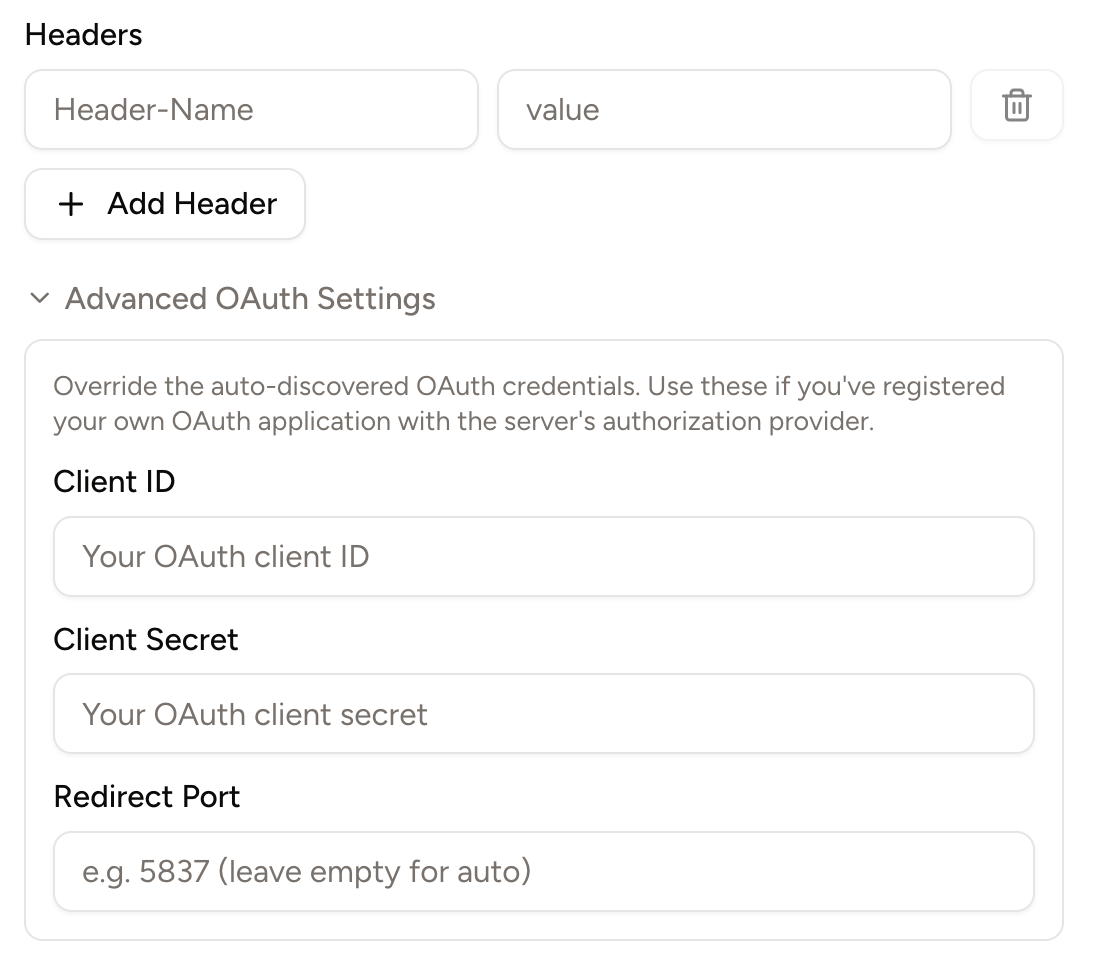
Some remote MCP servers, like [GitHub's](https://github.com/github/github-mcp-server), recommend using headers like the `Authentication: Bearer ...` to authenticate the server. Others, like [Slack's](https://docs.slack.dev/ai/slack-mcp-server/), require users to manually input a client ID, client secret, and callback port (authentication parameters that are required for a complete OAuth login process).
Piebald now supports both remote MCP headers and manually inputting client ID, client secret, and callback port:
## Goals
Inspired by Codex, we now support long-running goals. Goals force the model to continue working even when it tries to stop, and won't stop until the goal—a concrete, verifiable, user-defined objective—is marked as complete. Examples of good goals might be *“Migrate all router instances from React Router v5 to v6 in the /src/components directory.”* or *“Upgrade the project dependency 'lodash' to the latest stable version.”* ([OpenAI Developers Docs](https://developers.openai.com/cookbook/examples/codex/using_goals_in_codex))
## Python environment detection (Pro)
We now automatically detect common types of Python environments, such as built-in `venv` virtual environments, `conda` environments, and the newer `pixi` environments (see [GitHub](http://github.com/prefix-dev/pixi)), when you create a chat in a project that contains a configured Python environment. If we find multiple environments, we'll ask you to choose one and we'll save it as the default for all new chats in the project.
When a Python environment is selected, all terminal commands that the AI runs wills have environment variables from the Python environment's initialization process injected into them. Commands that you manually run in the integrated terminal will as well. The environment variables are cached when you select the venv for the first time.
## Multiple images in feedback
You can now attach multiple screenshots to feedback reports, if it helps you describe a bug or feature request:
## Other
We've also added other smaller features and fixed many bugs:
* Added support for the model setting a timeout on terminal commands
* Added a "Regenerate title" action chats in the sidebar
* Added the Desktop-style top bar with menu items and the Piebald version to web mode
* Added auto-approval of read-only Windows Batch commands
* Added Gemini 3.5 Flash to the Antigravity provider
* Added a link to start a trial on Pro features
* Added automatic retention for MCP server traffic logs to save disk space
* Fixed a bug where the UI didn't proactively update when trials expire
* Fixed the file browser button being broken for Basic users
* Unified spinner styles across the app
* Prevented a single broken message or tool call from breaking the entire chat
* Made long MCP tool inspection popovers scrollable
* Fixed skill header duplication in the slash-command dropdown menu
* Set up automatic Piebald version bumping for our Homebrew tap
* Fixed a bug where currently selected rate limit views were reset when switching chats
* Improved the GitHub Enterprise Copilot signin experince
* Fixed a bug when scrolling through a Monaco editor
* Fixed bugs when scrolling in several dropdown menus nested in dialogs like Settings
* Added debugging to unexpected Claude Code early exits
* Attached debug info to Piebald authentication errors
* Fixed some frontend performance issues
* Fixed subagent chats sometimes becoming detached from the parent chat visually
* Fixed a bug streaming text when new tool calls have been streaming
* Fixed chat metadata alignment
* Fixed more integrated terminal bugs
In v0.4.4 we've fixed several bugs, especially around generations hanging and timing out:
* Added per-SSE-chunk streaming timeout to detect stalled connections
* Added a "Stream Idle Timeout" setting to detect and terminate idle HTTP streams
* Improved internal HTTP request response body plumbing
* Improved HTTP robustness and network error recovery
* Added automatic retry for mid-stream network errors
* Largely fixed text garbling and rendering issues in the integrated terminal
* Fixed frequenty Claude Code PTY errors due to a short timeout
* Updated fallback model list for Claude Code providers to include Opus 4.7 and 4.8 and Fable 5.
* Fixed a bug where Ctrl+R in a terminal panel reloaded the window instead of triggering reverse-i-search
* Hid incorrect timeout values accidentally displayed for terminal commands
* Fixed parallel tool calls for Anthropic API key providers and Anthropic-compatible APIs
* Improved error messages when Google OAuth refreshing fails
* Fixed chat status/message count flicker
* Changed keyboard shortcut for toggling the sidebar from Ctrl+Shift+S to Ctrl+B
* Fixed `undefined is not an object (evaluating '$.initialized')` error sometimes occuring
* Fixed a bug where approving a tool call when there are many parallel tool calls pending approval automatically scrolls down
* Fixed the "esc" keyboard shortcut for cancellation not working sometimes
* Updated color in the sidebar for chats pending tool approval
* Fixed a intermittent "Line doesnt exist" error when using Pierre Diffs
* Fixed the native OS file picker allowing any file type when attaching an image
* Fully cancel Claude Code request when cancelling the current generation
* Fix bugs when approving tool calls
In this release we've fixed several bugs and added read-only detection and auto-approval for PowerShell commands.
* Added read-only detection and auto-approval for PowerShell commands
* Fixed a bug where the settings dialog was pinned at the General section when opened via Cmd/Ctrl + comma
* Fixed a bug when copying chats with skill slash-command usage
* Gave chat tag pills in the sidebar a little more padding
* Fixed a bug where indented code blocks had leading whitespace trimmed
* Fixed streaming of Mermaid diagrams
* Added zoom controls to Mermaid diagrams
* Enabled manual refreshing of ChatGPT/Codex subscription rate limit usage meter
* Added tooltips to the new chat and new terminal buttons in the sidebar
## Piebald v0.4.2
In this release we've fixed several bugs:
* Improved handling of skills with invalid names
* Added the build date in About menu
* Changed `TodoWrite` tool description to discourage usage for just chats and one-shot questions
* Fixed a bug with regenerating a message in a paused chats
* Fixed a bug with size of file mentions
* Added support for Git Bash/mingw `/c/Users/...`-style paths in builtin Read/Write/Edit tools
* Fixed overflow bugs in the create worktree dialog
* Added the ability to collapse individual backlog sections on click
* Fixed thinking support with Claude Opus 4.7/4.8
## Piebald v0.4.1
In this release we've fixed a few bugs with our interactive Claude Code implementation and the new sidebar.
## Piebald v0.4.0 - refreshed sidebar, chat statuses, smooth streaming, images from MCP tool calls
In this release we've **redesigned the sidebar**, added new **chat statuses**, **smooth streaming** configuration controls, and support for **MCP tools that return images**.
## New task-centric sidebar
We've redesigned the sidebar to simplify managing chats in multiple projects at once. Only projects with active chats are displayed; other projects are hidden by default and can be accessed via the dropdown at the top of the sidebar.
## Explicit chat lifecycle management
You can now explicitly mark chats as "Done" or "Abandoned", or move them to a per-project backlog. When you're done with a task, mark the chat as Done and it will disappear from the main sidebar, leaving only active tasks that you're working on in view.
## Smooth streaming (Pro)
We've added a beautiful smooth streaming effect for generated text. Regardless of latency or spikes, generated text will appear character-by-character or word-by-word in a easing motion. Tool calls are also streamed in smoothly. You can also configure an optional blur or fade animation with a custom speed.
Smooth streaming requires Piebald Pro.
## Support for MCP tool calls that return images
Piebald now supports MCP tool calls that return images, so you can now use Figma, Playwright, Chrome DevTools, and other tools to take screenshots or gather design context.
## Enhanced tag support
We now support project-specific tags in addition to existing global tags. We also support merging tags into each other; for example, if there are duplicates that both have chats. You can also now duplicate tags.
## Claude Code interactive
To keep Claude Pro/Max usage in Piebald working, we now run Claude Code interactively in the background without relying on the Agent SDK or `claude -p`. The solves a number of bugs that have arisen in recent Claude Code versions, and it should also route usage to your main subscription usage instead of the Agent SDK bucket, per the June 15th Agent SDK/`-p` usage allocation changes.
## Other
We've also fixed countless small bugs and added many small features.
* Added support for duplicating tags.
* Added support for merging one tag with another.
* Added support for tags defined on specific projects.
* Removed Piebald Pro gate from notification volume settings.
* Added a feature to automatically format and syntax-highlight JSON MCP tool call bodies.
* Added a feature to show the draft message for new untitled chats.
* Updated all OAuth flows to use device code authentication under web mode.
* Redesigned the About dialog.
* Added option to hide unchanged lines in Git diffs.
* Added an "Ignore" button to generation errors.
* Changed default font size from 18px to 16px.
* Added a button to toggle hidden files in the Code tab.
* Enhanced slash command search to match items even when you've only partially typed their names.
* Added an "Open Folder" item to the File menu.
* Enhanced the "Launch in Terminal" MCP server debugging feature to launch in the Piebald integrated terminal instead of an external one.
* Enhanced HTTP traffic viewer to automatically redact images to avoid duplicating large images.
* Added a button to preview Markdown files from the Code section.
* Added a dialog to confirm closing a terminal when it has a command running.
* Localized "Untitled Chat" title.
* Enhanced worktree creation functionality to use a dialog instead of a popover menu.
* Enhanced markdown rendering to display unsupported HTML as text.
* Fixed other bugs with model selection, auto-scroll, scrolling in diffs, Git worktrees, TLS error retrying, sign-in errors, integrated terminals, Anthropic-compatible APIs support, Claude Code support, `Grep` tool calls, reactions, Claude Code hooks, Markdown rendering, continuing, pausing, compaction, GitHub Copilot, subagents.
## Piebald v0.3.2
* Fixed command prompt window flashing on each hook invocation on Windows.
* Fixed `"continue": false` not being respected for all hooks.
* Fixed `additionalContext` in `SessionStart` hooks not being properly injected.
* Added `--version`/`-V` flags to Piebald binaries.
* Fixed a bug handling parallel tool calls in the Claude Code engine.
* Added support for `.github/copilot-instructions.md`.
## Piebald v0.3.1
* Added support for NVIDIA Nemotron's flavor of the Responses API with `response.reasoning_part.added` & `response.reasoning_part.done`.
* Made file edit diffs more compact.
* Fixed a bug launching Claude Code in certain directories.
* Fixed a bug when going from a subagent chat to the parent chat in some cases.
* Fixed bugs in the file browser UI.
* Fixed a bug where the last used of multiple terminals would be forgotten when switching away.
* Fixed a bug where empty messages sometimes weren't filtered out after conversion to the OpenAI completions format.
* Handled a bug with pasting images where the mime type as reported by the OS may be incorrect.
## Piebald v0.3.0 - Claude Code hooks & provider, chat sharing, usage/rate limit monitor, token count badge, Bedrock API keys
We've added a **Claude Code provider** that avoids direct Anthropic OAuth login and uses Claude Code under the hood, as well as **support for Claude Code hooks**, **cloud chat sharing**, **Claude, ChatGPT, and Gemini subscription usage/rate limit monitoring**, **a token count badge**, and **Bedrock API keys**.
## Claude Code provider
Our Claude provider now uses Claude Code under the hood, instead of calling the Claude.ai API directly. Since we're using Claude Code itself to make the requests, you can now be sure there's no risk of getting your Claude.ai account banned. (FWIW, we've never received a single report of an account ban due to use of Piebald.)
By default, Piebald will use your existing Claude Code installation, if any, by searching for `claude` on your PATH. If you have Claude Code installed in an unusual location, however, you can specify the path to the `claude` binary manually in your Claude Pro/Max provider settings. And if you don't have Claude Code installed, you can use Piebald to install the latest version and keep it up-to-date automatically.
## Claude Code's hooks
We've added support for Claude Code's hooks, so when you open a project that has a `.claude/hooks` and `.claude/settings.json`, the hooks will activate at the points you've configured.
We currently support the following Claude Code hooks: `PostCompact`, `PostToolUse`, `PostToolUseFailure`, `PreCompact`, `PreToolUse`, `SessionStart`, `Stop`, `StopFailure`, `SubagentStart`, `SubagentStop`, `UserPromptSubmit`.
We don't currently support the following hooks because they don't have direct equivalents in Piebald: `ConfigChange`, `CwdChanged`, `Elicitation`, `ElicitationResult`, `FileChanged`, `InstructionsLoaded`, `Notification`, `PermissionDenied`, `PermissionRequest`, `PostCompactResult`, `PostToolBatch`, `SessionEnd`, `Setup`, `TaskCompleted`, `TaskCreated`, `TeammateIdle`, `UserPromptExpansion`, `WorktreeCreate`, `WorktreeRemove`. However, please let us know if any these would be essential to you.
## Subscription usage limit monitor (Pro) & token count display
We've added two widgets to the chat top bar that show the number of tokens that your current chat is using and your current subscription usage, if you're using a Claude Pro/Max subscription, ChatGPT subscription, or a Google AI subscription.
## Chat sharing (Pro)
You can now share chats from Piebald! Click the ellipsis menu on a chat in the sidebar or chat titlebar and click **Share**. Just choose an expiration date and then copy the link and send it! Anyone with the link will be able to view the chat ([here's the chat in the video](https://app.piebald.ai/s/Ilx_sBYJoBNIQ0LMKlVeM?utm_source=0.3rn)).
## Passing a prompt from the command line
You can now pass a prompt to Piebald from the command line with an argument (e.g. `piebald /code/myfolder "Explore this project"`) or with a command line flag (e.g. `piebald --prompt "Add tests"`).
## Bedrock API keys
We now support Amazon Bedrock API keys. Go to **Settings → Providers → New Provider → Amazon Bedrock → API key** and paste your key. We support long-lived and short-lived keys.
## Other
* Added French, Portuguese, Korean, Turkish, and Italian translations.
* Removed Qwen.ai provider—[Alibaba have officially sunset the OAuth free tier](https://github.com/QwenLM/qwen-code/issues/3203).
* Rebuilt the `AskUserQuestion` tool to support multiple questions in one call, optional descriptions for the answers, and optional previews.
* Improved the web server token system so that you can open multiple tabs or windows of Piebald Web.
* Added DuckDuckGo in addition to Exa as a search engine for the `WebSearch` tool.
* Added a fourth plan approval option, **Approve and implement in new worktree**.
* Changed wording of generation errors from "Error during generation" to "Generation error".
* Emphasized preference for explicit user instruction in the `LaunchSubagent` tool description.
* Added the ability to configure the profile used for subagents launched in a particular chat.
* Added plan information to the window title on Linux like the custom titlebar on Windows and macOS.
* Added support for line and column numbers to AI file mention detection.
* Added web fetch and web search requests to HTTP traffic viewer.
* Added functionality to automatically cancel all generations on signout.
* Added functionality to automatically move down to the first diff in the selected file in the Git tab.
* Enhanced the `WriteFile` tool to automatically create directory trees when they don't already exist.
* Enhanced chat compaction to use a toast, not a dialog, to avoid blocking the whole app during compaction.
* Enhanced title generation and compaction to strip thinking blocks if thinking is enabled on the respective built-in profiles.
* Fixed Glama MCP count display.
* Added handling for the `RECITATION` stop reason in Gemini providers.
* Added handling for `response.failed`, `response.incomplete`, and `response.metadata` events in OpenAI providers with Response API.
* Enhanced `RunTerminalCommand` tool calls to return the first and last 10k characters instead of the first 20k.
* Made tool calls full width by default.
* Fixed a bug where DeepSeek reasoning wasn't passed back to their API, breaking DeepSeek v4 tool calling support.
* Added a feature to display Appeal and Verify links that are sometimes returned with Gemini/Antigravity error.
* Enhanced the `Grep` built-in tool to work with multiple space-separated search dirs (e.g. `backend/src frontend/src`).
* Fixed a bug where long provider names would overflow the provider card.
* Added automatic retry for intermittent client connection errors.
* Added functionality to automatically detect the name and command line of the currently executing process in a particular terminal and display them as the chat title and description.
* Made `RunTerminalCommand` tool calls automatically collapsed.
* Fixed a bug where codeblocks in admonitions weren't displayed properly.
* Improved handling of MCP servers that don't support CIMD or DCR.
* Enhanced error display for errors from APIs that use QuantumNous's NewAPI product.
* Fixed bugs with our OpenRouter Responses support.
* Fixed a bug where pressing Esc to close dialogs also stopped generation.
* Removed toast that appears when modifying settings in the chat generation config sidebar.
* Made tool call output truncation during chat compaction much more aggresive.
* Improved MCP server OAuth signin to use our hosted redirect URL (piebald.ai/desktop/redirect) for all MCP servers.
## Piebald v0.2.7 - bug fixes
* Piebald is now built on Linux ARM64 in addition to x64.
* Added support for Claude Opus 4.7.
* Fixed Qwen.ai OAuth tokens automatic refreshing.
* Fixed a bug where Claude via Antigravity couldn't call MCP tools without arguments.
* Fix latest Antigravity version detection.
* Updated Antigravity `claude-sonnet-4-6-thinking` to `claude-sonnet-4-6`.
* Redesigned the UI of the Code tab in the project sidebar slightly.
* Handle incompatibilities with OpenAI-"compatible" providers.
* Fixed error finish reason handling for OpenRouter response with upstream errors.
* Fixed a bug where @-mentions failed entirely when canonicalization of individual paths failed.
## Piebald v0.2.6 - bug fixes
* Fixed more chat crashing errors.
* Fixed "missing thinking" and "missing signature" errors with custom Anthropic providers.
* Fully updated Antigravity version.
* Fixed Antigravity error display.
* Added a confirmation dialog before disabling telemetry or error reporting.
* Added `/bug` slash command alias for opening the feedback submission dialog.
* Changed dialog overlay effect.
* Fixed provider selection bugs that occur after deleting a provider used by existing chats.
## Piebald v0.2.5 - default permission mode and bug fixes
In this release, we've added a feature for setting a default permission mode that new chats will use. We've also fixed several bugs.
* Added the ability to customize default permission mode used for new chats and renamed "Default" to "Read-only".
* Added Ctrl+-, Ctrl+=, and Ctrl+0 to control font size zoom.
* Added buttons to copy tool input and output .
* Added execution time to tool calls.
* Made the Chats, Terminals, and Code tab headers sticky so that they stay in view while scrolling the sidebar.
* Fixed a bug where branch tabs would overflow off the screen.
* Fixed a bug where skill slash commands weren't recognized after being pasted.
* Fixed a bug where creating a chat after deleting the last used provider would throw errors.
* Fixed a bug where non-image files (files not ending with .png, .jpg, .jpeg, .webp, or .gif) could be attached with the "Attach image" button.
* Fixed a bug where deleting a chat would switch you to another project.
* Improved error messages when MCP servers fail to start.
* Fixed the "Use" and "Start using" buttons when no project was active.
* Fixed a bug where the app would crash due to minor issues in our OpenAI Responses API support.
* Fixed title generation with ChatGPT providers.
* Fixed chat crashing errors.
* Implemented fixes for "Invalid request data" error when using Claude Max subscription.
* Implemented fixes for Gemini Code Assist support to reduce access suspension risk.
## Piebald v0.2.4 - bug fixes
* Fixed context notifications not showing on new messages.
* Added the number of chats in the worktree to the delete worktree dialog.
* Updated auto-approval rules to include all read-only tool calls, including those operating outside the current project's directory.
* Fixed Qwen.ai OAuth support by adding an empty system prompt when no system prompt is defined
* Added prompt caching support to Qwen.ai OAuth providers.
* Fixed Qwen.ai OAuth re-authentication and access token refreshing.
* Fixed automatic title generation being blocking until multi-step generation are finished.
* Fixed a bug where the sidebar would incorrectly mark chats as having draft prompts
* Added pre-validation to tool calls, so that obvious errors (e.g. an Edit tool call with `oldString` identical to `newString`) are auto-approved and fail instead of requiring manual approval.
* Fixed a bug where deleting the current chat's provider shows noisy errors.
* Fixed animation bug with the minimized feedback dialog.
* Added a setting (on by default) to expand tool calls, resulting in reduced flickering
* Added buttons alongside the jump-to-top and jump-to-bottom buttons for jumping up and down through messages.
* Fixed a bug with automatic empty chat cleanup.
* Fixed a bug when listing built-in slash commands.
* Made Glob/Grep tools properly respect `.gitignore`.
* Fixed a bug wher subagent chats weren't being trashed along with the parent chat.
## Piebald v0.2.3 - remote MCP headers, manual MCP OAuth configuration, and background color customization
We've added remote MCP headers and manual OAuth configuration (client ID, client secret, and callback port, like Claude Code), background color customization, and a few other small features and bug fixes.
## Manual MCP header and OAuth configuration
Some remote MCP servers, like [GitHub's](https://github.com/github/github-mcp-server), recommend using headers like the `Authentication: Bearer ...` to authenticate the server. Others, like [Slack's](https://docs.slack.dev/ai/slack-mcp-server/), require users to manually input a client ID, client secret, and callback port (authentication parameters that are required for a complete OAuth login process).
Piebald now supports both remote MCP headers and manually inputting client ID, client secret, and callback port:
 ## Background color customization
You can now customize the background color of the entire interface for light mode and dark mode. Go to **Settings → Appearance** and change the **Background Color** settings:
## Other
* Automatically minimize the feedback dialog when you click Submit.
* Added a new button to delete all trashed chats in a project.
* Changed the color for the AGENTS.md or CLAUDE.md context notification from red to blue to avoid it looking like an error.
* Added a copy button to file paths displayed in file read, write and edit tool calls.
* Added a button on toast notifications to close them.
* Fixed Qwen OAuth provider token refreshing.
* Fixed "bad request" error when using Qwen.ai OAuth.
* Fixed a bug when deleting worktrees.
* Cleaned terminal output of ANSI escape sequences before giving it to the model.
* Fixed a bug when a project that was a Git repo is no longer a Git repo.
* Made chats with stale "Pending your approval" status be automatically corrected.
## Piebald v0.2.2 - more bug fixes
Another release with lots more bug fixes:
* Added **Help → Check for Updates** menu
* Added setting **Chat Interface → Auto-scroll During Streaming**
* Fixed trashed subagent chats remaining in sidebar
* Fixed Ctrl+S and Cmd+S save shortcut in file editor
* Fixed handling of missing `choices` field in streaming error responses
* Added fold and unfold for unchanged diff regions
* Added support for loading skills from Claude Code plugins
* Fixed file clicking when terminal is fullscreen
* Fixed OpenAI handling of responses with blank token values
* Added a button to provider cards to make it easy to start using that provider
* Limited Git status items to 10k to keep the app from freezing
* Added a button to queued messages for sending immediately
* Correctly set chat status to Idle when a tool call is interrupted
* Fixed AI file mentions in markdown lists
* Added automatic exponential backoff and retry. Useful for providers with aggressive short-lived usage limits like Qwen and intermittent errors
* Clicking on projects that have multiple worktrees, all of which except the root worktree are inactive, will now take you directly into the root worktree, instead of taking you to the worktree listing view. If you want to go to the worktree listing view, you can use the new "View Worktrees" menu item in the
* Removed the warning that mentions Piebald v0.1.19 from provider cards
* Fixed a bug that occurs when reloading with empty chats
* Fixed a bug with the builtin `WebFetch` tool where fetching large web pages would crash the app
* Fixed synchronization of the select boxes under the message input and the select boxes in the Chat Settings sidebar
# Piebald v0.2.1 - Bug fixes
We're still working on features for subsequent releases, but this is a bug-fixes-only release.
* Made our Copilot support dynamically use completions/responses/messages API
* Made our Copilot support correctly list all available models
* Implemented several internal performance improvements
* Increased default MCP tool call timeout from 30s to 60s and made it configurabled
* Fixed a language glitch when reloading the app the app language customized
* Fixed bash `find -exec` comands incorrectly being auto-approved
* Added a `PIEBALD_DISABLE_ERROR_REPORTING` environment variable
* Added `~/.claude/commands` (old-style pre-skills Claude Code custom slash commands) and derivative `./.agents/commands` directories to skill search path
* Fixed backticks being included when copying portions of code blocks
* Made Glob/Grep tool calls cancelable
* Fixed regenerated and subsequent messages not displaying
* Fixed Zapier link
* Fixed Glama scrape count
* Added Ctrl+C, Ctrl+V, Ctrl+Shift+C, and Ctrl+Shift+V keyboard shortcuts for copying from and pasting into the terminal
* Disable compaction actions when the current chat is empty
* Show the jump-to-top/-bottom buttons during scrolling
* Corrected AGENTS.md context notification name in some cases
* Fix a sign-in error
* Fix a regex error in some browsers
* Fix a bug when deleting worktrees
* Show the Qwen model name instead of "coder-model"
* Fix a crash when using Qwen providers
* Sanitize unusual enums from MCP tool schemas for Gemini
* Fix compaction provider/model being hidden when auto-compact is disabled
## Piebald v0.2.0 - Integrated file browser, Git diff browser and terminal, Git worktrees, Qwen support, remote MCP servers, localization, message queuing, skills as slash commands, and interruptible tool calls
In Piebald v0.2.0 we've added an **integrated file browser, code editor, and integrated terminal**, and added support for **worktrees**, **skills as slash commands**, **message queuing**, **Qwen OAuth support**, **localization**, and **remote/HTTP MCP servers**!
## Integrated file browser, Git viewer, and code editor (Pro)
The sidebar in Piebald is now project-oriented instead of just chat-oriented, with each project getting its own randomly-generated colored avatar for easier identification, and a search box to filter projects and worktrees by name. This allows us to include an integrated file browser, Git viewer, and code editor, as well as an integrated terminal!
## Integrated terminal (Pro)
In addition to the file browser, Git viewer, and code editor, we've added an integrated terminal feature that you can use to run commands in the project directory.
## Git worktrees (Pro)
We now support creating and using Git worktrees within a project! You can create chats in specific worktrees, view/edit files, and run terminal commands in them.
## Skills as slash commands
Skills can now be invoked as slash commands in the chat input. All local skills in `.agents/skills` and global skills in `$HOME/.agents/skills` that are automatically loaded into new chats will also be available via `/`.
## Message queuing (Pro)
When you want to send a message while a previous one is still generating a response, you can now choose to interrupt it or queue it in two different modes: send right away, and follow-up.
* "Send right away" will not interrupt the current generation but rather send the message as soon as the current message is done being generated, before the model has the opportunity to respond to tool call output.
* "Follow-up" will queue the message to be sent after the current task is complete, including all tool calls.
## Qwen OAuth support
You can now log in with your Qwen.ai account via OAuth, similar to Qwen Code. The free tier includes 1,000 requests per day.
## Background color customization
You can now customize the background color of the entire interface for light mode and dark mode. Go to **Settings → Appearance** and change the **Background Color** settings:
## Other
* Automatically minimize the feedback dialog when you click Submit.
* Added a new button to delete all trashed chats in a project.
* Changed the color for the AGENTS.md or CLAUDE.md context notification from red to blue to avoid it looking like an error.
* Added a copy button to file paths displayed in file read, write and edit tool calls.
* Added a button on toast notifications to close them.
* Fixed Qwen OAuth provider token refreshing.
* Fixed "bad request" error when using Qwen.ai OAuth.
* Fixed a bug when deleting worktrees.
* Cleaned terminal output of ANSI escape sequences before giving it to the model.
* Fixed a bug when a project that was a Git repo is no longer a Git repo.
* Made chats with stale "Pending your approval" status be automatically corrected.
## Piebald v0.2.2 - more bug fixes
Another release with lots more bug fixes:
* Added **Help → Check for Updates** menu
* Added setting **Chat Interface → Auto-scroll During Streaming**
* Fixed trashed subagent chats remaining in sidebar
* Fixed Ctrl+S and Cmd+S save shortcut in file editor
* Fixed handling of missing `choices` field in streaming error responses
* Added fold and unfold for unchanged diff regions
* Added support for loading skills from Claude Code plugins
* Fixed file clicking when terminal is fullscreen
* Fixed OpenAI handling of responses with blank token values
* Added a button to provider cards to make it easy to start using that provider
* Limited Git status items to 10k to keep the app from freezing
* Added a button to queued messages for sending immediately
* Correctly set chat status to Idle when a tool call is interrupted
* Fixed AI file mentions in markdown lists
* Added automatic exponential backoff and retry. Useful for providers with aggressive short-lived usage limits like Qwen and intermittent errors
* Clicking on projects that have multiple worktrees, all of which except the root worktree are inactive, will now take you directly into the root worktree, instead of taking you to the worktree listing view. If you want to go to the worktree listing view, you can use the new "View Worktrees" menu item in the
* Removed the warning that mentions Piebald v0.1.19 from provider cards
* Fixed a bug that occurs when reloading with empty chats
* Fixed a bug with the builtin `WebFetch` tool where fetching large web pages would crash the app
* Fixed synchronization of the select boxes under the message input and the select boxes in the Chat Settings sidebar
# Piebald v0.2.1 - Bug fixes
We're still working on features for subsequent releases, but this is a bug-fixes-only release.
* Made our Copilot support dynamically use completions/responses/messages API
* Made our Copilot support correctly list all available models
* Implemented several internal performance improvements
* Increased default MCP tool call timeout from 30s to 60s and made it configurabled
* Fixed a language glitch when reloading the app the app language customized
* Fixed bash `find -exec` comands incorrectly being auto-approved
* Added a `PIEBALD_DISABLE_ERROR_REPORTING` environment variable
* Added `~/.claude/commands` (old-style pre-skills Claude Code custom slash commands) and derivative `./.agents/commands` directories to skill search path
* Fixed backticks being included when copying portions of code blocks
* Made Glob/Grep tool calls cancelable
* Fixed regenerated and subsequent messages not displaying
* Fixed Zapier link
* Fixed Glama scrape count
* Added Ctrl+C, Ctrl+V, Ctrl+Shift+C, and Ctrl+Shift+V keyboard shortcuts for copying from and pasting into the terminal
* Disable compaction actions when the current chat is empty
* Show the jump-to-top/-bottom buttons during scrolling
* Corrected AGENTS.md context notification name in some cases
* Fix a sign-in error
* Fix a regex error in some browsers
* Fix a bug when deleting worktrees
* Show the Qwen model name instead of "coder-model"
* Fix a crash when using Qwen providers
* Sanitize unusual enums from MCP tool schemas for Gemini
* Fix compaction provider/model being hidden when auto-compact is disabled
## Piebald v0.2.0 - Integrated file browser, Git diff browser and terminal, Git worktrees, Qwen support, remote MCP servers, localization, message queuing, skills as slash commands, and interruptible tool calls
In Piebald v0.2.0 we've added an **integrated file browser, code editor, and integrated terminal**, and added support for **worktrees**, **skills as slash commands**, **message queuing**, **Qwen OAuth support**, **localization**, and **remote/HTTP MCP servers**!
## Integrated file browser, Git viewer, and code editor (Pro)
The sidebar in Piebald is now project-oriented instead of just chat-oriented, with each project getting its own randomly-generated colored avatar for easier identification, and a search box to filter projects and worktrees by name. This allows us to include an integrated file browser, Git viewer, and code editor, as well as an integrated terminal!
## Integrated terminal (Pro)
In addition to the file browser, Git viewer, and code editor, we've added an integrated terminal feature that you can use to run commands in the project directory.
## Git worktrees (Pro)
We now support creating and using Git worktrees within a project! You can create chats in specific worktrees, view/edit files, and run terminal commands in them.
## Skills as slash commands
Skills can now be invoked as slash commands in the chat input. All local skills in `.agents/skills` and global skills in `$HOME/.agents/skills` that are automatically loaded into new chats will also be available via `/`.
## Message queuing (Pro)
When you want to send a message while a previous one is still generating a response, you can now choose to interrupt it or queue it in two different modes: send right away, and follow-up.
* "Send right away" will not interrupt the current generation but rather send the message as soon as the current message is done being generated, before the model has the opportunity to respond to tool call output.
* "Follow-up" will queue the message to be sent after the current task is complete, including all tool calls.
## Qwen OAuth support
You can now log in with your Qwen.ai account via OAuth, similar to Qwen Code. The free tier includes 1,000 requests per day.
 ## Localization
We've translated the UI into 4 languages: Chinese (Simplified), German, Russian, and Spanish. You can change the language in Settings → Language.
## Remote/HTTP MCP servers
We now support remote HTTP MCP servers! To add an HTTP MCP server, go to Settings → MCP Servers → Add → Add Server, select "HTTP" as the transport type, and enter the URL of the server.
## Tool calls are now interruptible
You can now interrupt tool calls at any time, via `esc` or by clicking the interrupt button in the chat input box or on an individual tool call.
## Other
* We added a quick start section that you can use to quickly sign in to a supported OAuth provider or paste an API key
* Many more read-only bash commands are now auto-approved
* When a chat is automatically-compacted, generation is automatically resumed in the new chat
* We've added new buttons to jump to the top and bottom of the chat
* We've added a new setting to automatically append the duration of a terminal command/sub agent to the tool's output
* We've fixed support for customizing the system prompt when using OpenAI Responses API providers
* Subagents are now automatically approved
* You can now toggle word wrap for diff views
* We've updated the title generation prompt to make titles shorter and more helpful
* Title generation can now be postponed by the model if the conversation is not yet ready for a title
* Subagents will no longer send notifications when they're complete
* The `WebFetch` tool is now much faster and more accurate
We also fixed a number of bugs around authentication, editing profiles, message interruption, plan approval, provider icons, tool call status, regeneration, responsiveness, and much more.
## Next
We're working on hooks, first-class support for many more providers, accurate token usage metrics, context editing, syncing & storage with Piebald Cloud, and subscription provider rate limit monitoring. We're also planning to soon work on worktree creation scripts, integrated LSP support, importing chats from Claude Code, OpenCode, etc., a stats page, and more.
## Piebald v0.1.22 - VS Code theme importing for code blocks and 'Esc' to interupt generation
In this release, we've added VS Code theme importing for code blocks, branch renaming, and numerous UI improvements and bug fixes.
## VS Code theme importing for code blocks (Pro)
If you're on Piebald Pro, you can now import any theme from VS Code to use for code block syntax highlighting.
1. In VS Code, open the command palette via Cmd/Ctrl + Shift + P
2. Choose **Developer: Generate Color Theme From Current Settings**.
3. Copy the resulting JSON
4. In Piebald, go to **Settings → Appearance** and scroll down to **Code Block Themes**
5. Click **Import VS Code Theme**
6. Paste the JSON, name the theme, choose whether it's light or dark, and click **Import**
7. Select your theme from the **Light Mode** or **Dark Mode** select boxes
## Branch renaming (Pro)
You can now rename branches to more descriptive names than the default "Branch 1", "Branch 2", etc. Hover over the branch name and click "Rename"
## Text selection uses accent color
The background color for text selection is now overridden by your customizable accent color:
## Localization
We've translated the UI into 4 languages: Chinese (Simplified), German, Russian, and Spanish. You can change the language in Settings → Language.
## Remote/HTTP MCP servers
We now support remote HTTP MCP servers! To add an HTTP MCP server, go to Settings → MCP Servers → Add → Add Server, select "HTTP" as the transport type, and enter the URL of the server.
## Tool calls are now interruptible
You can now interrupt tool calls at any time, via `esc` or by clicking the interrupt button in the chat input box or on an individual tool call.
## Other
* We added a quick start section that you can use to quickly sign in to a supported OAuth provider or paste an API key
* Many more read-only bash commands are now auto-approved
* When a chat is automatically-compacted, generation is automatically resumed in the new chat
* We've added new buttons to jump to the top and bottom of the chat
* We've added a new setting to automatically append the duration of a terminal command/sub agent to the tool's output
* We've fixed support for customizing the system prompt when using OpenAI Responses API providers
* Subagents are now automatically approved
* You can now toggle word wrap for diff views
* We've updated the title generation prompt to make titles shorter and more helpful
* Title generation can now be postponed by the model if the conversation is not yet ready for a title
* Subagents will no longer send notifications when they're complete
* The `WebFetch` tool is now much faster and more accurate
We also fixed a number of bugs around authentication, editing profiles, message interruption, plan approval, provider icons, tool call status, regeneration, responsiveness, and much more.
## Next
We're working on hooks, first-class support for many more providers, accurate token usage metrics, context editing, syncing & storage with Piebald Cloud, and subscription provider rate limit monitoring. We're also planning to soon work on worktree creation scripts, integrated LSP support, importing chats from Claude Code, OpenCode, etc., a stats page, and more.
## Piebald v0.1.22 - VS Code theme importing for code blocks and 'Esc' to interupt generation
In this release, we've added VS Code theme importing for code blocks, branch renaming, and numerous UI improvements and bug fixes.
## VS Code theme importing for code blocks (Pro)
If you're on Piebald Pro, you can now import any theme from VS Code to use for code block syntax highlighting.
1. In VS Code, open the command palette via Cmd/Ctrl + Shift + P
2. Choose **Developer: Generate Color Theme From Current Settings**.
3. Copy the resulting JSON
4. In Piebald, go to **Settings → Appearance** and scroll down to **Code Block Themes**
5. Click **Import VS Code Theme**
6. Paste the JSON, name the theme, choose whether it's light or dark, and click **Import**
7. Select your theme from the **Light Mode** or **Dark Mode** select boxes
## Branch renaming (Pro)
You can now rename branches to more descriptive names than the default "Branch 1", "Branch 2", etc. Hover over the branch name and click "Rename"
## Text selection uses accent color
The background color for text selection is now overridden by your customizable accent color:
 ## Hit 'Esc' to interrupt generation
In addition to clicking the red stop button in the input box, you can now hit the Esc key while a message is being generated to interrupt it:
## Other
We've also polished the UI and fixed many bugs:
* "Generating..." will now be shown while titles are generating, for clarity.
* There's a new "Refresh now" link in OAuth providers in the settings if you need to refresh the OAuth tokens now.
* The `/compact` slash command can now take custom instructions, bypassing the confirmation dialog.
* OAuth errors like expired/invalid tokens will have a "Re-authenticate" button inline for easy refreshing.
* We updated the icons for providers and provider creation methods.
* There's a new "Question" type of feedback report.
* The chat count is now shown for folders in compact mode.
* Subagent runs and terminal commands now have run duration appended to the output, configurable via a setting.
* Thinking blocks can be configured to be automatically collapsed when they're done generating.
* The `RunTerminalCommand` builtin tool's description is dynamically updated to include the type of shell you've configured.
* "Overloaded" and "Internal server error" errors are now elaborated with more explanation.
* Chats in the sidebar are grayed out when empty to indicate that leaving them will auto-delete them.
And we fixed bugs with MiniMax in OpenRouter, missing stop reason for Anthropic, terminal auto-scrolling, `Search` tool output & format, context notifications, subagent status, OAuth refreshing, toast notifications, long chat names, and `localStorage` usage.
## Piebald v0.1.21 - Web mode, accent color customization, tool call re-execution (Pro) and slash commands
## Web mode
You can now use Piebald in your browser instead of your desktop. If you're familiar with Jupyter notebooks, the process is similar—run `piebald-web`/`piebald-web.exe` in the terminal and then go to [http://localhost:7000](http://localhost:7000). If you'd like to use a different port, set `PIEBALD_WEB_PORT` to any valid port number that's not already in use and re-run `piebald-web`.
This is especially useful on Linux where Tauri apps may not perform well in some desktop environments.
## Customize accent color
You can now change Piebald's accent color from the default orange to any color you'd like! There's both a light and dark mode accent color.
## Tool call re-execution (Pro)
You can now re-execute individual tool calls made by the model. This can be useful if the results are stale, for example you had the AI start something but forgot to switch to a new branch: you can pause the loop, switch to the new branch, and re-execute the `git status` or whatever the model did.
This means that you don't have to tell the AI to re-run the commands, which wastes context, or regenerate the entire response from the start, which may result in a different series of tools being called due to LLMs' non-deterministic nature.
Tool call re-execution requires [Piebald Pro](https://piebald.ai/pricing).
## Slash commands
Piebald now features built-in slash commands! Type `/` in the input box to see a list of them. You can perform common actions like pausing, compacting, and reporting feedback right from the input box without having to click around to the right menu item.
Displaying loaded skills as slash commands is not yet supported but will be soon.
## Ctrl+R prompt search (Pro)
You can now use Ctrl+R when the message input box is focused to trigger **reverse incremental prompt search**. Hit Ctrl+R, type part of a past prompt you've sent, and it will automatically replace the current context of the input, which you can then revise or send it directly after hitting Esc. (If you delete your query without pressing Esc it will restore whatever original input, if any, you had.)
This feature is ubiquitous in terminal shells like bash, zsh, and PowerShell—bash shows `(reverse-i-search)` and PowerShell shows `bck-i-search`, for example.
Ctrl+R to show reverse incremental search is only available in [Piebald Pro](https://piebald.ai/pricing).
## Warning for active sessions before closing the app (Pro)
When you close the app, if any chats are still active, a dialog will be opened listing all the active chats and giving you an option to pause, interrupt, or wait for them before closing the app.
## Other
* We've added a new setting to automatically collapse thinking blocks during streaming if you don't want to see the model's reasoning while it's working: **Settings → Chat Interface → Collapse Thinking by Default**.
* Whenever an unexpected error notification occurs, there will now be a "Report..." button to open a pre-filled feedback dialog so that you can report the error.
* There's a new button in the chat topbar when you're in a subagent chat that lets you go back to the parent chat, automatically scrolling to the precise location in the parent chat where the subagent was launched.
* We also fixed a bug users were experiencing when using 9router, as well as bugs with Copilot, Gemini Code Assist prompt caching/rate limiting, OpenAI token refreshing, subagent finish race conditions, chats not in a directory, pausing, pasting text, image viewing, tool call expansion, emoji fonts, codeblock themes, long code spans and tool calls being clipped, and tooltips.
## Piebald v0.1.20 - Image support, subagent model customization, monospace font customization
In this release we've added image support, raw markdown mode, monospace font customization, subagent model customization, and OAuth provider token editing!
## Image support
Piebald now has first class support for vision models that can take images as input, like Claude, GPT-5, and Gemini. Image input is also supported when using Amazon Bedrock. You can upload an image from disk via file picker, drag & drop an image from your desktop, or paste a screenshot from your clipboard. The images will be queued and attached to your next message.
## Setting to customize the monospace font
In addition to the main app font, you can now customize the monospaced font used for inline code and code blocks, in **Settings → Appearance → Monospace Font Family**.
## Hit 'Esc' to interrupt generation
In addition to clicking the red stop button in the input box, you can now hit the Esc key while a message is being generated to interrupt it:
## Other
We've also polished the UI and fixed many bugs:
* "Generating..." will now be shown while titles are generating, for clarity.
* There's a new "Refresh now" link in OAuth providers in the settings if you need to refresh the OAuth tokens now.
* The `/compact` slash command can now take custom instructions, bypassing the confirmation dialog.
* OAuth errors like expired/invalid tokens will have a "Re-authenticate" button inline for easy refreshing.
* We updated the icons for providers and provider creation methods.
* There's a new "Question" type of feedback report.
* The chat count is now shown for folders in compact mode.
* Subagent runs and terminal commands now have run duration appended to the output, configurable via a setting.
* Thinking blocks can be configured to be automatically collapsed when they're done generating.
* The `RunTerminalCommand` builtin tool's description is dynamically updated to include the type of shell you've configured.
* "Overloaded" and "Internal server error" errors are now elaborated with more explanation.
* Chats in the sidebar are grayed out when empty to indicate that leaving them will auto-delete them.
And we fixed bugs with MiniMax in OpenRouter, missing stop reason for Anthropic, terminal auto-scrolling, `Search` tool output & format, context notifications, subagent status, OAuth refreshing, toast notifications, long chat names, and `localStorage` usage.
## Piebald v0.1.21 - Web mode, accent color customization, tool call re-execution (Pro) and slash commands
## Web mode
You can now use Piebald in your browser instead of your desktop. If you're familiar with Jupyter notebooks, the process is similar—run `piebald-web`/`piebald-web.exe` in the terminal and then go to [http://localhost:7000](http://localhost:7000). If you'd like to use a different port, set `PIEBALD_WEB_PORT` to any valid port number that's not already in use and re-run `piebald-web`.
This is especially useful on Linux where Tauri apps may not perform well in some desktop environments.
## Customize accent color
You can now change Piebald's accent color from the default orange to any color you'd like! There's both a light and dark mode accent color.
## Tool call re-execution (Pro)
You can now re-execute individual tool calls made by the model. This can be useful if the results are stale, for example you had the AI start something but forgot to switch to a new branch: you can pause the loop, switch to the new branch, and re-execute the `git status` or whatever the model did.
This means that you don't have to tell the AI to re-run the commands, which wastes context, or regenerate the entire response from the start, which may result in a different series of tools being called due to LLMs' non-deterministic nature.
Tool call re-execution requires [Piebald Pro](https://piebald.ai/pricing).
## Slash commands
Piebald now features built-in slash commands! Type `/` in the input box to see a list of them. You can perform common actions like pausing, compacting, and reporting feedback right from the input box without having to click around to the right menu item.
Displaying loaded skills as slash commands is not yet supported but will be soon.
## Ctrl+R prompt search (Pro)
You can now use Ctrl+R when the message input box is focused to trigger **reverse incremental prompt search**. Hit Ctrl+R, type part of a past prompt you've sent, and it will automatically replace the current context of the input, which you can then revise or send it directly after hitting Esc. (If you delete your query without pressing Esc it will restore whatever original input, if any, you had.)
This feature is ubiquitous in terminal shells like bash, zsh, and PowerShell—bash shows `(reverse-i-search)` and PowerShell shows `bck-i-search`, for example.
Ctrl+R to show reverse incremental search is only available in [Piebald Pro](https://piebald.ai/pricing).
## Warning for active sessions before closing the app (Pro)
When you close the app, if any chats are still active, a dialog will be opened listing all the active chats and giving you an option to pause, interrupt, or wait for them before closing the app.
## Other
* We've added a new setting to automatically collapse thinking blocks during streaming if you don't want to see the model's reasoning while it's working: **Settings → Chat Interface → Collapse Thinking by Default**.
* Whenever an unexpected error notification occurs, there will now be a "Report..." button to open a pre-filled feedback dialog so that you can report the error.
* There's a new button in the chat topbar when you're in a subagent chat that lets you go back to the parent chat, automatically scrolling to the precise location in the parent chat where the subagent was launched.
* We also fixed a bug users were experiencing when using 9router, as well as bugs with Copilot, Gemini Code Assist prompt caching/rate limiting, OpenAI token refreshing, subagent finish race conditions, chats not in a directory, pausing, pasting text, image viewing, tool call expansion, emoji fonts, codeblock themes, long code spans and tool calls being clipped, and tooltips.
## Piebald v0.1.20 - Image support, subagent model customization, monospace font customization
In this release we've added image support, raw markdown mode, monospace font customization, subagent model customization, and OAuth provider token editing!
## Image support
Piebald now has first class support for vision models that can take images as input, like Claude, GPT-5, and Gemini. Image input is also supported when using Amazon Bedrock. You can upload an image from disk via file picker, drag & drop an image from your desktop, or paste a screenshot from your clipboard. The images will be queued and attached to your next message.
## Setting to customize the monospace font
In addition to the main app font, you can now customize the monospaced font used for inline code and code blocks, in **Settings → Appearance → Monospace Font Family**.
 ## Customizing the model and profile before approving subagents
When the model launches a subagent, you now have the option to change the model it uses before it starts:
## Customizing the model and profile before approving subagents
When the model launches a subagent, you now have the option to change the model it uses before it starts:
 ## Raw markdown mode
Pro users can now turn on raw markdown mode, where messages' markdown content is displayed as plain text with syntax highlighting instead of being rendered as HTML:
## Raw markdown mode
Pro users can now turn on raw markdown mode, where messages' markdown content is displayed as plain text with syntax highlighting instead of being rendered as HTML:
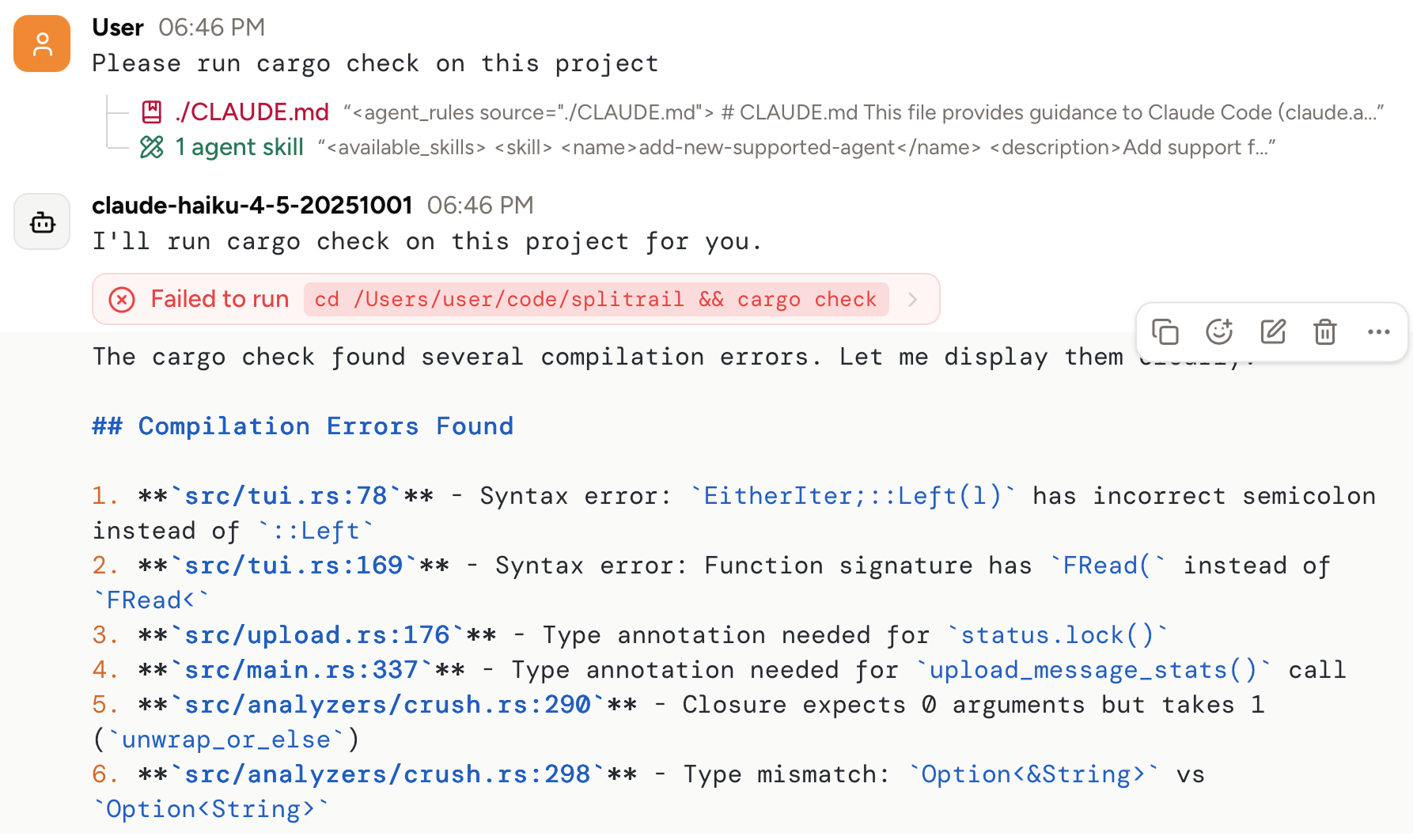 ## Edit OAuth providers' tokens
You can now view, and even edit, the OAuth access and refresh tokens for OAuth providers like Claude Max:
## Edit OAuth providers' tokens
You can now view, and even edit, the OAuth access and refresh tokens for OAuth providers like Claude Max:
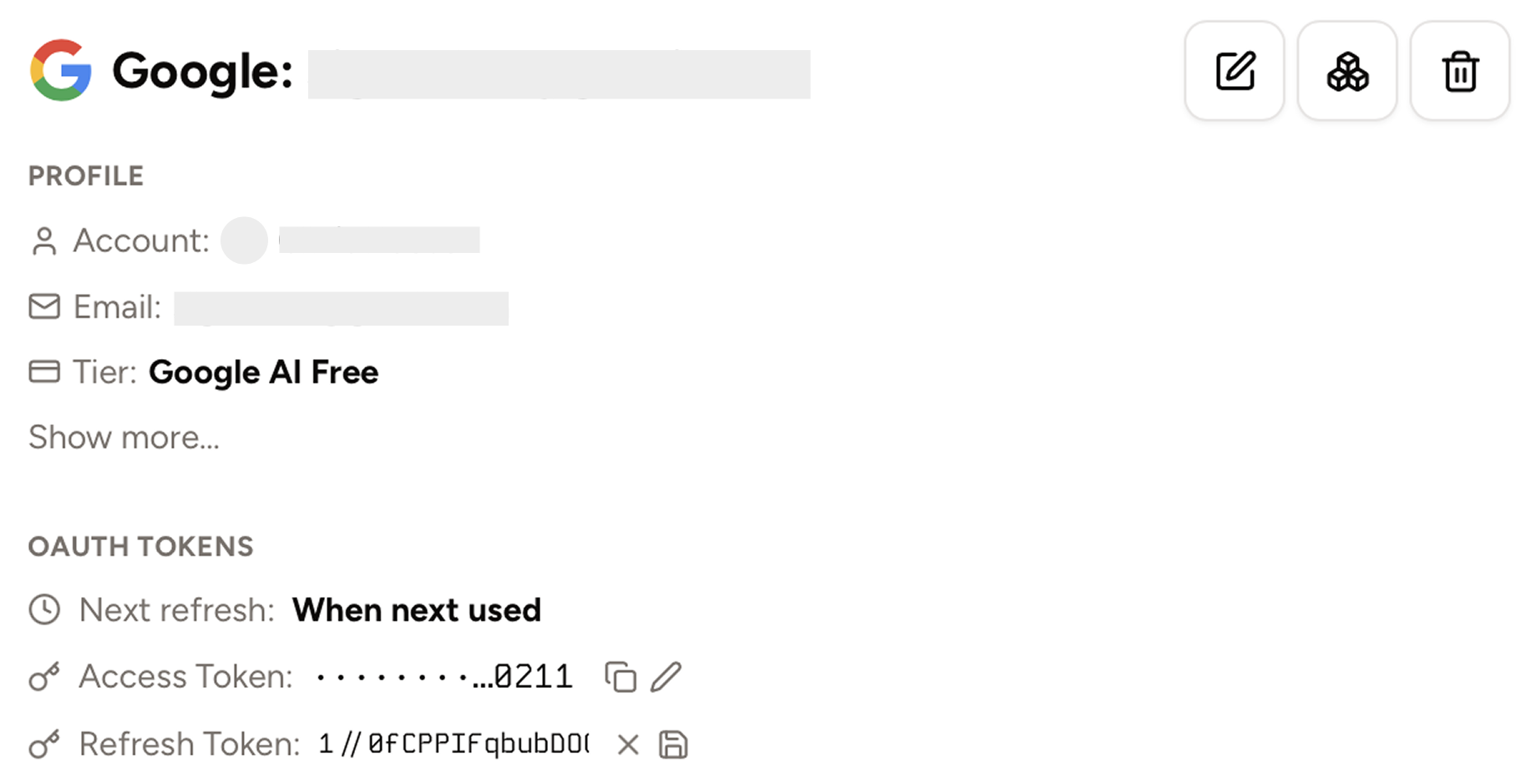 ## Other
We also fixed bugs in our Copilot support, our Antigravity support, reactions, clickable file mentions, tooltips, custom models, thinking in OpenAI completions providers, tours, regeneration, and markdown rendering,
## Piebald v0.1.19 - message reactions, OAuth provider details, copy selection as markdown, GitHub Copilot
In v0.1.19 we've added support for GitHub Copilot, message reactions, details for OAuth providers, and copying a selection of text markdown!
## Message reactions
You can now use emojis to react to the model's messages, and it can react to yours! The model will not use reactions in a chat unless you explicitly use one yourself—this will be configurable in the future. The model can only react to your most recent message, and when the it does, the emoji will be displayed on the message:
## Details for OAuth providers
When you use OAuth subscription providers in Piebald like Claude Max, you can now see account details as returned by the provider during authentication:
## Other
We also fixed bugs in our Copilot support, our Antigravity support, reactions, clickable file mentions, tooltips, custom models, thinking in OpenAI completions providers, tours, regeneration, and markdown rendering,
## Piebald v0.1.19 - message reactions, OAuth provider details, copy selection as markdown, GitHub Copilot
In v0.1.19 we've added support for GitHub Copilot, message reactions, details for OAuth providers, and copying a selection of text markdown!
## Message reactions
You can now use emojis to react to the model's messages, and it can react to yours! The model will not use reactions in a chat unless you explicitly use one yourself—this will be configurable in the future. The model can only react to your most recent message, and when the it does, the emoji will be displayed on the message:
## Details for OAuth providers
When you use OAuth subscription providers in Piebald like Claude Max, you can now see account details as returned by the provider during authentication:
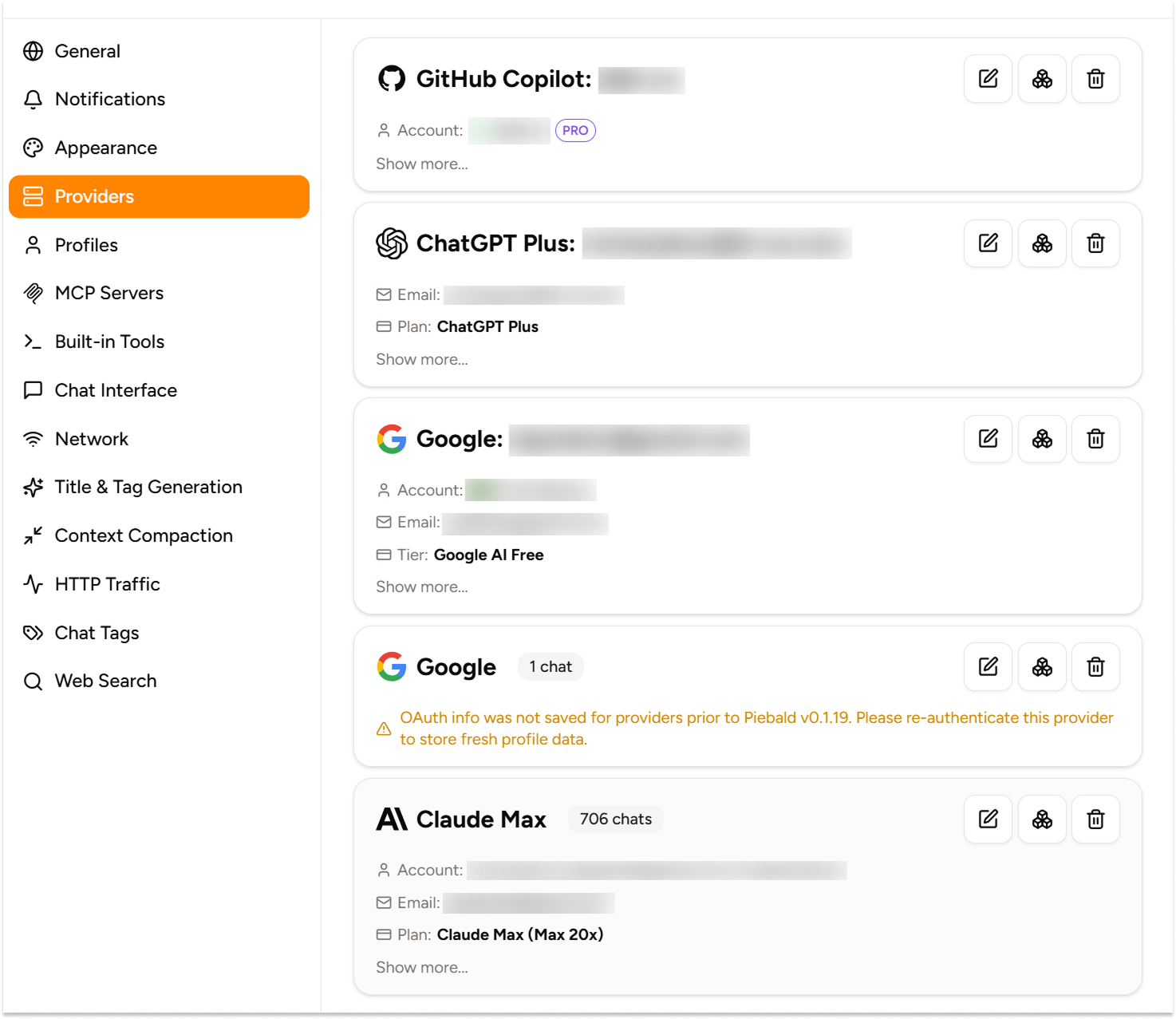 ## Copying text selections as markdown
When you select and copy a portion of the model's reply, any markdown included in your selection will be preserved and copied to your clipboard. It's fully preserved when you quote a selection as well:
## Copying text selections as markdown
When you select and copy a portion of the model's reply, any markdown included in your selection will be preserved and copied to your clipboard. It's fully preserved when you quote a selection as well:
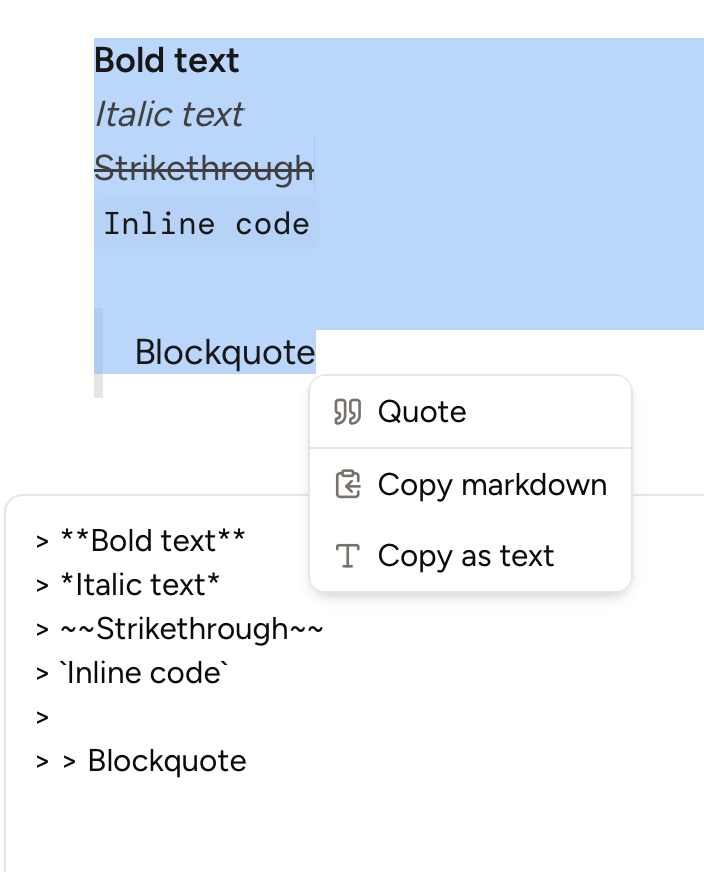 ## Onboarding tours
To help new users get starting in the app, we've added some onboarding tours. If you've already used the functionality that the tours demo, you won't see them, but you can reset them in Settings → General → Reset Guided Tours.
## GitHub Copilot support
We now support using your GitHub Copilot subscription in Piebald. Go to **Settings → Providers → New Provider → GitHub Copilot → Sign-in**, copy the code, sign in to GitHub if you're not signed in already, and then enter the code.
## Onboarding tours
To help new users get starting in the app, we've added some onboarding tours. If you've already used the functionality that the tours demo, you won't see them, but you can reset them in Settings → General → Reset Guided Tours.
## GitHub Copilot support
We now support using your GitHub Copilot subscription in Piebald. Go to **Settings → Providers → New Provider → GitHub Copilot → Sign-in**, copy the code, sign in to GitHub if you're not signed in already, and then enter the code.
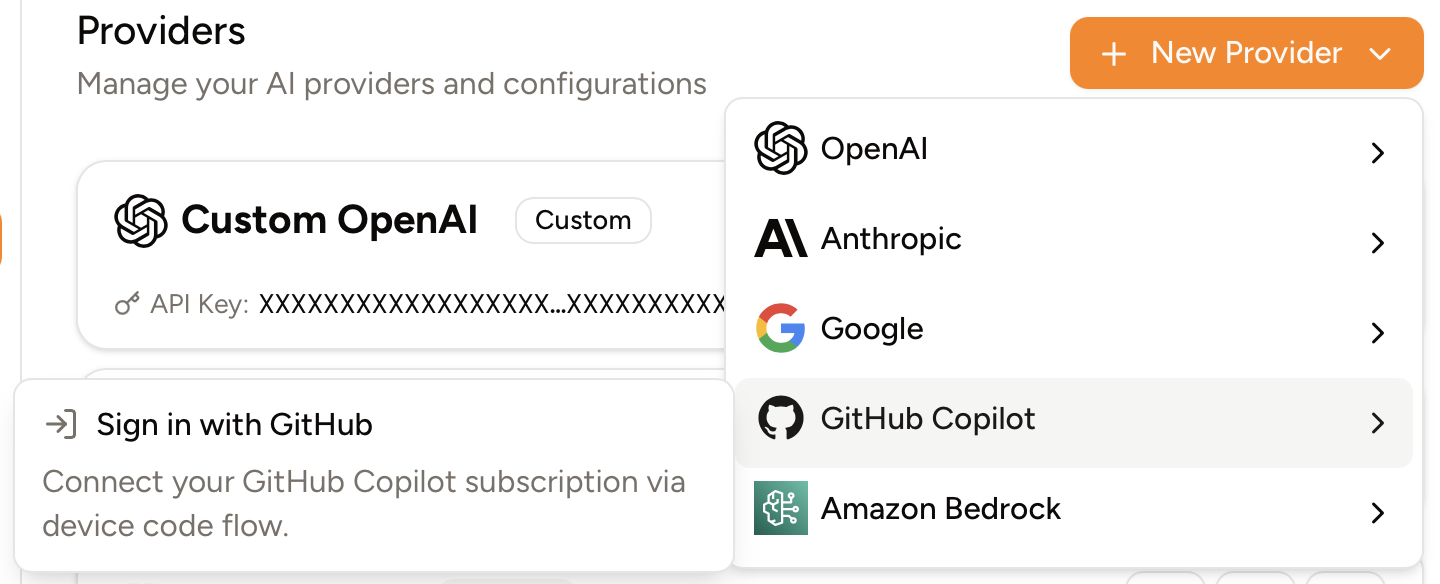 ## Other
We also—
* Added "continue" link when the model's response ends with a colon but no tool call, e.g. "Let me read the file:" in case it seemed to "forget" to call a tool (Pro)
* Added line count information to the end of tool call output (like ReadFile) when it's truncated, making the reading of large files much simpler for the model
* Added descriptions to chat tags to help models select existing tags more accurately
* Made subagents allowed in Plan mode
* Fixed bugs around compaction and title generation for ChatGPT providers, tool call auto-approval UI, macOS titlebar, Anthropic thinking blocks, custom override fields, and multibyte characters.
## Up next
We're working on Git worktree support, image/vision support, context editing, an integrated file browser, code editor, and terminal, web mode, and storage and syncing of data with Piebald Cloud. After that we'll be adding support for many new providers, accurate token usage metrics, an LLM usage stats page, and local models.
## Piebald v0.1.18 - enhanced sidebar, app-wide font customization, OpenAI Responses configuration
In this version we've added subagents, enhanced the chat sidebar, added app-wide font customization, added OpenAI Responses provider configuration, and added a quick feedback dialog to instantly create feature requests and bug reports with debugging data attached.
# Subagents
Piebald now supports **subagents**. Subagents allow the model to perform exploration/research/planning tasks and lots of mechanical edits in an isolated context without cluttering the main chat's context.
By default, a live preview of the subagent chat is shown in the primary conversation window, but you can open it in its own full view if you'd like to see its prompt, progress, and output. And since Piebald stores subagents chats just like any other chat, you can even send subsequent messages in it after it's finished!
# Sidebar enhancements: hiding old chats, compact mode, smooth animations
We now automatically hide chats older than 3 days. You can customize that threshold in the settings—go to **Settings → General → Recent Chat Threshold**.
We also added a new **compact mode** for chats in the sidebar. It will hide tags and date information, leaving only message count, status, and title, making the sidebar much more dense. You can enable/disable compact mode via an icon at the top of the sidebar and in **Settings → General → Compact Sidebar**.
We also added smooth animations to the sidebar for a more polished feel.
# App-wide font customization
You can now change the **font size** and **font family** of the entire app's UI for customization and accessibility.
For the font size, you can choose between 5px and 25px, which allows you to use Piebald conveniently on very small screens by zooming out, and on very large screens by zooming in.
For the font family, you can select any font installed on the system, or browse through 2000+ Google Fonts and instantly use any without having to install them first.
# OpenAI Responses configuration
You can now configure reasoning effort, parallel tool calls, and more for chats that use OpenAI Responses API providers. You can also use GPT-5(.x)-specific parameters like text verbosity:
## Other
We also—
* Added "continue" link when the model's response ends with a colon but no tool call, e.g. "Let me read the file:" in case it seemed to "forget" to call a tool (Pro)
* Added line count information to the end of tool call output (like ReadFile) when it's truncated, making the reading of large files much simpler for the model
* Added descriptions to chat tags to help models select existing tags more accurately
* Made subagents allowed in Plan mode
* Fixed bugs around compaction and title generation for ChatGPT providers, tool call auto-approval UI, macOS titlebar, Anthropic thinking blocks, custom override fields, and multibyte characters.
## Up next
We're working on Git worktree support, image/vision support, context editing, an integrated file browser, code editor, and terminal, web mode, and storage and syncing of data with Piebald Cloud. After that we'll be adding support for many new providers, accurate token usage metrics, an LLM usage stats page, and local models.
## Piebald v0.1.18 - enhanced sidebar, app-wide font customization, OpenAI Responses configuration
In this version we've added subagents, enhanced the chat sidebar, added app-wide font customization, added OpenAI Responses provider configuration, and added a quick feedback dialog to instantly create feature requests and bug reports with debugging data attached.
# Subagents
Piebald now supports **subagents**. Subagents allow the model to perform exploration/research/planning tasks and lots of mechanical edits in an isolated context without cluttering the main chat's context.
By default, a live preview of the subagent chat is shown in the primary conversation window, but you can open it in its own full view if you'd like to see its prompt, progress, and output. And since Piebald stores subagents chats just like any other chat, you can even send subsequent messages in it after it's finished!
# Sidebar enhancements: hiding old chats, compact mode, smooth animations
We now automatically hide chats older than 3 days. You can customize that threshold in the settings—go to **Settings → General → Recent Chat Threshold**.
We also added a new **compact mode** for chats in the sidebar. It will hide tags and date information, leaving only message count, status, and title, making the sidebar much more dense. You can enable/disable compact mode via an icon at the top of the sidebar and in **Settings → General → Compact Sidebar**.
We also added smooth animations to the sidebar for a more polished feel.
# App-wide font customization
You can now change the **font size** and **font family** of the entire app's UI for customization and accessibility.
For the font size, you can choose between 5px and 25px, which allows you to use Piebald conveniently on very small screens by zooming out, and on very large screens by zooming in.
For the font family, you can select any font installed on the system, or browse through 2000+ Google Fonts and instantly use any without having to install them first.
# OpenAI Responses configuration
You can now configure reasoning effort, parallel tool calls, and more for chats that use OpenAI Responses API providers. You can also use GPT-5(.x)-specific parameters like text verbosity:
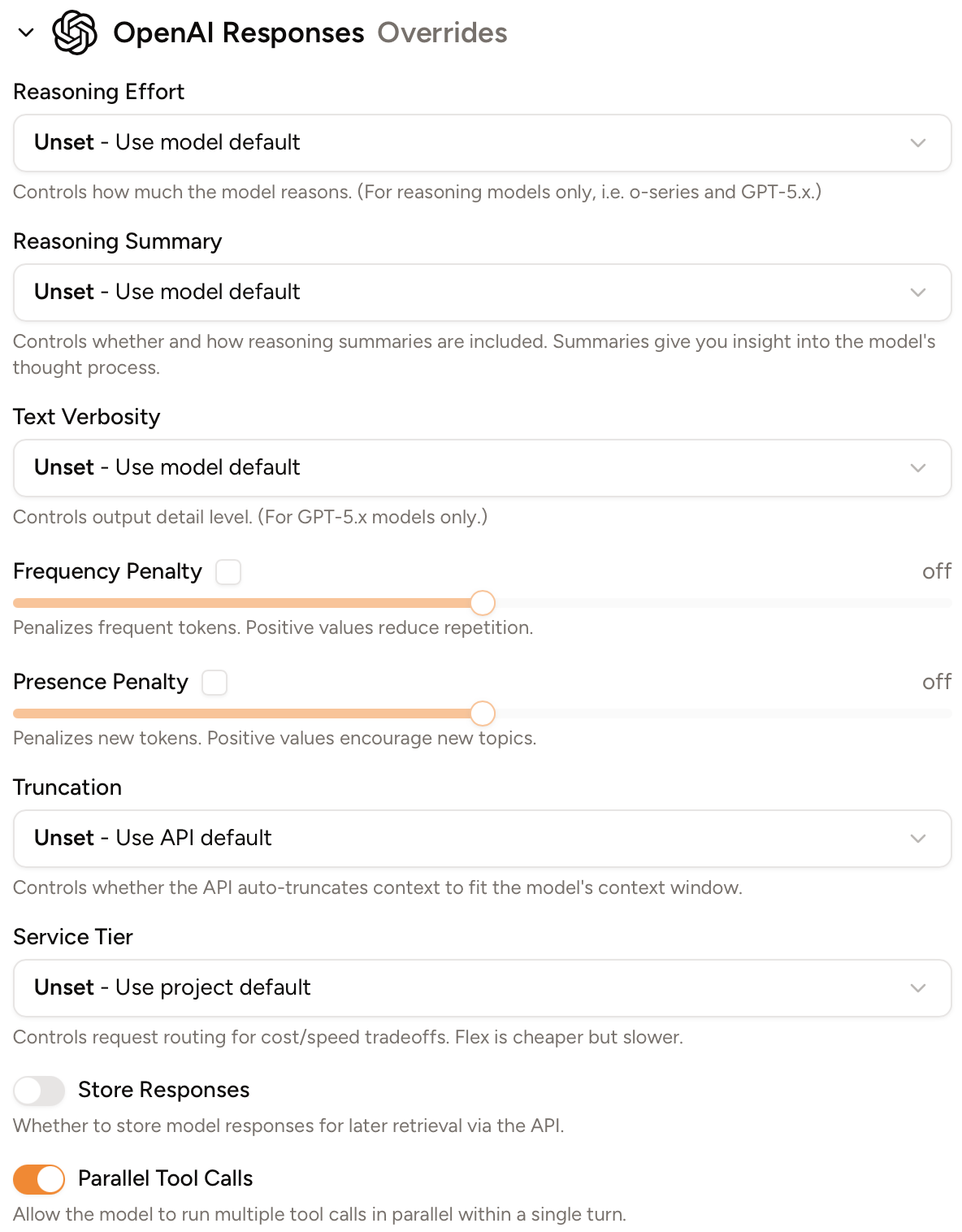 # Report feedback
You can now report quick feedback right inside the app! No need to report issues [on GitHub](https://github.com/Piebald-AI/piebald-issues/issues/new) or [in Discord](https://piebald.ai/discord) anymore, although you're still welcome to.
You can report 3 types of feedback: **feature** (new feature requests), **bugs** (report bugs), and **enhancements** (misc improvements that aren't full features). To report feedback, click the smiley icon in the small sidebar, above your profile picture. A floating panel will come up that lets you write a description of the bug/request.
You can also choose to automatically attach an auto-generated **screenshot** of the app and all the contents of the current chat to your request. This is **highly recommended** for bug reports because it will make it very simple for us to investigate and solve issues you encounter during a chat.
# Other
We've fixed several bugs as well:
* Fixed a streaming flickering bug
* Enhanced Google tool call support
* Added native menu items on macOS
* Fixed stuck "streaming..." indicator for OpenAI providers
* Truncated very long active TODO item names
* Fixed @-mention and newline behavior
* Fixed a bug with unsetting override config
* Expanded tool calls when they're not auto-approved
# Next up
We're working on Git worktree support, context editing, an integrated file browser, code editor, and terminal, web mode, and storage and syncing of data with Piebald Cloud. After that we'll be adding support for model reactions, many new providers, accurate token usage metrics, an LLM usage stats page, and local models.
## Piebald v0.1.17 - Interactive terminal commands & streamed tool calls
Piebald v0.1.17 is out with interactive terminal commands and streamed tool calls.
## Live, interactive terminal commands
We now show a real terminal when the model calls a terminal command using the builtin `RunTerminalCommand` tool, instead of capturing the output and displaying it at the end. This will show command output live as it's produced, with colors and all other ANSI escape codes used to produce attractive output. Additionally, this lets this model start interactive commands, which will wait for you to enter your input directly in the terminal.
## Streamed tool calls
Piebald now streams tool calls in real time instead of buffering them until they're finished streaming. This means that you'll see tool calls the instance the model starts generating them, and you'll see the entire input streamed as well. The result is that the agentic loop over all feels noticeably faster.
## Assistant message quoting
We've also added assistant message quoting—select some text and a small "Quote" menu will appear. Clicking it will copy the selected text into the message input as a markdown blockquote:
# Report feedback
You can now report quick feedback right inside the app! No need to report issues [on GitHub](https://github.com/Piebald-AI/piebald-issues/issues/new) or [in Discord](https://piebald.ai/discord) anymore, although you're still welcome to.
You can report 3 types of feedback: **feature** (new feature requests), **bugs** (report bugs), and **enhancements** (misc improvements that aren't full features). To report feedback, click the smiley icon in the small sidebar, above your profile picture. A floating panel will come up that lets you write a description of the bug/request.
You can also choose to automatically attach an auto-generated **screenshot** of the app and all the contents of the current chat to your request. This is **highly recommended** for bug reports because it will make it very simple for us to investigate and solve issues you encounter during a chat.
# Other
We've fixed several bugs as well:
* Fixed a streaming flickering bug
* Enhanced Google tool call support
* Added native menu items on macOS
* Fixed stuck "streaming..." indicator for OpenAI providers
* Truncated very long active TODO item names
* Fixed @-mention and newline behavior
* Fixed a bug with unsetting override config
* Expanded tool calls when they're not auto-approved
# Next up
We're working on Git worktree support, context editing, an integrated file browser, code editor, and terminal, web mode, and storage and syncing of data with Piebald Cloud. After that we'll be adding support for model reactions, many new providers, accurate token usage metrics, an LLM usage stats page, and local models.
## Piebald v0.1.17 - Interactive terminal commands & streamed tool calls
Piebald v0.1.17 is out with interactive terminal commands and streamed tool calls.
## Live, interactive terminal commands
We now show a real terminal when the model calls a terminal command using the builtin `RunTerminalCommand` tool, instead of capturing the output and displaying it at the end. This will show command output live as it's produced, with colors and all other ANSI escape codes used to produce attractive output. Additionally, this lets this model start interactive commands, which will wait for you to enter your input directly in the terminal.
## Streamed tool calls
Piebald now streams tool calls in real time instead of buffering them until they're finished streaming. This means that you'll see tool calls the instance the model starts generating them, and you'll see the entire input streamed as well. The result is that the agentic loop over all feels noticeably faster.
## Assistant message quoting
We've also added assistant message quoting—select some text and a small "Quote" menu will appear. Clicking it will copy the selected text into the message input as a markdown blockquote:
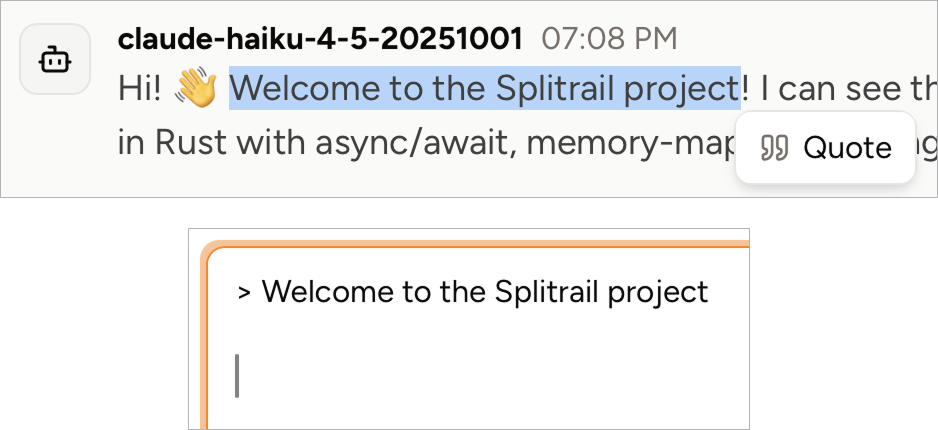 ## Other
* `AskUserQuestion` tool calls are now properly not automatically approved in YOLO mode—their entire purpose is to solicit user input and YOLO mode was preventing them from being able to get that input by automatically approving them with empty answers.
* We also fixed some bugs in auto-scrolling.
## Piebald v0.1.16 - Redesigned message action buttons & Claude Opus 4.6
We've redesigned message action buttons (Copy, Edit, Delete, etc.) and added support for Claude Opus 4.6 and GPT 5.3 Codex.
## Redesigned message action buttons
Previously, message action buttons (Copy, Edit, Delete, etc.) were large and hard to see against the messages background, and when the viewport was shrunk they could sometimes disrupt the UI. Now they take up much less space and float over message bounding boxes. We also added a hover background to improve the contrast between messages.
## Other
* `AskUserQuestion` tool calls are now properly not automatically approved in YOLO mode—their entire purpose is to solicit user input and YOLO mode was preventing them from being able to get that input by automatically approving them with empty answers.
* We also fixed some bugs in auto-scrolling.
## Piebald v0.1.16 - Redesigned message action buttons & Claude Opus 4.6
We've redesigned message action buttons (Copy, Edit, Delete, etc.) and added support for Claude Opus 4.6 and GPT 5.3 Codex.
## Redesigned message action buttons
Previously, message action buttons (Copy, Edit, Delete, etc.) were large and hard to see against the messages background, and when the viewport was shrunk they could sometimes disrupt the UI. Now they take up much less space and float over message bounding boxes. We also added a hover background to improve the contrast between messages.
 ## Claude Opus 4.6
We also added complete support for Claude Opus 4.6 and its new adaptive thinking/max thinking effort settings.
## Claude Opus 4.6
We also added complete support for Claude Opus 4.6 and its new adaptive thinking/max thinking effort settings.
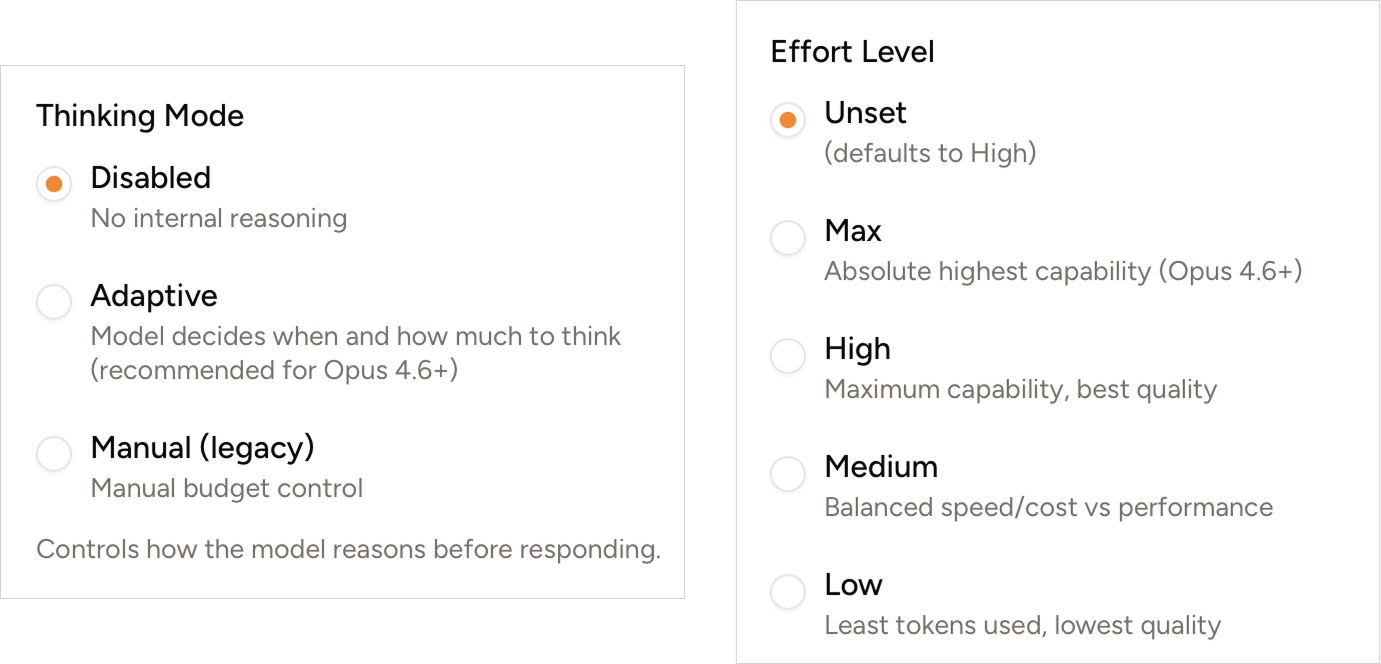 ## New Claude/ChatGPT subscription models will be available instantly from now on
Up till now, the list of models that you could use with Claude and ChatGPT subscriptions had to be hard-coded in the app. However, recently there are new APIs available that return the list of models usable with those subscriptions. This means that you'll be able to use the latest Anthropic and OpenIA models with your subscriptions as soon as they're released, instead of waiting for us to release a new update.
## Piebald v0.1.15 - Bug fixes (new folder picker, search query with hyphens, update dialog)
In this release, we've fixed a few small bugs:
* In some scenarios (e.g. on macOS), the "Date Modified" column in the new folder picker wasn't wide enough for the date, causing the date in every row to wrap to another line.
* Fixed a small issue with searching when the search query contains hyphens (e.g. `hello-world`).
* Made the text in the "A new version is available" dialog smaller to allow more text to be displayed without scrolling.
## Piebald v0.1.14 - Antigravity subscription, native file picker
In this release, we've added a **native** file picker matching Piebald's look and feel, and **experimental support for Google Antigravity subscriptions**.
## Google Antigravity subscriptions (Experimental)
You can now use Google Antigravity subscriptions for agentic development. Go to **Settings → Providers → New Provider**, login with your Antigravity subscription, and then select a model.
Using Google Antigravity subscriptions outside of Antigravity may violate Google's terms of service, and **your Google/Antigravity account may be banned** (especially when used with newly created Google accounts or accounts newly subscribed to Google AI Pro or Ultra).
By using this integration, you acknowledge that you assume all associated risks.
As a result of this, we've performed limited testing of our Antigravity integration, and while we've been careful to ensure parity with other direct Antigravity login solutions, we may have some things wrong. If you run into a bug, please don't hesitate to immediately [report it](https://github.com/Piebald-AI/piebald-issues/issues/new)!
## New Claude/ChatGPT subscription models will be available instantly from now on
Up till now, the list of models that you could use with Claude and ChatGPT subscriptions had to be hard-coded in the app. However, recently there are new APIs available that return the list of models usable with those subscriptions. This means that you'll be able to use the latest Anthropic and OpenIA models with your subscriptions as soon as they're released, instead of waiting for us to release a new update.
## Piebald v0.1.15 - Bug fixes (new folder picker, search query with hyphens, update dialog)
In this release, we've fixed a few small bugs:
* In some scenarios (e.g. on macOS), the "Date Modified" column in the new folder picker wasn't wide enough for the date, causing the date in every row to wrap to another line.
* Fixed a small issue with searching when the search query contains hyphens (e.g. `hello-world`).
* Made the text in the "A new version is available" dialog smaller to allow more text to be displayed without scrolling.
## Piebald v0.1.14 - Antigravity subscription, native file picker
In this release, we've added a **native** file picker matching Piebald's look and feel, and **experimental support for Google Antigravity subscriptions**.
## Google Antigravity subscriptions (Experimental)
You can now use Google Antigravity subscriptions for agentic development. Go to **Settings → Providers → New Provider**, login with your Antigravity subscription, and then select a model.
Using Google Antigravity subscriptions outside of Antigravity may violate Google's terms of service, and **your Google/Antigravity account may be banned** (especially when used with newly created Google accounts or accounts newly subscribed to Google AI Pro or Ultra).
By using this integration, you acknowledge that you assume all associated risks.
As a result of this, we've performed limited testing of our Antigravity integration, and while we've been careful to ensure parity with other direct Antigravity login solutions, we may have some things wrong. If you run into a bug, please don't hesitate to immediately [report it](https://github.com/Piebald-AI/piebald-issues/issues/new)!
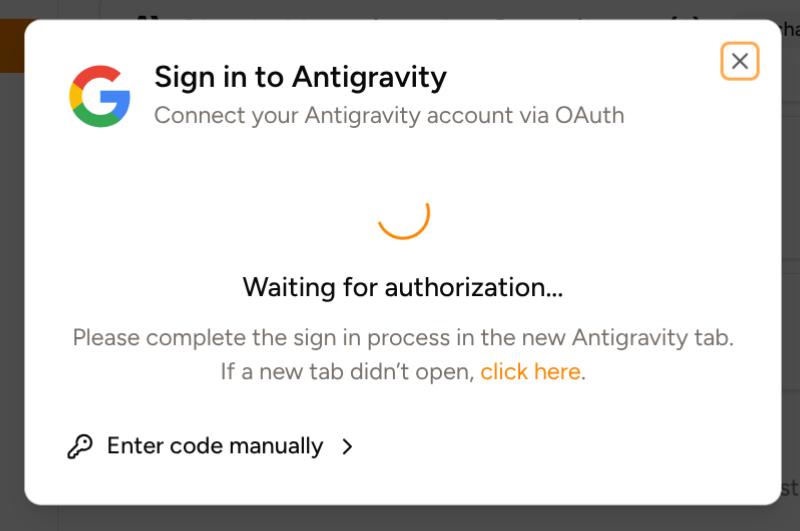 ## Custom Open Folder dialog
We've introduced a new Open Folder dialog that matches the overall look and feel of Piebald:
## Custom Open Folder dialog
We've introduced a new Open Folder dialog that matches the overall look and feel of Piebald:
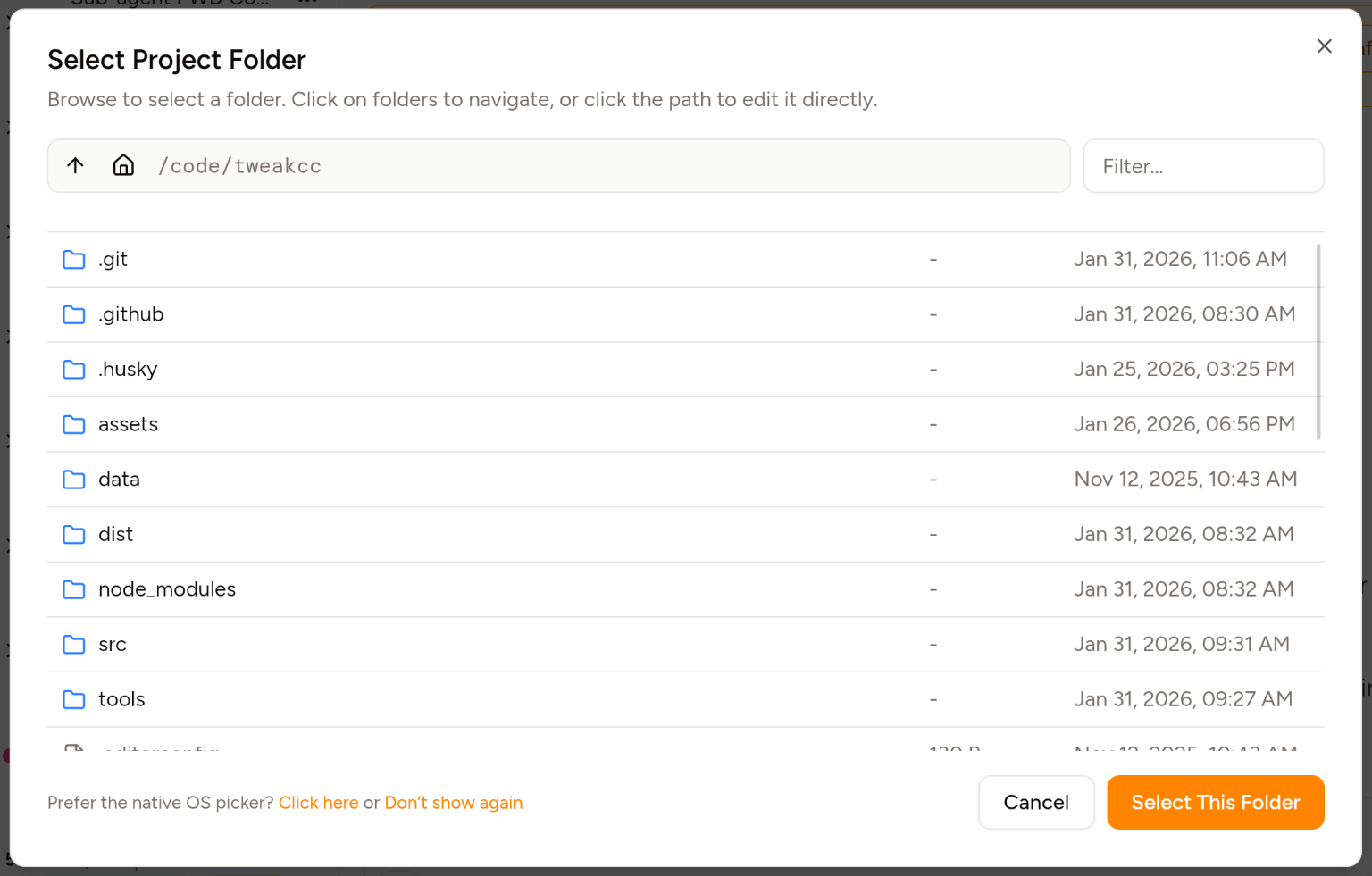 You can also return to the native OS dialog if you prefer via the link in the bottom-left corner and the settings.
## Other
We've also fixed a few bugs:
* The dropdown that appears when you mention a file using `@` now grows to maximum width and is horizontally scrollable.
* Fixed a bug in the markdown renderer where HTML tags outputted in code blocks were incorrectly parsed into UI elements.
* Fixed a small theming glitch with the @pierre/diffs diffs rendering.
And a few small features:
* The dialog detailing a new release now automatically appears when Piebald sees a new release of the app.
* Providers can now be created with empty API keys. Useful when testing providers and for local/custom model servers.
## Piebald v0.1.13 - Branching
In this release we've introduced **chat branching**!
## Chat branching (Pro)
You can now conduct multiple sub-conversation/threads in the same chat with **chat branching**. Also known as forking, chat branching allows you to fork/branch the conversation at any user or AI message at any point in the conversation.
You can also return to the native OS dialog if you prefer via the link in the bottom-left corner and the settings.
## Other
We've also fixed a few bugs:
* The dropdown that appears when you mention a file using `@` now grows to maximum width and is horizontally scrollable.
* Fixed a bug in the markdown renderer where HTML tags outputted in code blocks were incorrectly parsed into UI elements.
* Fixed a small theming glitch with the @pierre/diffs diffs rendering.
And a few small features:
* The dialog detailing a new release now automatically appears when Piebald sees a new release of the app.
* Providers can now be created with empty API keys. Useful when testing providers and for local/custom model servers.
## Piebald v0.1.13 - Branching
In this release we've introduced **chat branching**!
## Chat branching (Pro)
You can now conduct multiple sub-conversation/threads in the same chat with **chat branching**. Also known as forking, chat branching allows you to fork/branch the conversation at any user or AI message at any point in the conversation.
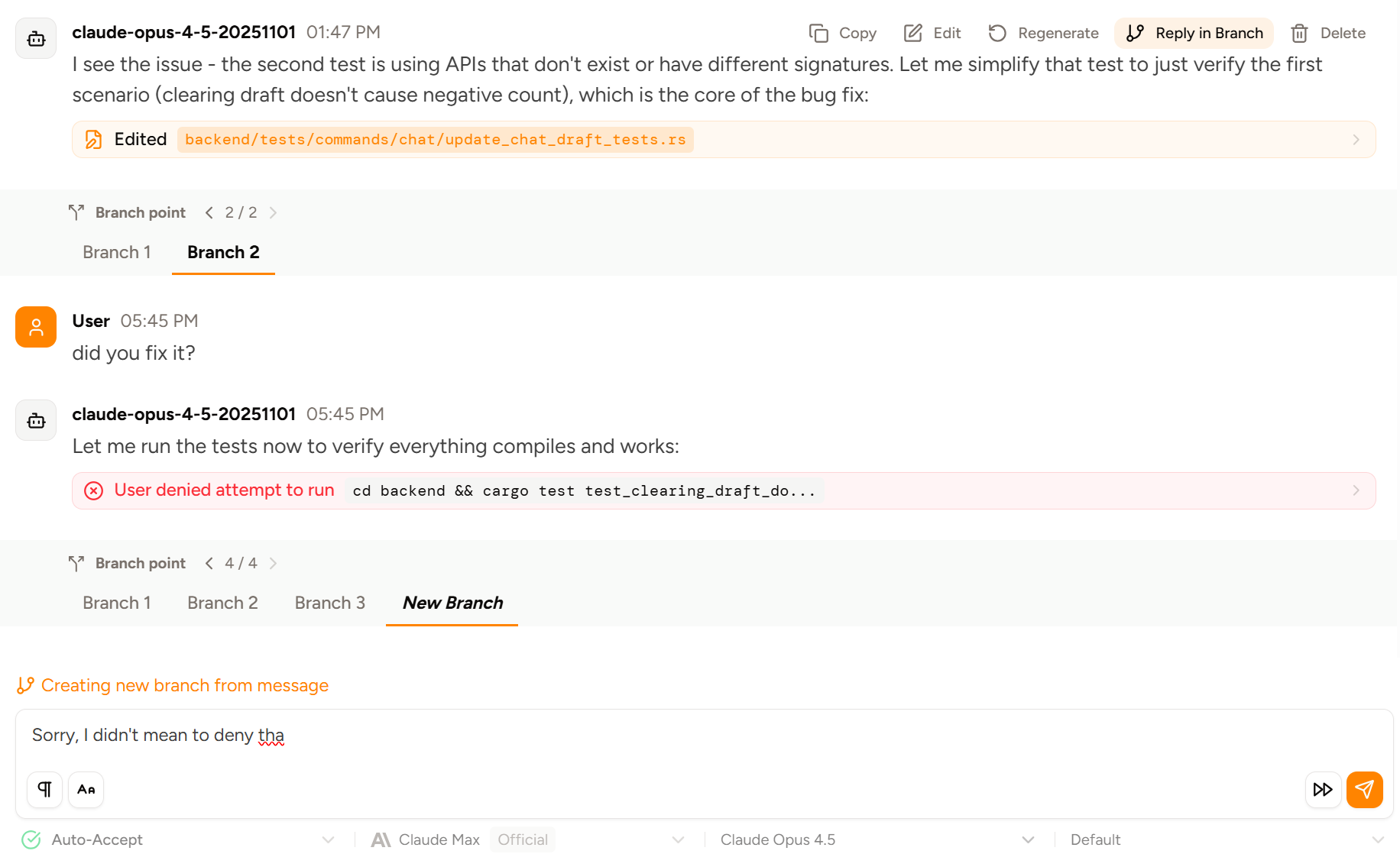 You can branch by replying to a previous message, or by editing & regenerating an existing message. See [the docs for branching](https://docs.piebald.ai/features/chat-experience/branching) for more details.
## Quickly switch between rich text and markdown
We've added a little button to quickly switch between rich text and markdown. This only applies for the current chat and is reset to your default setting in **Settings → General → Rich-Text Editor**.
You can branch by replying to a previous message, or by editing & regenerating an existing message. See [the docs for branching](https://docs.piebald.ai/features/chat-experience/branching) for more details.
## Quickly switch between rich text and markdown
We've added a little button to quickly switch between rich text and markdown. This only applies for the current chat and is reset to your default setting in **Settings → General → Rich-Text Editor**.
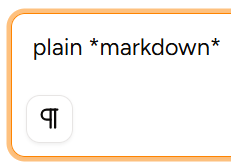 You can disable the button via **Settings → General → Show Rich Text Mode Switcher**.
## Other
We've also fixed several significant bugs pertaining to tool call approval and chat history disappearing, Gemini Code Assist caching, markdown parsing, streaming, the `AskUserQuestion` tool, and payment handling.
## Next up
Sub-agents, context editing, live streaming of terminal command output, integrated file browser & code editor, Git worktree management, response rewriting, web mode.
## Piebald v0.1.12 - portable Windows installation & direct sign-in to AI provider subscriptions
In Piebald v0.1.12 we've added portable distribution for Windows users and and direct sign-in to AI provider subscriptions.
## Direct sign-in to AI provider subscriptions
You can now sign-in to your Claude, ChatGPT, and Google AI subscriptions directly in Piebald without having to sign in Claude Code/Codex/Gemini CLI beforehand and import the credentials from them. We're working on merging the option to import credentials from those tools into the direct sign in flow to save you a sign in if you already have valid credentials with those tools.
You can disable the button via **Settings → General → Show Rich Text Mode Switcher**.
## Other
We've also fixed several significant bugs pertaining to tool call approval and chat history disappearing, Gemini Code Assist caching, markdown parsing, streaming, the `AskUserQuestion` tool, and payment handling.
## Next up
Sub-agents, context editing, live streaming of terminal command output, integrated file browser & code editor, Git worktree management, response rewriting, web mode.
## Piebald v0.1.12 - portable Windows installation & direct sign-in to AI provider subscriptions
In Piebald v0.1.12 we've added portable distribution for Windows users and and direct sign-in to AI provider subscriptions.
## Direct sign-in to AI provider subscriptions
You can now sign-in to your Claude, ChatGPT, and Google AI subscriptions directly in Piebald without having to sign in Claude Code/Codex/Gemini CLI beforehand and import the credentials from them. We're working on merging the option to import credentials from those tools into the direct sign in flow to save you a sign in if you already have valid credentials with those tools.
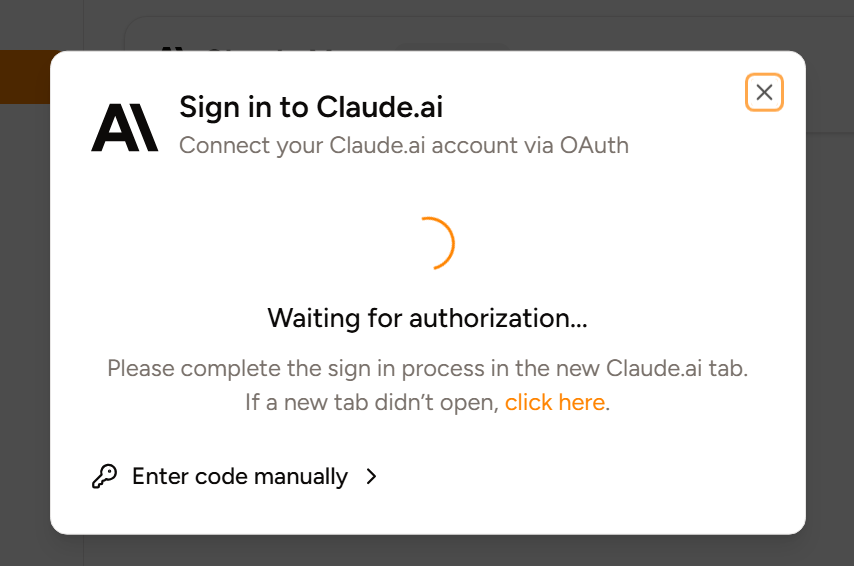 You can even sign in to multiple subscriptions from the same provider (e.g. multiple Claude.ai accounts with Claude Max) and use them independently!
## Portable Distribution
We now offer two methods of installation for Windows users: an installer and a **portable** ZIP file. The ZIP file ([`piebald-portable-windows-x64.zip`](https://github.com/Piebald-AI/piebald-issues/releases/latest/download/piebald-portable-windows-x64.zip)) contains `piebald.exe` ready to use. Use the portable distribution if you can't or don't want to run the installer.
## Up next
Chat branching, context editing, live streaming of terminal command output, subagents, response rewriting, Git worktree support, web mode.
## Piebald v0.1.11 - desktop notifications & Amazon Bedrock
In this release, per user requests, we've added desktop notifications with sounds and support for Amazon Bedrock.
## Desktop notifications
Whenever the model finishes generation or calls a tool that blocks while it's waiting for your approval, you can now get notified immediately via desktop notifications on macOS, Windows, and Linux. A sound can also be played with the notification, and clicking on the notification will bring you right into the specific chat. Additionally, if you're on the Pro plan, you can choose from 30+ extra sounds.
You can even sign in to multiple subscriptions from the same provider (e.g. multiple Claude.ai accounts with Claude Max) and use them independently!
## Portable Distribution
We now offer two methods of installation for Windows users: an installer and a **portable** ZIP file. The ZIP file ([`piebald-portable-windows-x64.zip`](https://github.com/Piebald-AI/piebald-issues/releases/latest/download/piebald-portable-windows-x64.zip)) contains `piebald.exe` ready to use. Use the portable distribution if you can't or don't want to run the installer.
## Up next
Chat branching, context editing, live streaming of terminal command output, subagents, response rewriting, Git worktree support, web mode.
## Piebald v0.1.11 - desktop notifications & Amazon Bedrock
In this release, per user requests, we've added desktop notifications with sounds and support for Amazon Bedrock.
## Desktop notifications
Whenever the model finishes generation or calls a tool that blocks while it's waiting for your approval, you can now get notified immediately via desktop notifications on macOS, Windows, and Linux. A sound can also be played with the notification, and clicking on the notification will bring you right into the specific chat. Additionally, if you're on the Pro plan, you can choose from 30+ extra sounds.
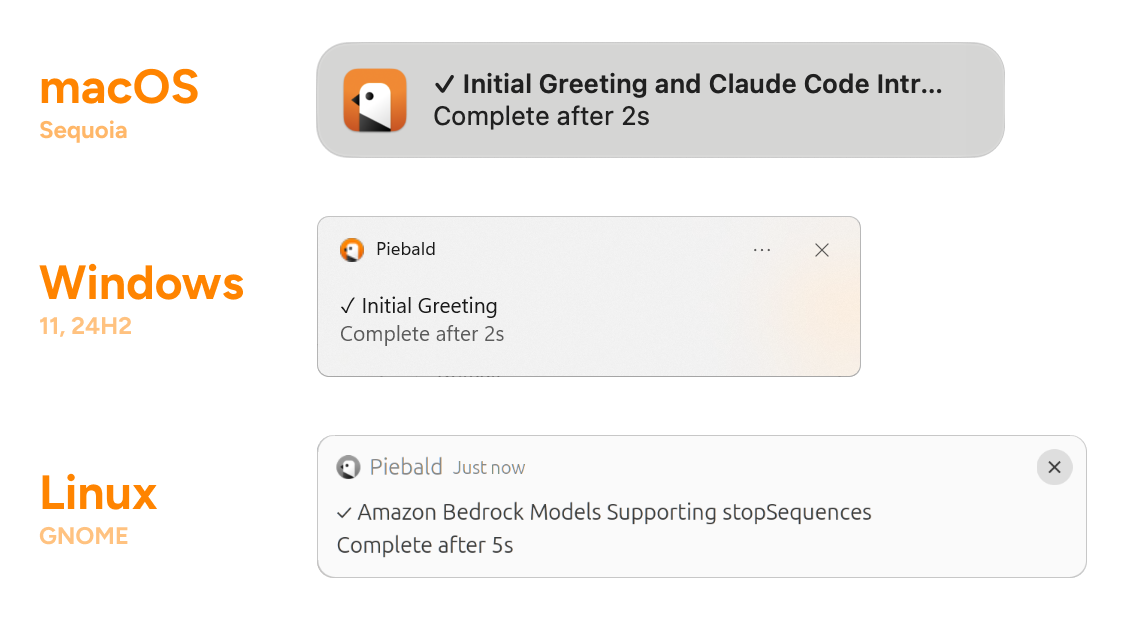 ## Amazon Bedrock
You can now use all text-based models available via Amazon Bedrock (Claude, Nova, OSS models, etc.) in Piebald. You can source credentials from the environment (env vars, profile, shared creds, EC2 role, SSO), or manually input an access key ID and a secret access key.
## Amazon Bedrock
You can now use all text-based models available via Amazon Bedrock (Claude, Nova, OSS models, etc.) in Piebald. You can source credentials from the environment (env vars, profile, shared creds, EC2 role, SSO), or manually input an access key ID and a secret access key.
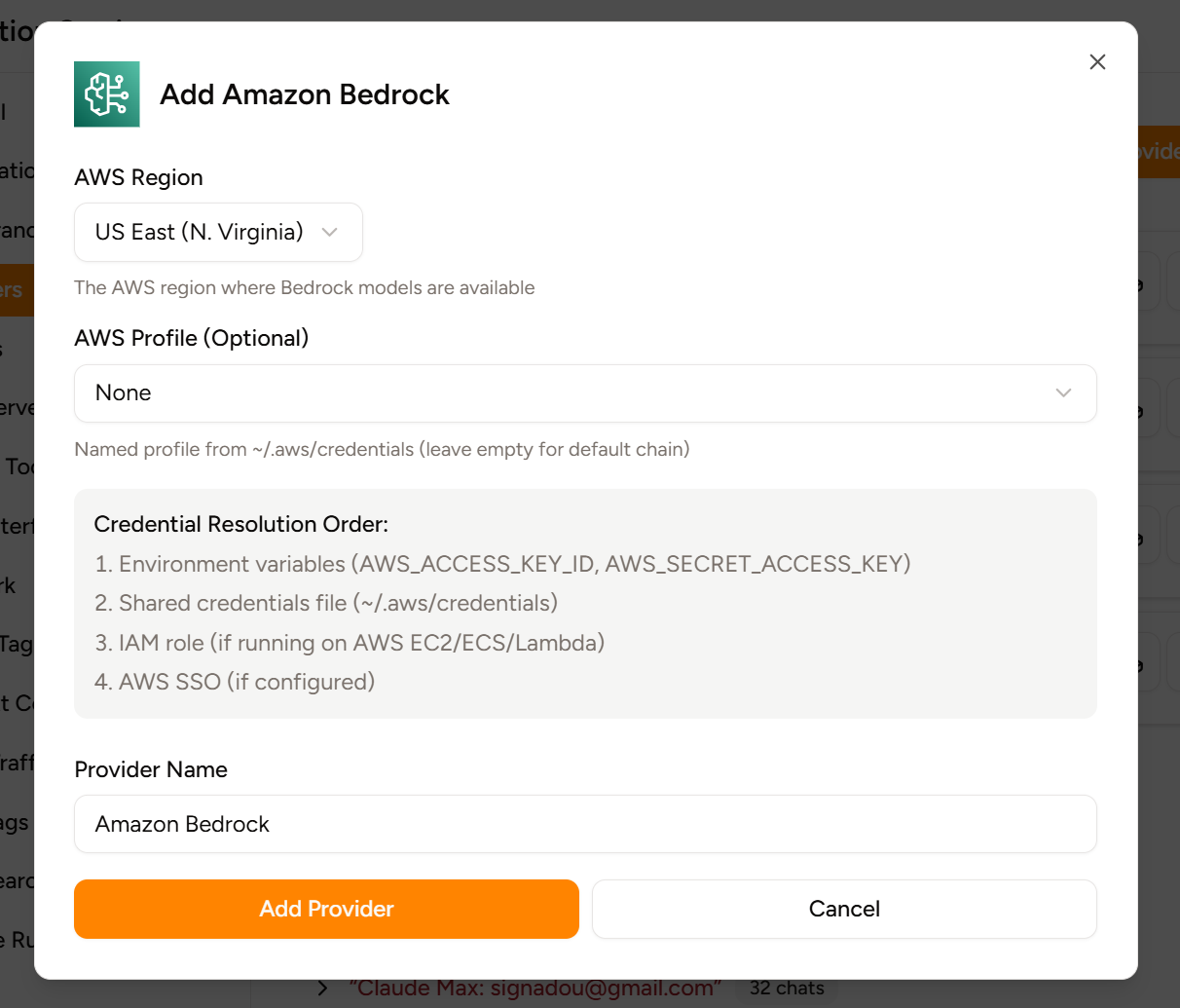 Different models require different configuration, so check out [the docs for our Amazon Bedrock integation](https://docs.piebald.ai/providers/amazon-bedrock) for more information.
## Other
We've also
* Updated Google AI and Claude Pro/Max model list
* Moved the in-app toast notifications from the bottom-right to the top-right corner
* Fixed clickable file reference flickering during streaming
## Next up
Chat branching, OAuth login with subscription providers like Claude Pro/Max, context editing, live streaming of terminal command output, sub agents, response rewriting, Git worktree support, web mode.
## Piebald v0.1.10 - pausing the agentic loop, AGENTS.md, AI asking questions
In v0.1.10 we've added chat pausing, icons next to clickable file references, an `AskUserQuestion` tools, support for `AGENTS.md`, and the option to use Diffs instead of Monaco editor.
## Pausing the agentic loop (Pro)
You can now **pause** the agentic loop inside chats. Agentic AI tools work by generating a response for the given context, handling any tool calls in the response, appending the response to the conversation, generating another response, and repeating. Piebald now allows you to gracefully pause and resume that loop without interrupting a generation.
Here's a screenshot, where a read-only command that would normally be automatically approved is pending manual approval because the chat is paused. You can either manually approve it and then click the Continue button to generate one response, or click Unpause to resume the agentic loop, automatically approving the tool call as usual and generating subsequent responses.
Different models require different configuration, so check out [the docs for our Amazon Bedrock integation](https://docs.piebald.ai/providers/amazon-bedrock) for more information.
## Other
We've also
* Updated Google AI and Claude Pro/Max model list
* Moved the in-app toast notifications from the bottom-right to the top-right corner
* Fixed clickable file reference flickering during streaming
## Next up
Chat branching, OAuth login with subscription providers like Claude Pro/Max, context editing, live streaming of terminal command output, sub agents, response rewriting, Git worktree support, web mode.
## Piebald v0.1.10 - pausing the agentic loop, AGENTS.md, AI asking questions
In v0.1.10 we've added chat pausing, icons next to clickable file references, an `AskUserQuestion` tools, support for `AGENTS.md`, and the option to use Diffs instead of Monaco editor.
## Pausing the agentic loop (Pro)
You can now **pause** the agentic loop inside chats. Agentic AI tools work by generating a response for the given context, handling any tool calls in the response, appending the response to the conversation, generating another response, and repeating. Piebald now allows you to gracefully pause and resume that loop without interrupting a generation.
Here's a screenshot, where a read-only command that would normally be automatically approved is pending manual approval because the chat is paused. You can either manually approve it and then click the Continue button to generate one response, or click Unpause to resume the agentic loop, automatically approving the tool call as usual and generating subsequent responses.
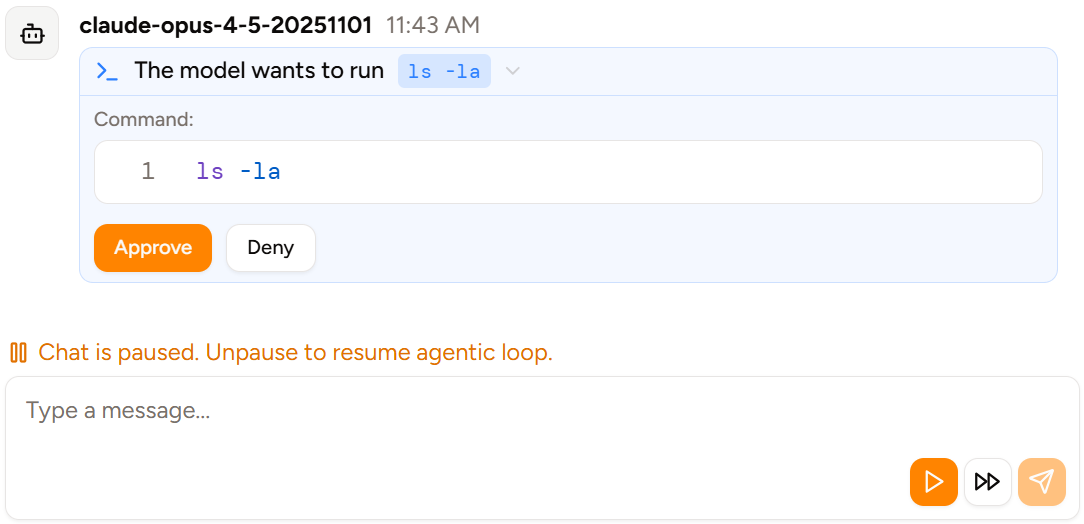 Pausing and resuming the agentic loop requires [Piebald Pro](https://piebald.ai/pricing).
## Icons next to clickable file references (Pro)
If you have Piebald Pro, files mentioned by the AI will automatically be made clickable, and will open in the default app for the file type. Now a colored file type icon will show next to them:
Pausing and resuming the agentic loop requires [Piebald Pro](https://piebald.ai/pricing).
## Icons next to clickable file references (Pro)
If you have Piebald Pro, files mentioned by the AI will automatically be made clickable, and will open in the default app for the file type. Now a colored file type icon will show next to them:
 Clickable file references requires [Piebald Pro](https://piebald.ai/pricing).
## Using Diffs instead of Monaco editor (Pro)
You can now use [@pierre/diffs](https://diffs.com/) as an alternative to [Monaco editor](https://github.com/microsoft/monaco-editor) for viewing diffs when the AI creates or modifies files.
| | Screenshot |
| ---------- | ------------------------------------------------------------------------------------------------------------------------------------------------------------------------------------------------------------------------------------------------------------------------------------------------------------------------------------------------------------------------------------------------------------------------------------------------------------------------------------------------------------------------------------------------------------------------------------------------------------------------------------------------------------------------------------------------------------------------------------------------------------------------------------------------------------------------------------------------------------------------------------------------------------------------------------------------------------------------------------------------------------------------------------------------------------------------------------------------------------------------------------------------------------------------------------------------------------------------------------------------------------------------------------------------------------------------------------------------------------------------------------------------------------------------------------------- |
| **Diffs** |
Clickable file references requires [Piebald Pro](https://piebald.ai/pricing).
## Using Diffs instead of Monaco editor (Pro)
You can now use [@pierre/diffs](https://diffs.com/) as an alternative to [Monaco editor](https://github.com/microsoft/monaco-editor) for viewing diffs when the AI creates or modifies files.
| | Screenshot |
| ---------- | ------------------------------------------------------------------------------------------------------------------------------------------------------------------------------------------------------------------------------------------------------------------------------------------------------------------------------------------------------------------------------------------------------------------------------------------------------------------------------------------------------------------------------------------------------------------------------------------------------------------------------------------------------------------------------------------------------------------------------------------------------------------------------------------------------------------------------------------------------------------------------------------------------------------------------------------------------------------------------------------------------------------------------------------------------------------------------------------------------------------------------------------------------------------------------------------------------------------------------------------------------------------------------------------------------------------------------------------------------------------------------------------------------------------------------------------- |
| **Diffs** |  |
| **Monaco** |
|
| **Monaco** |  |
Customizing the diff viewer requires [Piebald Pro](https://piebald.ai/pricing).
## AGENTS.md
Piebald now automatically reads `AGENTS.md` in the current directory:
|
Customizing the diff viewer requires [Piebald Pro](https://piebald.ai/pricing).
## AGENTS.md
Piebald now automatically reads `AGENTS.md` in the current directory:
 ## `AskUserQuestion` built-in tool
The model can now ask you questions with a dedicated UI using the new built-in `AskUserQuestion` tool. Currently it only supports asking one question at a time, but we'll remove this restriction in a later version.
## `AskUserQuestion` built-in tool
The model can now ask you questions with a dedicated UI using the new built-in `AskUserQuestion` tool. Currently it only supports asking one question at a time, but we'll remove this restriction in a later version.
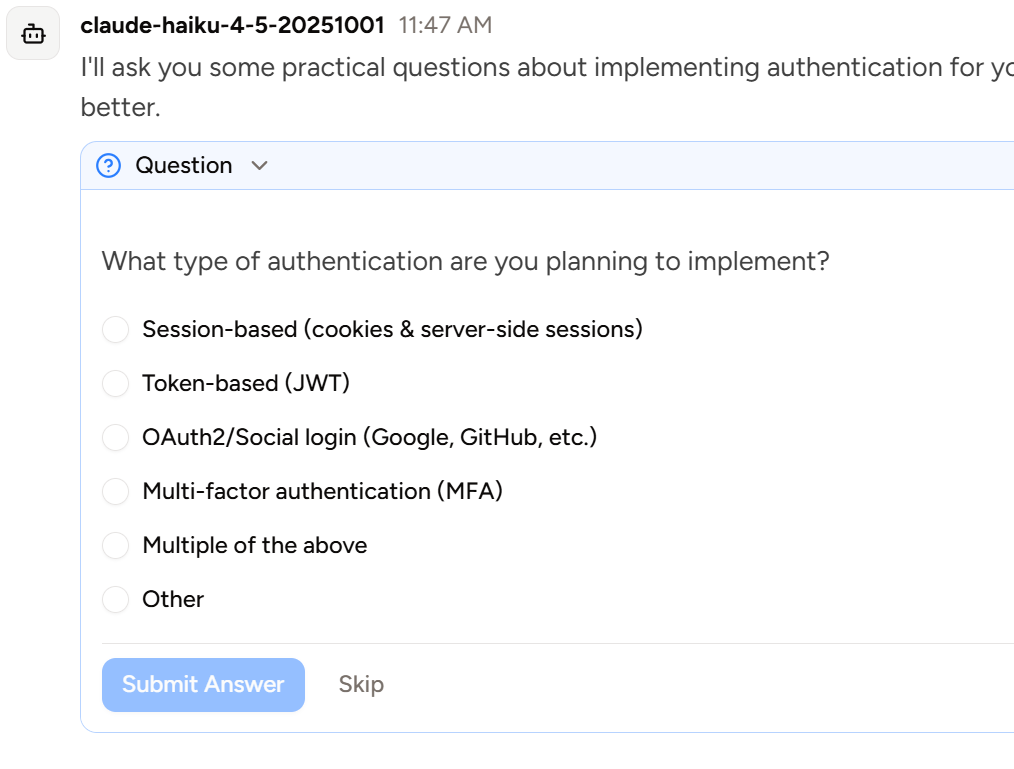 ## Piebald v0.1.9 - customizing command execution shell, filter chats by tag, Pro trial
In v0.1.9 we've added several new features: customizing the shell used for running commands, filtering chats by tag, GH-flavored callout blocks, and support for **Pro trials.**
## Customizing the shell used for terminal commands
You can now control which shell is used when the model executes terminal commands. By default, `sh` is used on macOS and Linux and `cmd.exe` is used on Windows, but you can use `bash` and `zsh` on macOS and Linux and Windows PowerShell and Git Bash on Windows. You can also specify a custom command to run in order to use custom shells e.g. `fish -c {command}`. Go to **Settings → Built-in Tools → Terminal Shell:**
## Piebald v0.1.9 - customizing command execution shell, filter chats by tag, Pro trial
In v0.1.9 we've added several new features: customizing the shell used for running commands, filtering chats by tag, GH-flavored callout blocks, and support for **Pro trials.**
## Customizing the shell used for terminal commands
You can now control which shell is used when the model executes terminal commands. By default, `sh` is used on macOS and Linux and `cmd.exe` is used on Windows, but you can use `bash` and `zsh` on macOS and Linux and Windows PowerShell and Git Bash on Windows. You can also specify a custom command to run in order to use custom shells e.g. `fish -c {command}`. Go to **Settings → Built-in Tools → Terminal Shell:**
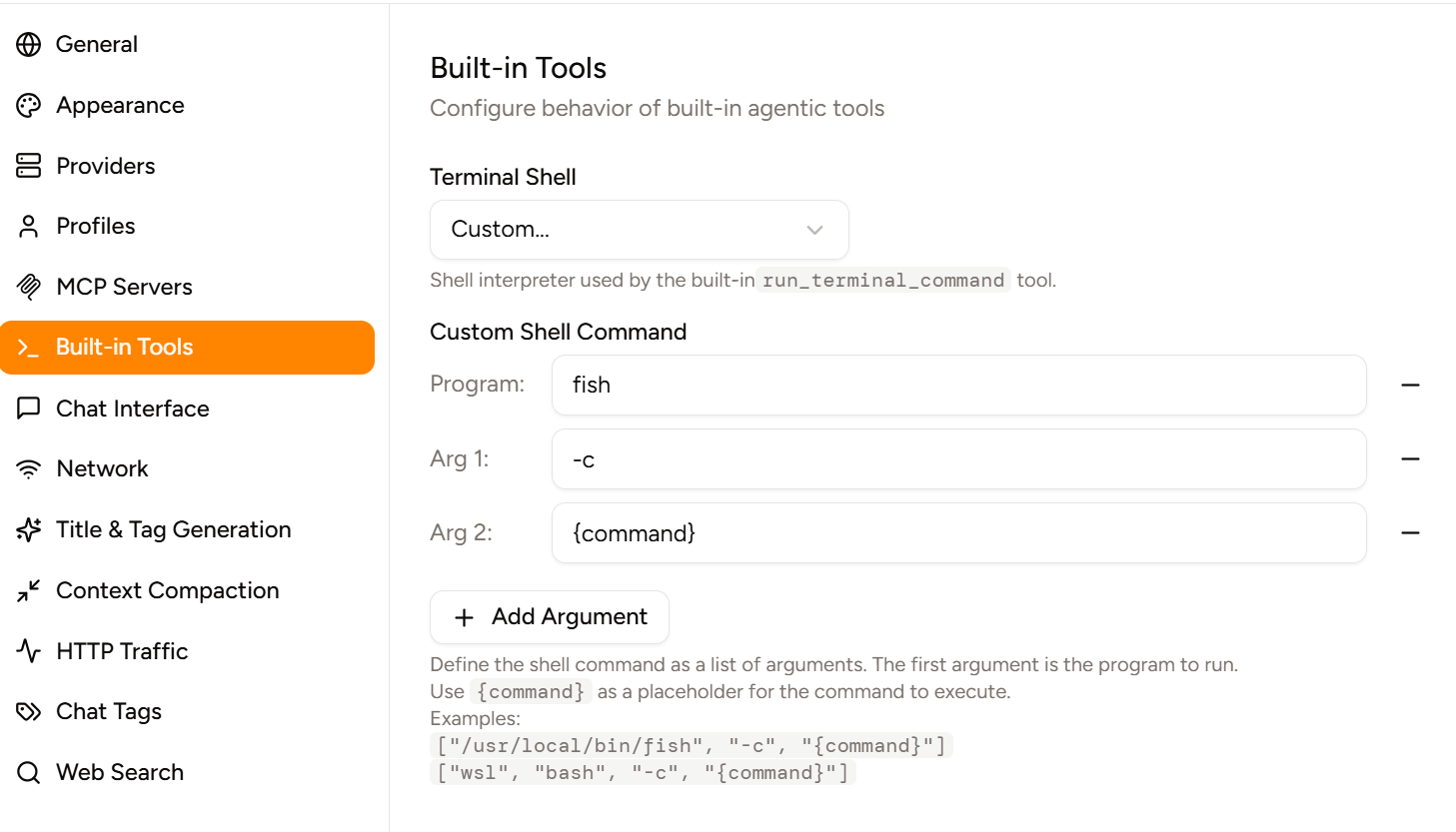 ## Pro trial
You can now try Piebald Pro for free for 14 days! Go to [https://piebald.ai/pricing](https://piebald.ai/pricing) and click **Start a free trial** on the Pro plan. You'll be redirected to sign in or create an account and then you'll have Piebald Pro access for 2 weeks. After that you'll need to purchase Pro or be downgraded to Basic. Starting a Pro trial doesn't require a credit card.
## Filtering chats by tags (Pro)
If you have tags assigned to your chats, you can now temporarily filter chats by a specific set of tags. Click the **Filter** icon in the top-right corner of the chat sidebar, and select one or more tags to filter by.
## Pro trial
You can now try Piebald Pro for free for 14 days! Go to [https://piebald.ai/pricing](https://piebald.ai/pricing) and click **Start a free trial** on the Pro plan. You'll be redirected to sign in or create an account and then you'll have Piebald Pro access for 2 weeks. After that you'll need to purchase Pro or be downgraded to Basic. Starting a Pro trial doesn't require a credit card.
## Filtering chats by tags (Pro)
If you have tags assigned to your chats, you can now temporarily filter chats by a specific set of tags. Click the **Filter** icon in the top-right corner of the chat sidebar, and select one or more tags to filter by.
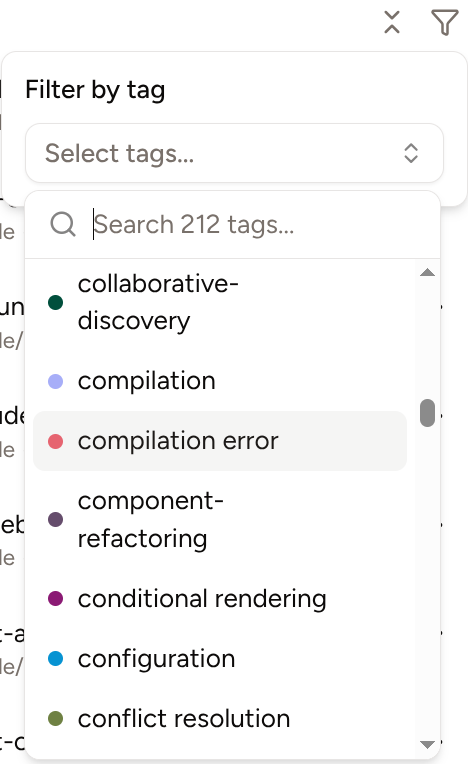 If you don't have any tags created (go to Settings → Chat Tags), the filter icon won't be visible.
Chat tags require [Piebald Pro](https://piebald.ai/pricing).
## Support for GitHub-flavored alert/callout blocks (Pro)
We now support GitHub-flavored alert/callout/admonition blocks (see [here](https://docs.github.com/en/get-started/writing-on-github/getting-started-with-writing-and-formatting-on-github/basic-writing-and-formatting-syntax#alerts)) when rendering markdown:
If you don't have any tags created (go to Settings → Chat Tags), the filter icon won't be visible.
Chat tags require [Piebald Pro](https://piebald.ai/pricing).
## Support for GitHub-flavored alert/callout blocks (Pro)
We now support GitHub-flavored alert/callout/admonition blocks (see [here](https://docs.github.com/en/get-started/writing-on-github/getting-started-with-writing-and-formatting-on-github/basic-writing-and-formatting-syntax#alerts)) when rendering markdown:
 The syntax is as following, where `NOTE` can be one of `NOTE`, `TIP`, `IMPORTANT`, `WARNING`, or `CAUTION`:
```
> [!NOTE]
> This is a **note.**
```
Callout/admonition blocks only render in [Piebald Pro](https://piebald.ai/pricing).
## Clickable file path references show contents on hover (Pro)
When you hover over a file path that's been highlighted, its contents will be loaded and displayed in a popup:
The syntax is as following, where `NOTE` can be one of `NOTE`, `TIP`, `IMPORTANT`, `WARNING`, or `CAUTION`:
```
> [!NOTE]
> This is a **note.**
```
Callout/admonition blocks only render in [Piebald Pro](https://piebald.ai/pricing).
## Clickable file path references show contents on hover (Pro)
When you hover over a file path that's been highlighted, its contents will be loaded and displayed in a popup:
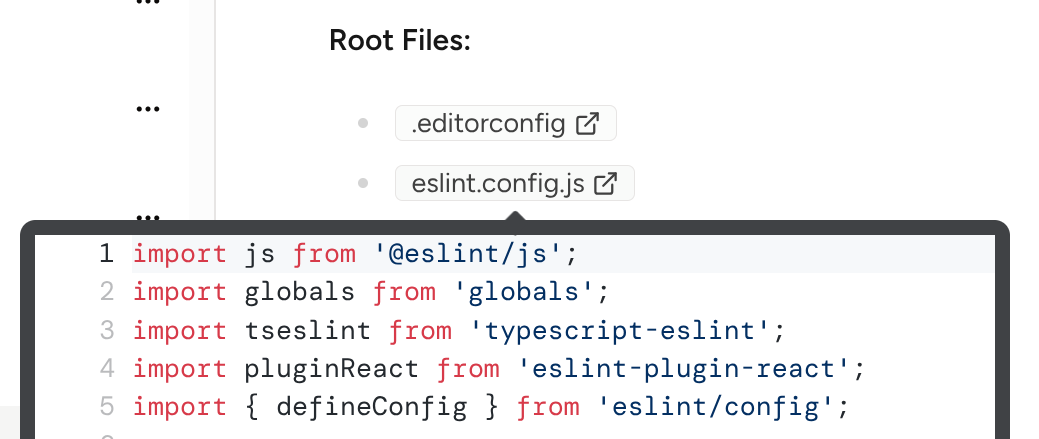 File paths being automatically detected and made clickable requires [Piebald Pro](https://piebald.ai/pricing).
## Other
We also added several smaller features—
* There's now a button to collapse all open folders in the sidebar (the screenshot of tag filtering above shows it).
* The "Help" menu now contains many useful links.
* We improved agentic performance by making both message generation and tool call execution parallel—previously it was just concurrent.
* And we fixed a lot of bugs.
## Next up
Chat pausing, chat branching, context editing, response rewriting, filter chats by tags, OAuth login to subscription providers, Git worktree support.
## Piebald v0.1.8 - active chats view & highlighting referenced file paths
In v0.1.8 we added a feature to help you quickly see chats that need your attention, and a feature to highlight files that that AI referenced.
## Highlighting files referenced by the AI ([Pro](https://piebald.ai/pricing))
Whenever the AI outputs a path to a file or folder that exists on disk, it will be highlighted and clickable. Clicking on it will open it in the default app for the file type, or your file browser if it's a directory:
File paths being automatically detected and made clickable requires [Piebald Pro](https://piebald.ai/pricing).
## Other
We also added several smaller features—
* There's now a button to collapse all open folders in the sidebar (the screenshot of tag filtering above shows it).
* The "Help" menu now contains many useful links.
* We improved agentic performance by making both message generation and tool call execution parallel—previously it was just concurrent.
* And we fixed a lot of bugs.
## Next up
Chat pausing, chat branching, context editing, response rewriting, filter chats by tags, OAuth login to subscription providers, Git worktree support.
## Piebald v0.1.8 - active chats view & highlighting referenced file paths
In v0.1.8 we added a feature to help you quickly see chats that need your attention, and a feature to highlight files that that AI referenced.
## Highlighting files referenced by the AI ([Pro](https://piebald.ai/pricing))
Whenever the AI outputs a path to a file or folder that exists on disk, it will be highlighted and clickable. Clicking on it will open it in the default app for the file type, or your file browser if it's a directory:
 We plan to make enhance this with file type icons and by integrating it into our upcoming integrated file browser and code editor.
Highlighting referenced files requires [Piebald Pro](https://piebald.ai/pricing).
## "Active chats" view
If you have a lot of chats, it can be hard to navigate to find which ones you need. We're working on an overhaul of chat organization with more flexibility, but in the meantime we've added an "Active Chats" view at the top of the chat sidebar that shows all the chats that are in progress or need your attention:
We plan to make enhance this with file type icons and by integrating it into our upcoming integrated file browser and code editor.
Highlighting referenced files requires [Piebald Pro](https://piebald.ai/pricing).
## "Active chats" view
If you have a lot of chats, it can be hard to navigate to find which ones you need. We're working on an overhaul of chat organization with more flexibility, but in the meantime we've added an "Active Chats" view at the top of the chat sidebar that shows all the chats that are in progress or need your attention:
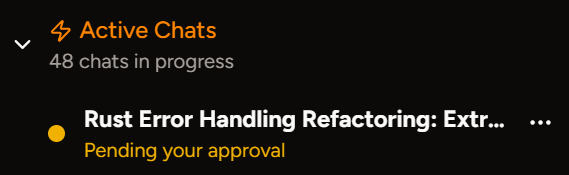 This feature is enabled by default. You can disable it via **Settings → General → Show Active Chats Section.**
## Other
We also made the app remember its last window position and size when you reopen it.
We fixed several bugs, including one that made API key providers difficult to create and one that broke importing existing Claude Pro/Max credentials from Claude Code for older versions.
## Next
Chat pausing, chat branching, response rewriting, filter chats by tags, OAuth login to subscription providers, Git worktree support.
## Piebald v0.1.7 - chat relocation & duplication
In v0.1.7 we added two features for chat management: **chat duplication & relocation**.
## Relocating chats (Pro)
Click the dropdown menu on chats in the sidebar and you'll be presented with a **Relocate** option. It will open up a folder browser and after you select a new location, it will configure that chat to run tool calls in that directory. It will also rewrite existing messages, tool call inputs/outputs, and context notifications to point to the new directory.
You can also relocate the chat via the config sidebar if you change the path manually:
This feature is enabled by default. You can disable it via **Settings → General → Show Active Chats Section.**
## Other
We also made the app remember its last window position and size when you reopen it.
We fixed several bugs, including one that made API key providers difficult to create and one that broke importing existing Claude Pro/Max credentials from Claude Code for older versions.
## Next
Chat pausing, chat branching, response rewriting, filter chats by tags, OAuth login to subscription providers, Git worktree support.
## Piebald v0.1.7 - chat relocation & duplication
In v0.1.7 we added two features for chat management: **chat duplication & relocation**.
## Relocating chats (Pro)
Click the dropdown menu on chats in the sidebar and you'll be presented with a **Relocate** option. It will open up a folder browser and after you select a new location, it will configure that chat to run tool calls in that directory. It will also rewrite existing messages, tool call inputs/outputs, and context notifications to point to the new directory.
You can also relocate the chat via the config sidebar if you change the path manually:
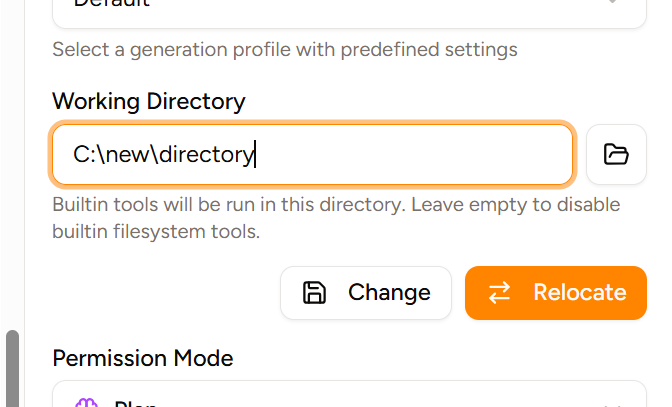 Chat relocation requires [Piebald Pro](https://piebald.ai/pricing).
## Duplicating chats (Pro)
In the same dropdown there's now a **Duplicate** option. It'll duplicate the chat with all its messages and tool calls in the exact same state, as well as any draft prompt you're still writing, any tags you've assign it, and any custom config you've set on it.
Chat relocation requires [Piebald Pro](https://piebald.ai/pricing).
## Duplicating chats (Pro)
In the same dropdown there's now a **Duplicate** option. It'll duplicate the chat with all its messages and tool calls in the exact same state, as well as any draft prompt you're still writing, any tags you've assign it, and any custom config you've set on it.
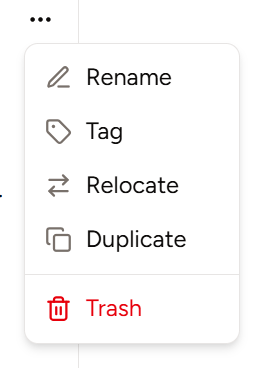 Chat duplication requires [Piebald Pro](https://piebald.ai/pricing).
## Other
A few other things:
* We added support for Claude Opus 4.5's **effort** parameter, which you can configure in the config sidebar under **Overrides → Anthropic Overrides.**
* We made HTTP traffic retention enabled by default, and existing users who have it disabled will get a notification on app startup if the app's data file is taking up >50 MB.
* We also enhanced the styling for thinking blocks:
| before | after |
| ------------------------------------------------------------------------------------------------------------------------------------------------------------------------------------------------------------------------------------------------------------------------------------------------------------------------------------------------------------------------------------------------------------------------------------------------------------------------------------------------------------------------------------------------------------------------------------------------------------------------------------------------------------------------------------------------------------------------------------------------------------------------------------------------------------------------------------------------------------------------------------------------------------------------------------------------------------------------------------------------------------------------------------------------------------------------------------------------------------------------------------------------------------------------------------------------------------------------------------------------------------------------------------------------------------------------------------------------------------------------------------------------------------------------------------------------------------------------------- | ------------------------------------------------------------------------------------------------------------------------------------------------------------------------------------------------------------------------------------------------------------------------------------------------------------------------------------------------------------------------------------------------------------------------------------------------------------------------------------------------------------------------------------------------------------------------------------------------------------------------------------------------------------------------------------------------------------------------------------------------------------------------------------------------------------------------------------------------------------------------------------------------------------------------------------------------------------------------------------------------------------------------------------------------------------------------------------------------------------------------------------------------------------------------------------------------------------------------------------------------------------------------------------------------------------------------------------------------------------------------------------------------------------------------------------------------------------------------------- |
|
Chat duplication requires [Piebald Pro](https://piebald.ai/pricing).
## Other
A few other things:
* We added support for Claude Opus 4.5's **effort** parameter, which you can configure in the config sidebar under **Overrides → Anthropic Overrides.**
* We made HTTP traffic retention enabled by default, and existing users who have it disabled will get a notification on app startup if the app's data file is taking up >50 MB.
* We also enhanced the styling for thinking blocks:
| before | after |
| ------------------------------------------------------------------------------------------------------------------------------------------------------------------------------------------------------------------------------------------------------------------------------------------------------------------------------------------------------------------------------------------------------------------------------------------------------------------------------------------------------------------------------------------------------------------------------------------------------------------------------------------------------------------------------------------------------------------------------------------------------------------------------------------------------------------------------------------------------------------------------------------------------------------------------------------------------------------------------------------------------------------------------------------------------------------------------------------------------------------------------------------------------------------------------------------------------------------------------------------------------------------------------------------------------------------------------------------------------------------------------------------------------------------------------------------------------------------------------- | ------------------------------------------------------------------------------------------------------------------------------------------------------------------------------------------------------------------------------------------------------------------------------------------------------------------------------------------------------------------------------------------------------------------------------------------------------------------------------------------------------------------------------------------------------------------------------------------------------------------------------------------------------------------------------------------------------------------------------------------------------------------------------------------------------------------------------------------------------------------------------------------------------------------------------------------------------------------------------------------------------------------------------------------------------------------------------------------------------------------------------------------------------------------------------------------------------------------------------------------------------------------------------------------------------------------------------------------------------------------------------------------------------------------------------------------------------------------------------- |
| 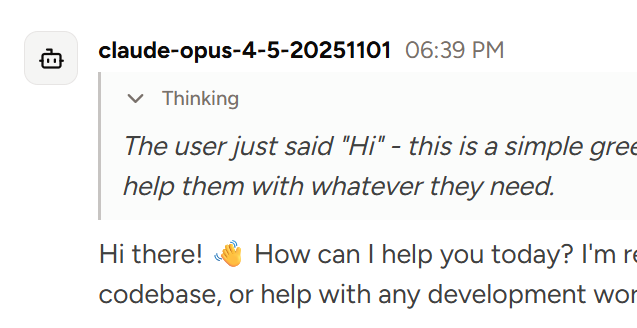 |
| 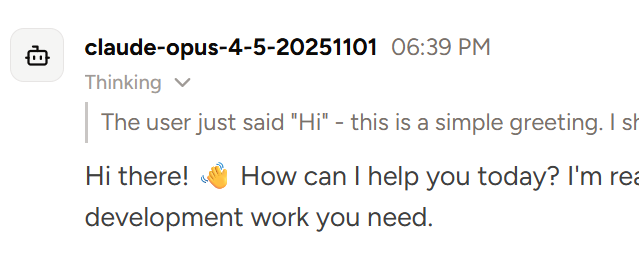 |
# Next
Automatically linking file paths mentioned in the AI's response, chat pausing, chat branching, response rewriting, OAuth login to subscription providers, Git worktree support.
## Piebald v0.1.6 - chat tags, continuation, web fetch
In this release we added `web_fetch`, two new Pro features, and a number of bug fixes.
## Automatic Chat Tagging (Pro)
You can now create **custom tags** ("labels" in GitHub/GitLab lingo) to assign to chats, and the automatic title generation process will also **automatically suggest** existing tags, and if configured, **new tags** for chats:
|
# Next
Automatically linking file paths mentioned in the AI's response, chat pausing, chat branching, response rewriting, OAuth login to subscription providers, Git worktree support.
## Piebald v0.1.6 - chat tags, continuation, web fetch
In this release we added `web_fetch`, two new Pro features, and a number of bug fixes.
## Automatic Chat Tagging (Pro)
You can now create **custom tags** ("labels" in GitHub/GitLab lingo) to assign to chats, and the automatic title generation process will also **automatically suggest** existing tags, and if configured, **new tags** for chats:
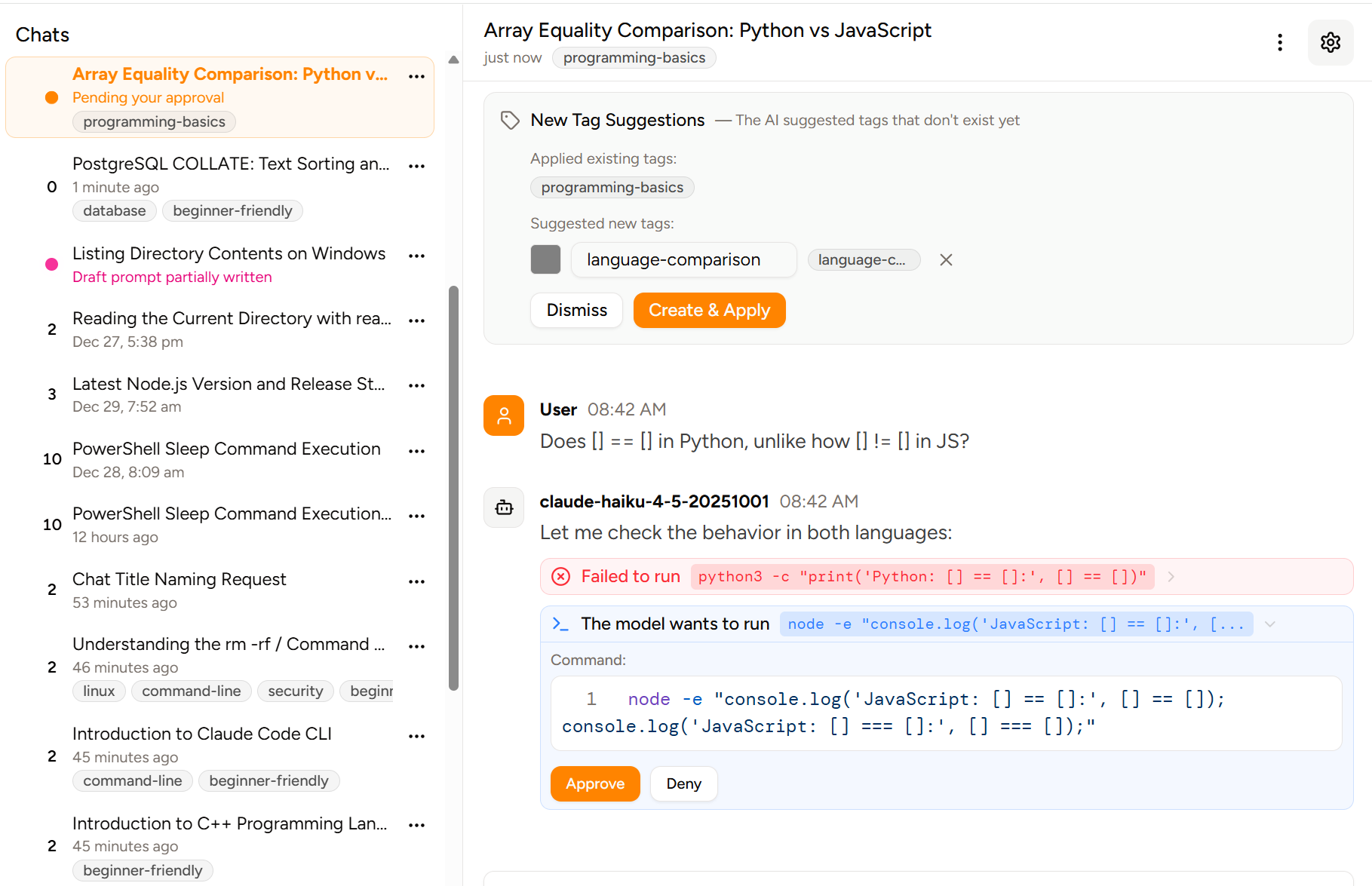 Having tags on chats requires Piebald Pro.
## Continuation (Pro)
There's now a **continue** button next to the **send** button in the bottom-right corner of the input box. It's the equivalent of sending a "continue" message to the model, but instead of adding a dummy message, it just re-sends the current chat history to the provider exactly as is. It's useful for when you accidentally interrupt the AI, or it returns a response but forgets to call tools:
Having tags on chats requires Piebald Pro.
## Continuation (Pro)
There's now a **continue** button next to the **send** button in the bottom-right corner of the input box. It's the equivalent of sending a "continue" message to the model, but instead of adding a dummy message, it just re-sends the current chat history to the provider exactly as is. It's useful for when you accidentally interrupt the AI, or it returns a response but forgets to call tools:
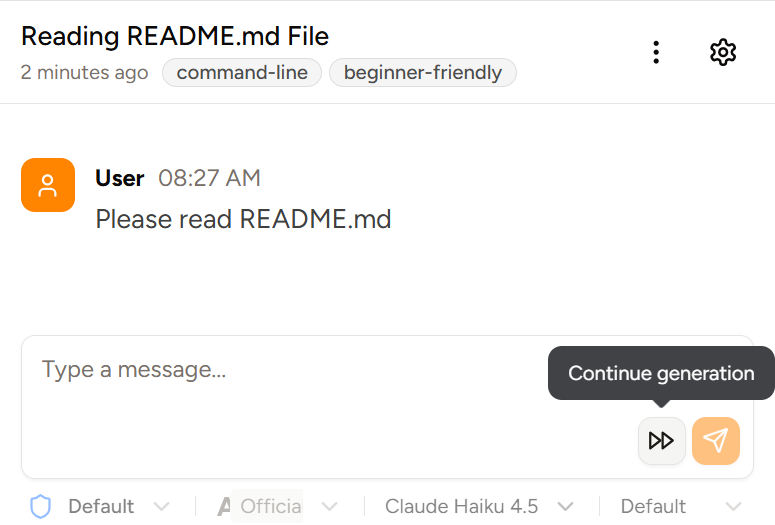 Continuation requires Piebald Pro.
## `web_fetch` builtin tool
We added a `web_fetch` builtin tool—a supplement to the `web_search` tool we added in v0.1.5—so that the model can directly read URLs.
## Other
We also removed the `builtin-agentic-tools__` prefix for builtin tools, so smaller models like Haiku 4.5 will hallucinate them much less frequently, and fewer tokens will be used.
And finally, we fixed bugs around error handling, editing, pasting text, cancelling, chat status, tool call output truncation, keyboard shortcuts, and scrolling.
## Next up
We're working on chat pausing/duplication/relocation, branching, response rewriting, context editing, direct OAuth login to Claude/ChatGPT/Google AI subscription, and Git worktree support.
## Piebald v0.1.5 - web search, HTTP traffic retention, log file
This release we've introduced a `web_search` tool, date-/count-based HTTP traffic log retention, a log file for debugging Piebald errors, and several smaller features and improvements.
## Web search
We've implemented a tool for the model to use to search the web, `web_search`. We'll also be releasing a `web_fetch` tool in the next version.
Continuation requires Piebald Pro.
## `web_fetch` builtin tool
We added a `web_fetch` builtin tool—a supplement to the `web_search` tool we added in v0.1.5—so that the model can directly read URLs.
## Other
We also removed the `builtin-agentic-tools__` prefix for builtin tools, so smaller models like Haiku 4.5 will hallucinate them much less frequently, and fewer tokens will be used.
And finally, we fixed bugs around error handling, editing, pasting text, cancelling, chat status, tool call output truncation, keyboard shortcuts, and scrolling.
## Next up
We're working on chat pausing/duplication/relocation, branching, response rewriting, context editing, direct OAuth login to Claude/ChatGPT/Google AI subscription, and Git worktree support.
## Piebald v0.1.5 - web search, HTTP traffic retention, log file
This release we've introduced a `web_search` tool, date-/count-based HTTP traffic log retention, a log file for debugging Piebald errors, and several smaller features and improvements.
## Web search
We've implemented a tool for the model to use to search the web, `web_search`. We'll also be releasing a `web_fetch` tool in the next version.
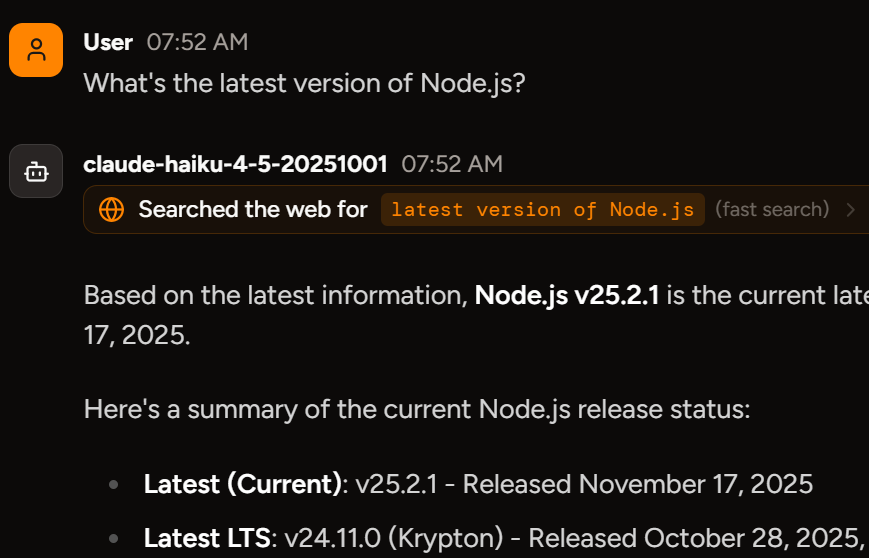 ## HTTP traffic retention (Pro)
With Piebald Pro, you can record all of the HTTP traffic performed by Piebald when interfacing with AI provider APIs to inspect their contents, investigate context issues, and learn about how the provider APIs work.
The logs are very verbose, however, and can pile up quickly if you use Piebald heavily, so we added a feature where you can configure a maximum number of logs to retain and a maximum age. For example, you can set the count to 5 to only keep the last 5 logs, and the date to 1 to only keep recent logs.
## HTTP traffic retention (Pro)
With Piebald Pro, you can record all of the HTTP traffic performed by Piebald when interfacing with AI provider APIs to inspect their contents, investigate context issues, and learn about how the provider APIs work.
The logs are very verbose, however, and can pile up quickly if you use Piebald heavily, so we added a feature where you can configure a maximum number of logs to retain and a maximum age. For example, you can set the count to 5 to only keep the last 5 logs, and the date to 1 to only keep recent logs.
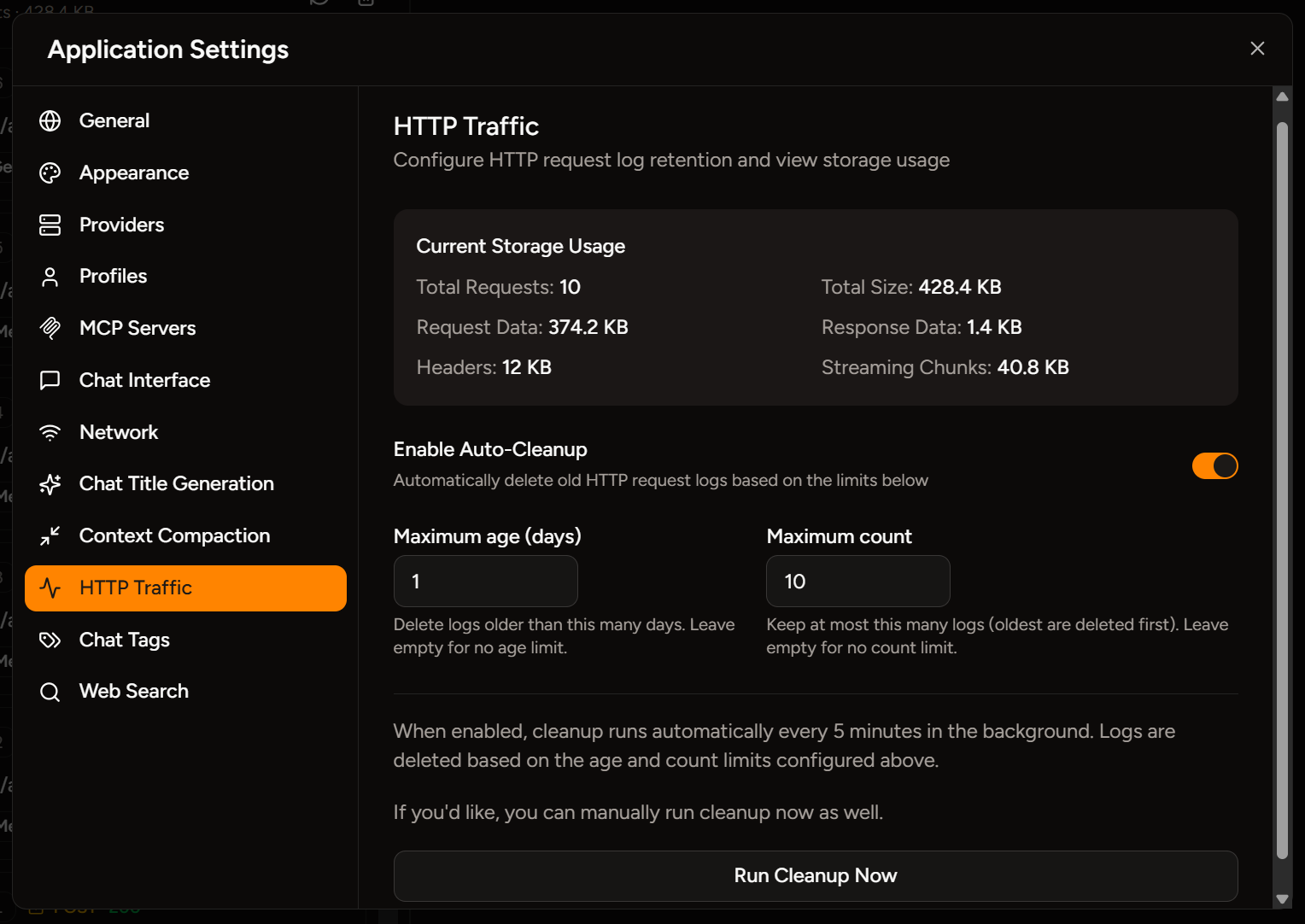 ## "Draft prompt partially written" (Pro)
There's a new status displayed in the sidebar for sessions that have a draft prompt written up but not sent yet. It displays as pink with the text "Draft prompt partially written:"
## "Draft prompt partially written" (Pro)
There's a new status displayed in the sidebar for sessions that have a draft prompt written up but not sent yet. It displays as pink with the text "Draft prompt partially written:"
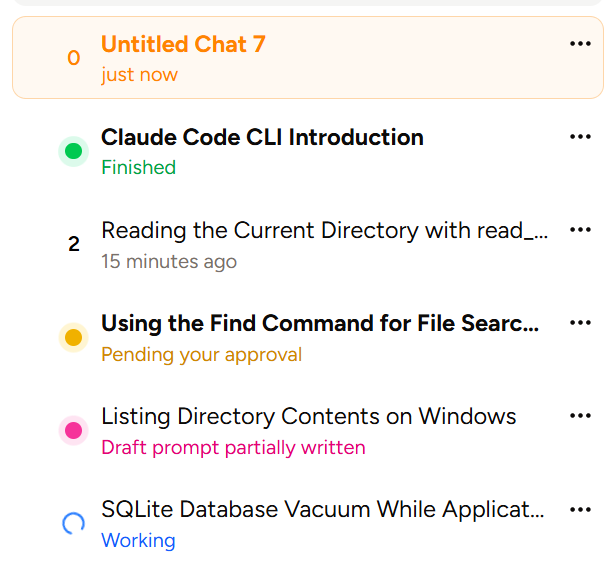 This feature is available on the Piebald Pro plan.
## Log File
We now write logs to a file named after the current date, e.g. `2025-12-29.log`, and they're located in Piebald's app data directory, which differs by platform:
* **macOS:** `~/Library/Application Support/piebald/logs`
* **Windows:** `%USERPROFILE%\AppData\Roaming\piebald\logs`
* **Linux:** `~/.local/share/piebald/logs`
## Other
We've added several smaller features as well:
* The `read_file` tool, when called with a path to a directory instead of a file, now lists the directory's contents instead of throwing an error. We've observed Claude Haiku 4.5 frequently trying to do this.
* Hidden files are now shown in the file @-mentioning dropdown. We also plan to make this configurable.
* Images displayed in the release notes viewer are now slightly rounded on the corners.
* The app now automatically checks for updates every 3 hours.
Plus **16** bug fixes and optimizations.
## Next up
We're working on web fetch, automatic chat tagging, branching, response rewriting, logging in to provider subscriptions, and worktree/Git integration, and we hope to have some of these major features out this week!
## Piebald v0.1.4 - file @-mentioning, rich text editor, agent skills
Today we're releasing Piebald v0.1.4, and we've got 3 significant features to share: **file @-mentioning**, a **rich text editor**, and support for [**agent skills**](https://agentskills.io/home).
## File @-Mentioning
Now you can mention files (and directories) in your chat to have them automatically read for the model, which can speed up the response time by eliminating round-trips to the inference provider and back. Here's a screenshot:
This feature is available on the Piebald Pro plan.
## Log File
We now write logs to a file named after the current date, e.g. `2025-12-29.log`, and they're located in Piebald's app data directory, which differs by platform:
* **macOS:** `~/Library/Application Support/piebald/logs`
* **Windows:** `%USERPROFILE%\AppData\Roaming\piebald\logs`
* **Linux:** `~/.local/share/piebald/logs`
## Other
We've added several smaller features as well:
* The `read_file` tool, when called with a path to a directory instead of a file, now lists the directory's contents instead of throwing an error. We've observed Claude Haiku 4.5 frequently trying to do this.
* Hidden files are now shown in the file @-mentioning dropdown. We also plan to make this configurable.
* Images displayed in the release notes viewer are now slightly rounded on the corners.
* The app now automatically checks for updates every 3 hours.
Plus **16** bug fixes and optimizations.
## Next up
We're working on web fetch, automatic chat tagging, branching, response rewriting, logging in to provider subscriptions, and worktree/Git integration, and we hope to have some of these major features out this week!
## Piebald v0.1.4 - file @-mentioning, rich text editor, agent skills
Today we're releasing Piebald v0.1.4, and we've got 3 significant features to share: **file @-mentioning**, a **rich text editor**, and support for [**agent skills**](https://agentskills.io/home).
## File @-Mentioning
Now you can mention files (and directories) in your chat to have them automatically read for the model, which can speed up the response time by eliminating round-trips to the inference provider and back. Here's a screenshot:
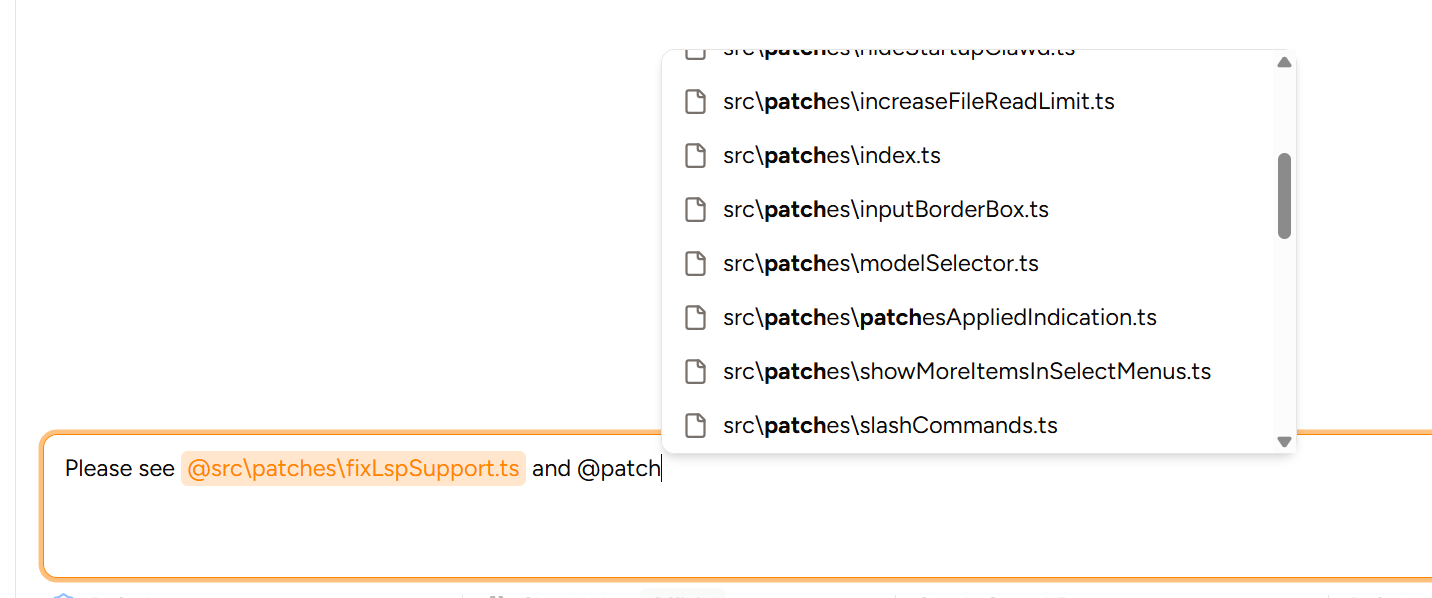 ## Rich-Text Editor
You can also now use a rich text editor to write messages, if you don't prefer using markdown:
## Rich-Text Editor
You can also now use a rich text editor to write messages, if you don't prefer using markdown:
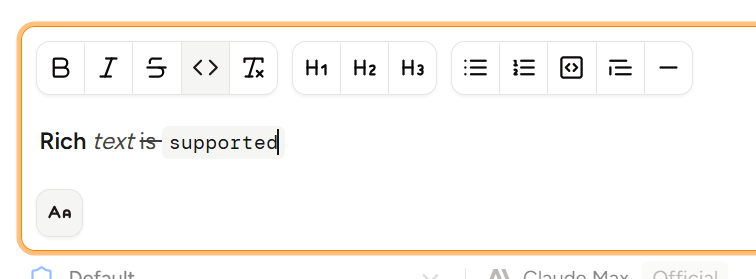 It's disabled by default. Enable it in **Settings → General → Rich-Text Editor.** You can turn it on or off even with draft messages unsent—they'll automatically be converted to/from markdown.
## Agent Skills
We now support the new [Agent Skills](https://agentskills.io/) standard. Piebald will automatically discover global skills in `~/.claude/skills` and per-project skills in `./.claude/skills`. We're supporting Claude Code's skill storage structure, being the most common, to make it easier to get started quickly; all of your existing skills should work in Piebald out of the box with no additional setup. The default skills locations for other tools like Cursor, Codex, and OpenCode will be supported soon.
Here's a screenshot of skills working in Piebald:
It's disabled by default. Enable it in **Settings → General → Rich-Text Editor.** You can turn it on or off even with draft messages unsent—they'll automatically be converted to/from markdown.
## Agent Skills
We now support the new [Agent Skills](https://agentskills.io/) standard. Piebald will automatically discover global skills in `~/.claude/skills` and per-project skills in `./.claude/skills`. We're supporting Claude Code's skill storage structure, being the most common, to make it easier to get started quickly; all of your existing skills should work in Piebald out of the box with no additional setup. The default skills locations for other tools like Cursor, Codex, and OpenCode will be supported soon.
Here's a screenshot of skills working in Piebald:
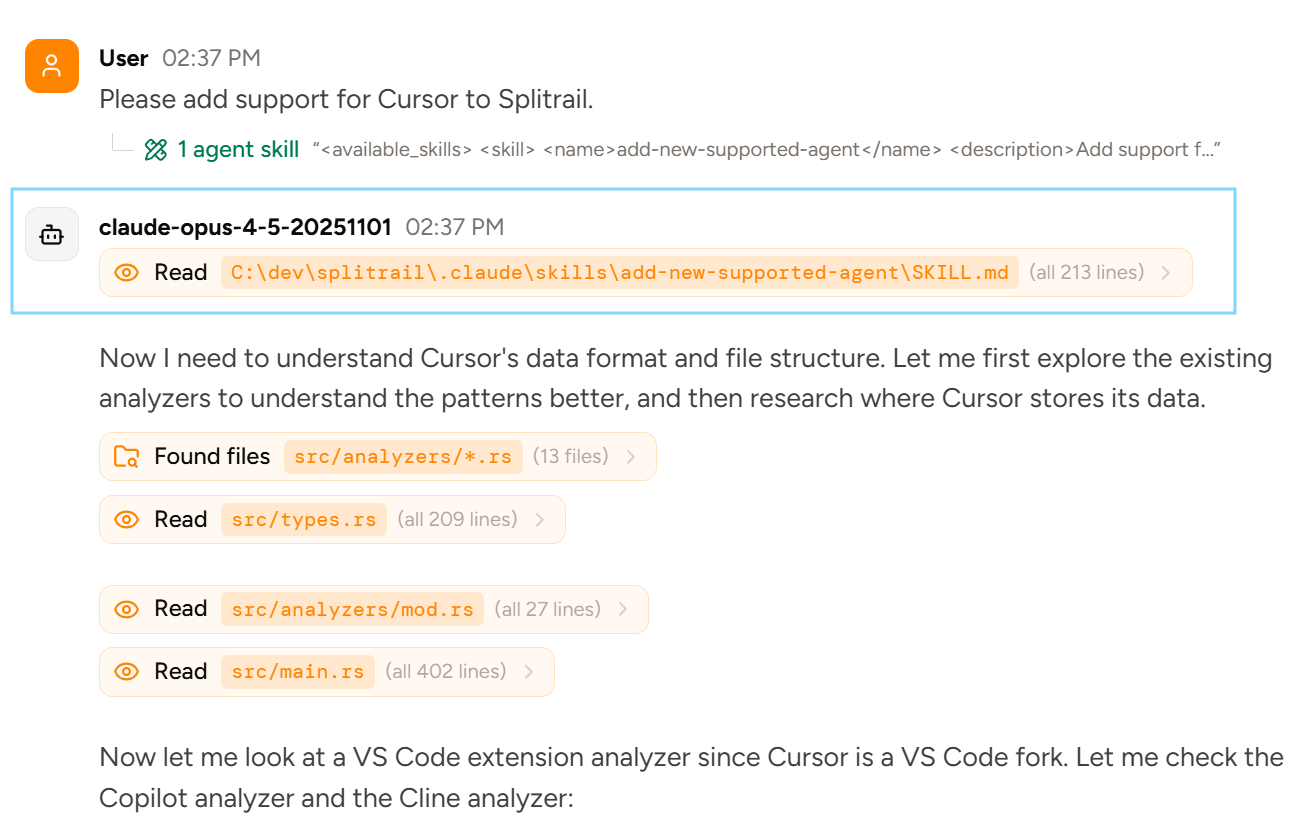 ## Other
We also added a little button on plans proposed by the AI that lets you copy the plan to your clipboard—useful to share or send to a new chat. (Pro users only.)
## Next Up
We're working on **web search functionality**, powerful **branching** and **response rewriting** features, and support for logging in directly to provider subscriptions like **Claude Max**, **ChatGPT**, **Google AI**, and **GitHub Copilot**. We're also going to be adding support for many **more providers** shortly.
## Piebald v0.1.3 - MCP server/tool enablement controls, chat status in the sidebar
In **v0.1.3** we added **controls to disable specific MCP servers/tools**, and made it much easier to **understand the state of chats from the sidebar:**
Now you'll see whether any chats are working, have finished working, or are waiting for tool call approval:
## Other
We also added a little button on plans proposed by the AI that lets you copy the plan to your clipboard—useful to share or send to a new chat. (Pro users only.)
## Next Up
We're working on **web search functionality**, powerful **branching** and **response rewriting** features, and support for logging in directly to provider subscriptions like **Claude Max**, **ChatGPT**, **Google AI**, and **GitHub Copilot**. We're also going to be adding support for many **more providers** shortly.
## Piebald v0.1.3 - MCP server/tool enablement controls, chat status in the sidebar
In **v0.1.3** we added **controls to disable specific MCP servers/tools**, and made it much easier to **understand the state of chats from the sidebar:**
Now you'll see whether any chats are working, have finished working, or are waiting for tool call approval:
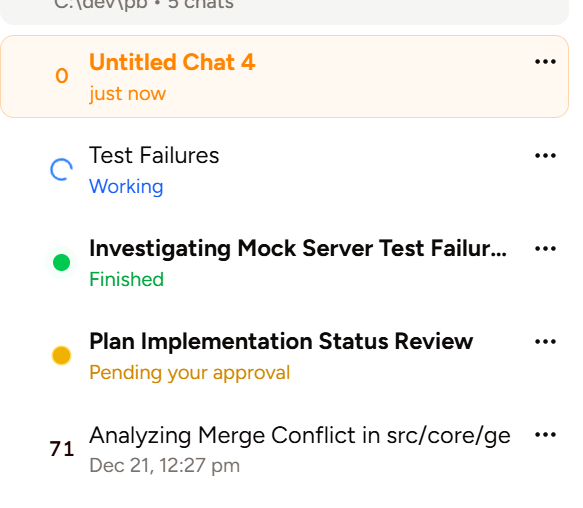 And you can enable and disable specific MCP servers and individual tools. Here's an example, where we have only `propose_plan_to_user` and `run_terminal_command` enabled, and those are the only ones the model gets:
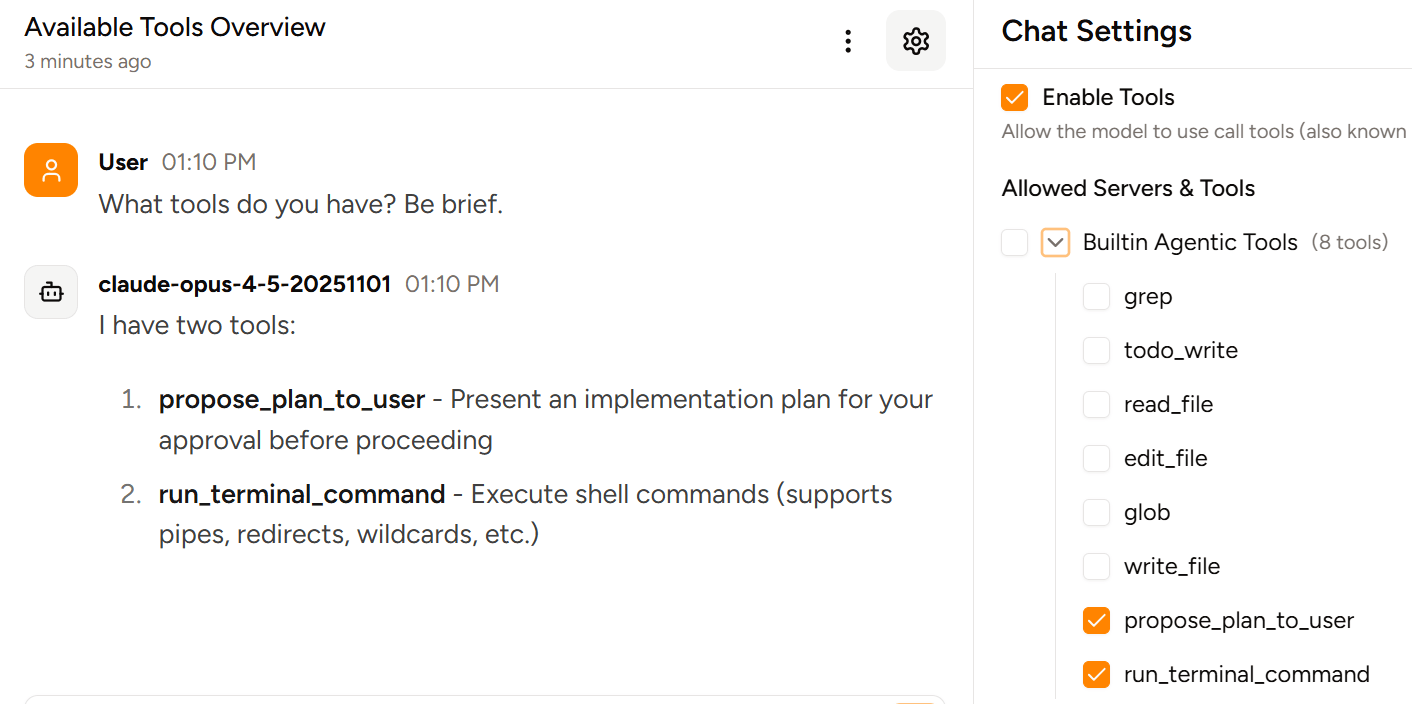 We also added the ability to specify **custom instructions** when manually compaction a chat, we added the model's **currently active TODO** above the input box, and we added **GPT-5.2-Codex** and **Gemini 3 Flash** to our ChatGPT and Google AI subscription support.
Lastly we fixed bugs in our Anthropic and OpenAI responses engines, a bug with reporting provider errors, and made the release notes dialog a bit bigger and scrollable.
**Next up:** We're working on file **@-mentions, branching, automatic chat tagging,** and **response rewriting,** among other things, and we'll be shipping more features in the next release!
## Piebald v0.1.2 - Token speed meter, repaired Windows support, bug fixes
In this release we've fixed several bugs and introduced a small token speed meter that will show above the message input when a response is streaming. It will show an estimated tokens-per-second speed an estimated total number of tokens generated for the current message:
We also added the ability to specify **custom instructions** when manually compaction a chat, we added the model's **currently active TODO** above the input box, and we added **GPT-5.2-Codex** and **Gemini 3 Flash** to our ChatGPT and Google AI subscription support.
Lastly we fixed bugs in our Anthropic and OpenAI responses engines, a bug with reporting provider errors, and made the release notes dialog a bit bigger and scrollable.
**Next up:** We're working on file **@-mentions, branching, automatic chat tagging,** and **response rewriting,** among other things, and we'll be shipping more features in the next release!
## Piebald v0.1.2 - Token speed meter, repaired Windows support, bug fixes
In this release we've fixed several bugs and introduced a small token speed meter that will show above the message input when a response is streaming. It will show an estimated tokens-per-second speed an estimated total number of tokens generated for the current message:
 The following bugs are now fixed:
* **File editing on Windows:** On Windows, when the model tried to edit a file, it would fail if the file used Windows CRLF line endings (`\r\n`). Now we detect the line endings of the file before applying the edit, normalizing the file to the most common line ending in case there are multiple in the same file
* **Terminal commands on Windows:** Few commands, even properly formatted ones, would successfully execute on Windows because we weren't handling escape characters correctly. Now all valid Batch and PowerShell commands will run. The default shell is currently command prompt (`cmd.exe`); this will be configurable in the future.
* **Streaming:** A small streaming bug sometimes caused individual characters to be omitted—e.g., you might see `Hi! 👋 Im` instead of `Hi! 👋 I'm`.
* **Google tool calls:** Tool calls were being incorrectly translated into Google's native format, causing an error.
* **Importing credentials from Claude Code on macOS:** On Windows and Linux, Claude Code stores its OAuth credentials in `~/.claude/credentials.json`, but on macOS they're stored in the Keychain—now we correctly read from the Keychain on macOS when importing existing OAuth crendentials from Claude Code (it will require your password). Thank you to [Chris Watson](https://github.com/watzon) for [reporting](https://github.com/Piebald-AI/piebald-issues/issues/1)!
## Piebald v0.1.1 - Context Compaction, Plan Mode, Auto-scroll
* **Context compaction:** If enabled, conversations will now be automatically compacted when 85% of the context is used (configurable). You can also manually compact conversations via the "..." icon in the chat top bar. The system prompt and hyperparameters for compaction can be modified via the "Context Compaction" system profile.
* **Plan mode:** You can now switch any chat at any time into plan mode via shift+tab, exactly like Claude Code. The builtin tool is called `ProposePlanToUser`, which we think is a more intuitive name than CC's `ExitPlanMode` tool.
* **Auto-scroll:** Chats now auto-scroll down as messages are added to them.
* **GPT-5.2:** GPT-5.2 is now in the list of ChatGPT-subscription-compatible models.
* **Trash all chats:** There's a new button to trash (soft-delete) all the chats in a folder—useful if you have a bunch of test chats or an obsolete project.
* **Hard-breaks:** Multiple consecutive lines with no backslash or space after them and no empty line between them (aka hard-broken lines) are now displayed as separate lines instead of automatically being displayed as a single line. Since this is somewhat uncommon (e.g. GitHub READMEs don't do this, though GitHub issue/PR comments do), we'll make this configurable soon, when we add markdown customization settings.
**Up next:** Improved Windows support, file @-mentioning, streaming speed visualizer, and better sidebar chat metadata.
**Initial release of Piebald.** See [our announcement blog post](https://piebald.ai/blog/piebald-is-here).
The following bugs are now fixed:
* **File editing on Windows:** On Windows, when the model tried to edit a file, it would fail if the file used Windows CRLF line endings (`\r\n`). Now we detect the line endings of the file before applying the edit, normalizing the file to the most common line ending in case there are multiple in the same file
* **Terminal commands on Windows:** Few commands, even properly formatted ones, would successfully execute on Windows because we weren't handling escape characters correctly. Now all valid Batch and PowerShell commands will run. The default shell is currently command prompt (`cmd.exe`); this will be configurable in the future.
* **Streaming:** A small streaming bug sometimes caused individual characters to be omitted—e.g., you might see `Hi! 👋 Im` instead of `Hi! 👋 I'm`.
* **Google tool calls:** Tool calls were being incorrectly translated into Google's native format, causing an error.
* **Importing credentials from Claude Code on macOS:** On Windows and Linux, Claude Code stores its OAuth credentials in `~/.claude/credentials.json`, but on macOS they're stored in the Keychain—now we correctly read from the Keychain on macOS when importing existing OAuth crendentials from Claude Code (it will require your password). Thank you to [Chris Watson](https://github.com/watzon) for [reporting](https://github.com/Piebald-AI/piebald-issues/issues/1)!
## Piebald v0.1.1 - Context Compaction, Plan Mode, Auto-scroll
* **Context compaction:** If enabled, conversations will now be automatically compacted when 85% of the context is used (configurable). You can also manually compact conversations via the "..." icon in the chat top bar. The system prompt and hyperparameters for compaction can be modified via the "Context Compaction" system profile.
* **Plan mode:** You can now switch any chat at any time into plan mode via shift+tab, exactly like Claude Code. The builtin tool is called `ProposePlanToUser`, which we think is a more intuitive name than CC's `ExitPlanMode` tool.
* **Auto-scroll:** Chats now auto-scroll down as messages are added to them.
* **GPT-5.2:** GPT-5.2 is now in the list of ChatGPT-subscription-compatible models.
* **Trash all chats:** There's a new button to trash (soft-delete) all the chats in a folder—useful if you have a bunch of test chats or an obsolete project.
* **Hard-breaks:** Multiple consecutive lines with no backslash or space after them and no empty line between them (aka hard-broken lines) are now displayed as separate lines instead of automatically being displayed as a single line. Since this is somewhat uncommon (e.g. GitHub READMEs don't do this, though GitHub issue/PR comments do), we'll make this configurable soon, when we add markdown customization settings.
**Up next:** Improved Windows support, file @-mentioning, streaming speed visualizer, and better sidebar chat metadata.
**Initial release of Piebald.** See [our announcement blog post](https://piebald.ai/blog/piebald-is-here).