> ## Documentation Index
> Fetch the complete documentation index at: https://docs.piebald.ai/llms.txt
> Use this file to discover all available pages before exploring further.
> Use chat compaction in Piebald when your chat context space gets too low.
# Chat compaction
Available in Piebald Basic (Free)
As you send messages in a chat, its context window will get filled up, and when it reaches the context limit you won't be able to send any more messages. Piebald allows you to "compact" a large chat into a new smaller chat by having a model generating a detailed summary of the large chat, and using that as the basis for the new chat.
When you compact a chat, the entire chat you're compacting is sent to your configured LLM, which is told to compact it. Tool calls in the chat being compacted are carefully truncated to include only useful context.
### Configuring summarization and compaction
There are many facets of the summarization process and compaction that can be configured.
* The provider and model used to generate the summary can be configured from **Settings → Context Compaction → Provider** and **Model**.
* The system prompt, temperature, and other hyperparameters used to generate the summary can be configured using the builtin **Context Compaction** profile from **Settings → Profiles**.
* Auto-compaction can be enabled from **Settings → Context Compaction → Enable Auto-Compaction**.
* Remaining context window space threshold at which auto-compaction should be triggered can also be configured from **Settings → Context Compaction → Trigger threshold**. This setting is only visible when **Enable Auto-Compaction** is on.
### Custom instructions for compaction
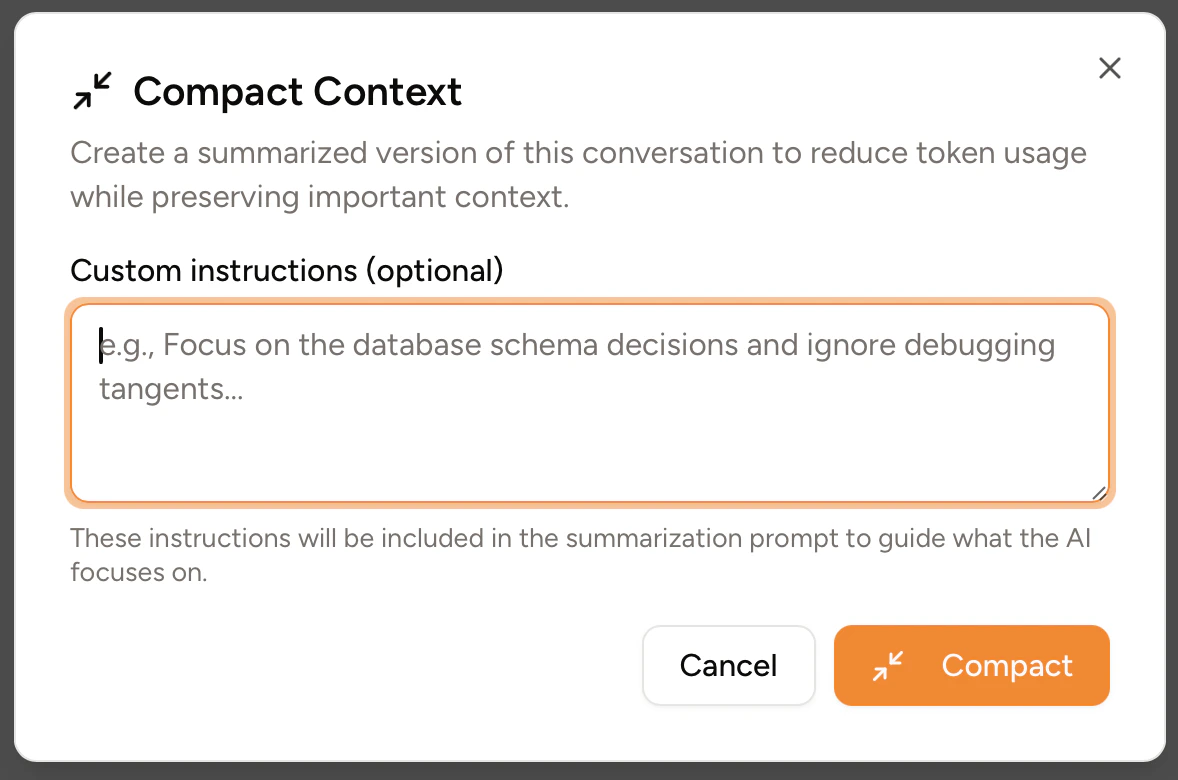
If you haven't enabled the **Settings → Context Compaction → Skip custom instructions dialog** setting, manually compacting a chat will trigger a dialog to open, allowing you to enter custom instructions that will be added to the system prompt sent to the summarization model.